logo-darklogo-darklogo-darklogo-dark
  • Tool Categories
    • ๐ŸŽจArt & Creative Design505
    • ๐ŸขBusiness Management644
    • ๐Ÿ’ปCoding & Development515
    • ๐Ÿ‘ฎDetection83
    • ๐Ÿง General Use727
    • ๐ŸฅHealth & Wellness55
    • ๐Ÿ“ทImage & Photo Analysis100
    • ๐Ÿ–ผ๏ธImage Generation & Editing618
    • ๐Ÿ“Interior & Architectural Design37
    • ๐ŸŽ“Learning & Education483
    • โš–๏ธLegal & Finance90
    • ๐ŸŽญLifestyle & Entertainment236
    • ๐Ÿ“ขMarketing & Advertising627
    • ๐ŸŽงMusic & Audio138
    • ๐Ÿ‘”Office & Workplace1,014
    • ๐Ÿ”ฌResearch & Data Analysis372
    • ๐Ÿ‘ฅSocial Media245
    • ๐ŸŽฅVideo Generation & Editing426
    • ๐Ÿ‘ง๐ŸปVirtual Companion135
    • ๐ŸŽคVoice Generation & Editing381
    • โœ๏ธWriting & Editing808
    • All Categories
    • AI Use Cases
  • News
  • Events
    • Academic Conferences
    • Developer Conferences
    • Expos / Trade Shows
    • Industry Summits
    • Workshops / Training
    • All Events
    • Past Events
  • Saved Tools
  • Suggest a Tool
โœ•
Home › Image Generation & Editing › Photo Editing› Retouch4me
Retouch4me

Retouch4me

With these AI plugins, you don't need to be a professional retoucher to get a high-end result

Retouch4me is an advanced AI-powered photo retouching tool designed to streamline and enhance the editing process for photographers and retouchers. The tool offers a range of plugins, each tailored to address specific aspects of photo retouching — from skin imperfections like blemishes, dust removal, and even adjusting portrait volumes for added depth.

These plugins utilize AI to automatically detect areas that need retouching, providing users with professional-quality results in a fraction of the time it would take manually. Notably, Retouch4me includes features for color matching, teeth whitening, smoothing fabric wrinkles, and more — all aimed at significantly improving the efficiency and quality of photo editing.

The tool is easy to use with flexible settings for tailored edits, the ability to work with layers to keep original files intact, and can operate autonomously on a local computer without needing internet access. This ensures both the security of clients’ photos and the ability for users to work seamlessly.

Retouch4me supports batch processing, making it ideal for handling large volumes of photos while providing education for users through the observation of its deep learning system.

Visit Retouch4me ↗
Categories
๐Ÿ–ผ๏ธ Image
โœ๏ธ Photo Editing ๐ŸŒŸ Photo Enhancing ๐Ÿ’Ž Image Enhancing ๐Ÿงน Object Removal ๐Ÿ“ธ Headshot Generation
๐ŸŽจ Art
๐Ÿ“ท Photography ๐Ÿ’„ Beauty

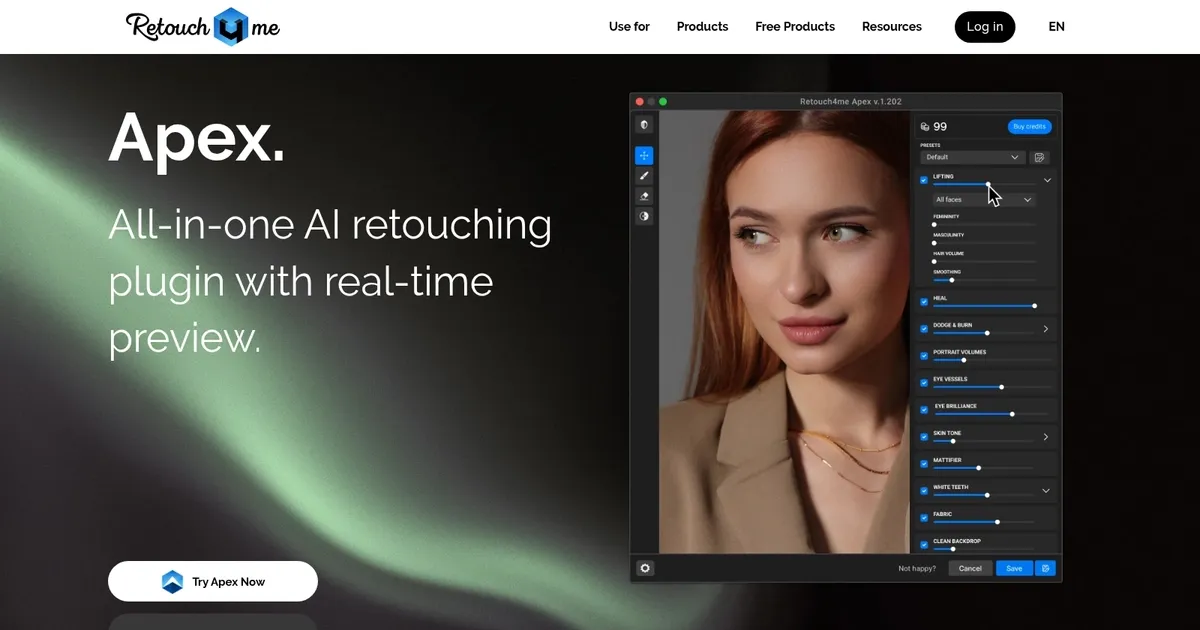
Homepage Screenshot 📸

Retouch4me screenshot

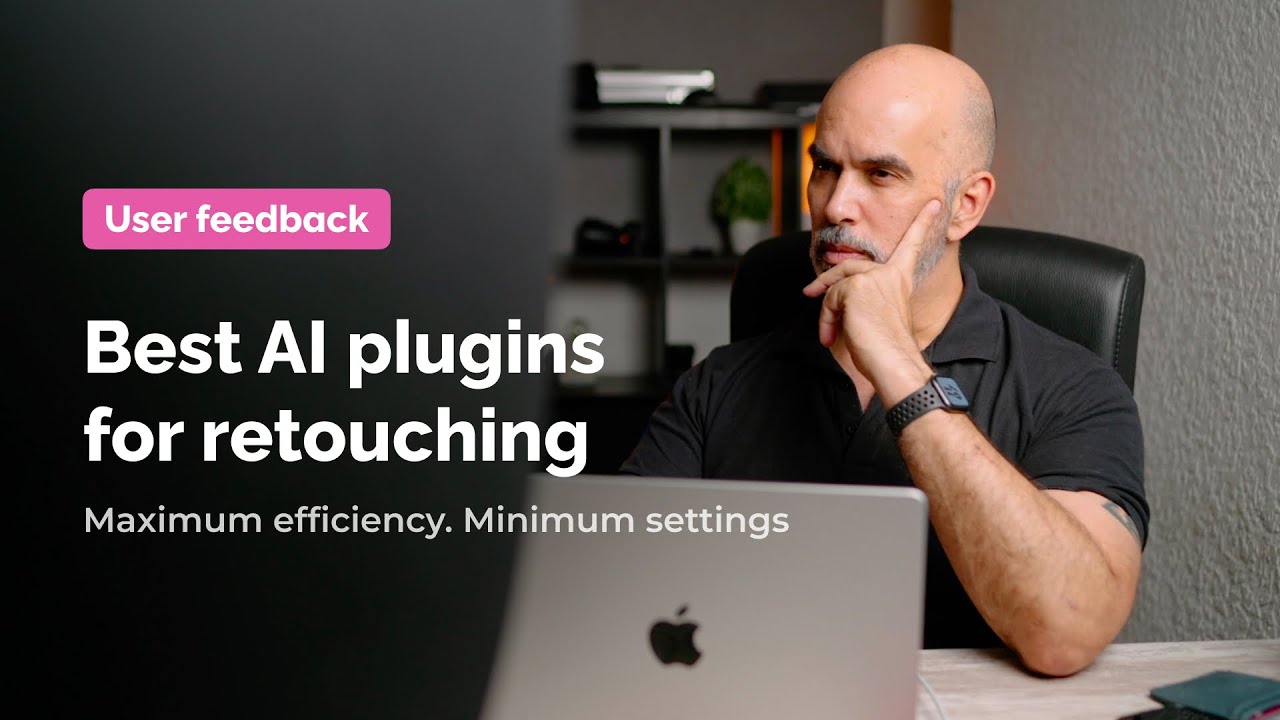
Video Overview 🎬

Retouch4me - Video Overview

What are the key features? ✨

  • Skin Heal: Automatically detects and fixes skin defects and blemishes while preserving natural texture.
  • Dodge & Burn: Applies precise light and shadow adjustments to smooth troubled skin areas naturally.
  • Portrait Volumes: Adds realistic depth and three-dimensional shaping to faces for enhanced portrait quality.
  • White Teeth: Whitens smiles to an ideal level without overprocessing or unnatural appearance.
  • Clean Backdrop: Removes dirt, dust, and distractions from backgrounds efficiently.

Who is it for? 🤔

Retouch4me proves especially helpful for professional photographers who handle portrait sessions, weddings, fashion shoots, or beauty work and want to cut down repetitive editing time while delivering high-end client results that look authentic rather than overly smoothed. HTML

Examples of what you can use it for 💡

  • Wedding photographers: Quickly retouch large batches of portraits to maintain natural skin tones and meet tight delivery deadlines.
  • Fashion and beauty shooters: Enhance model skin, add volume, and whiten teeth with one-click precision for editorial-quality images.
  • Portrait studios: Automate routine fixes like blemish removal and eye vessel reduction to handle high-volume client sessions efficiently.
  • Beginner retouchers: Learn professional techniques faster by seeing AI deliver subtle, realistic results as a starting point for manual tweaks.
  • Event photographers: Clean up backdrops and skin issues in bulk to process hundreds of photos from a single event without burnout.

Pros & Cons ⚖️

  • Time-saving automation
  • Natural realistic results
  • Batch processing support
  • High individual plugin cost
  • Limited free features

FAQs 💬

What is Retouch4me mainly used for?
Retouch4me specializes in AI-driven portrait retouching, particularly skin enhancement, blemish removal, volume addition, and other common beauty fixes for professional photos.
Does Retouch4me work as a Photoshop plugin?
Yes, many of its tools come as Photoshop plugins, with options for standalone apps and browser-based online retouching as well.
Is there a free trial available?
Yes, Retouch4me offers a free trial with 20 free retouches and additional daily free uses, no credit card needed to start.
Does it preserve natural skin texture?
Yes, unlike some AI tools that create plastic-like skin, Retouch4me focuses on keeping original texture while fixing issues for realistic results.
Can I process multiple photos at once?
Yes, batch processing is supported, especially through tools like Arams for entire photoshoots or via the Photoshop panel.
What file formats does it support?
It primarily works with JPG and PNG files, and plugins handle standard Photoshop-compatible formats without quality loss.
How does pricing work?
Most tools are sold as one-time perpetual licenses per plugin, with some free tools available and cloud options possibly using credits.
Is it suitable for beginners?
Yes, its one-click AI approach makes it accessible for beginners while still delivering professional-grade results that more experienced users appreciate.
What are the main competitors?
Popular alternatives include Evoto, Aperty, and traditional plugins like Portraiture, each offering varying levels of automation and all-in-one features.
Can it handle non-portrait photos?
While optimized for portraits, some tools like Clean Backdrop or general fixes work on other image types, though portrait retouching remains the core strength.

Ready to try Retouch4me?

With these AI plugins, you don't need to be a professional retoucher to get a high-end result

Visit Retouch4me ↗

Retouch4me alternatives 🔗

  1. Imagen Imagen Generates photorealistic images from detailed text prompts
  2. Black Forest Labs Black Forest Labs Generates high-quality images from text prompts with precision and speed
  3. Stable Diffusion Stable Diffusion Generates high-quality images from text prompts with versatile styles
  4. Adobe Express Adobe Express Creates on-brand content with AI-driven design and video tools
  5. Adobe Firefly Adobe Firefly Generates images, videos, audio, and vectors using AI.
  6. Freepik AI Freepik AI Creates AI images and videos with fluid motion, detailed textures, and synced audio up to 1080p
Share
Retouch4me screenshot enlarged
Promote Retouch4me
light badge
Copy Embed Code
dark badge
Copy Embed Code
neutral badge
Copy Embed Code
Best AI Tools

Discover the best AI tools for any use case

Explore
  • Tool Categories
  • AI Use Cases
  • AI Events
  • AI News
  • Saved Tools
Company
  • About Us
  • Contact Us
  • Media & Partnerships
  • Suggest a Tool
Legal
  • Privacy Policy
  • Terms of Service
Copyright © 2026 Best AI Tools 415 Mission Street, 37th Floor, San Francisco, CA 94105