Best AI PDF Editing Tools

5 toolsRanked by traffic

AI PDF editing tools let you change the contents of a PDF: annotating, filling forms, rewriting text, and rearranging pages with help from AI. Rather than recreating a document from scratch, you edit the existing file directly and let the tool handle layout and formatting. Tools like LightPDF, Goodnotes, and TinyWow make small fixes and markup quick.

These fit anyone who receives PDFs they need to mark up: signing a contract, filling a form, annotating a draft, or correcting a typo without the original file. The honest limit is that PDFs were built to be fixed, not flexible, so heavy text edits can still shift the layout. For light changes and markup these tools are excellent, but for a full rewrite you are often better off editing the source document and exporting a fresh PDF.


Goodnotes
Goodnotes - icon
Goodnotes
Captures, organizes, and enhances handwritten and typed notes across devices
TinyWow
TinyWow - icon
TinyWow
A collection of PDF, video, image, and other AI-powered online tools to make your life easier
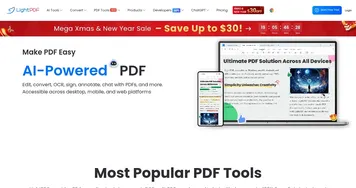
LightPDF
LightPDF - icon
LightPDF
Ask anything about your documents, get summaries, outlines, and answers instantly
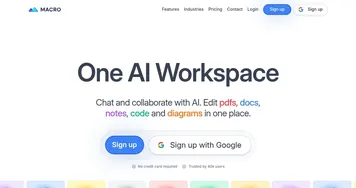
Macro
Macro - icon
Macro
Streamlines document editing with AI-powered tools for seamless workflow
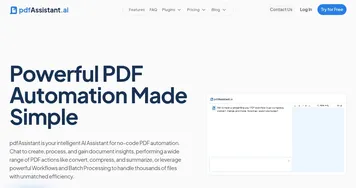
pdfAssistant
pdfAssistant - icon
pdfAssistant
An AI tool that acts like a chatty intern who's freakishly good at handling PDFs

Frequently Asked Questions

What is the best AI PDF editor?
The best AI PDF editor depends on the work. LightPDF and TinyWow handle quick edits, form filling, and conversions in the browser, while Goodnotes is strong for annotating and handwriting on tablets. For occasional markup any of them works well, so choose based on whether you mainly fill forms, annotate by hand, or make small text corrections.
Can AI edit text inside a PDF?
Yes, AI PDF editors can edit text inside a document, though results vary by file. Small corrections and added notes work cleanly, but heavy edits sometimes shift fonts and spacing because PDFs hold fixed layouts. For a major rewrite, editing the original Word or source file and re-exporting usually produces a cleaner result than reworking the PDF directly.
What's the difference between PDF editing and a PDF summarizer?
PDF editing changes a document's actual contents, letting you annotate, fill forms, or correct text in the file. A PDF summarizer leaves the file untouched and instead gives you a short overview of what it says. Editing is about modifying the document, summarizing is about understanding it quickly without changing a thing.