Best AI Scanning Tools

17 toolsRanked by traffic

AI scanning tools turn a scanned page or a photo of a document into editable, searchable text using OCR. You point your camera or upload an image, and the tool reads the characters and gives you back text you can copy, search, or export. Tools like LightPDF, Nanonets, and Picture to Text handle everything from a quick receipt snap to bulk batch scanning.

People use these to get paper into a computer: digitizing receipts and invoices, capturing notes from a whiteboard, or saving a printed page as a real document. Accuracy is the whole game here. Clean, well-lit scans read almost perfectly, while blurry photos, handwriting, and odd fonts introduce errors. If you scan the same kind of document often, like receipts or forms, a specialized tool will beat a general one because it knows the layout.

LightPDF
LightPDF - icon
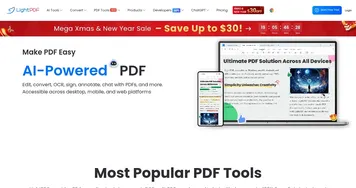
LightPDF
Ask anything about your documents, get summaries, outlines, and answers instantly
SimplyWise
SimplyWise - icon
SimplyWise
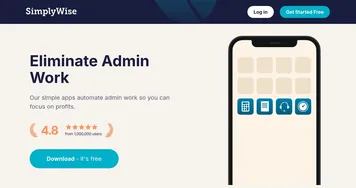
An AI app that streamlines expense tracking and document organization
Nanonets
Nanonets - icon
Nanonets
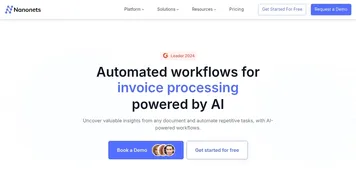
An AI tool to capture data from documents and automate manual data entry
Picture to Text
Picture to Text - icon
Picture to Text
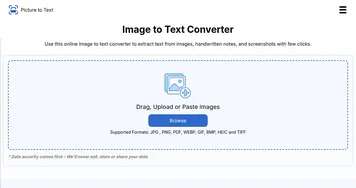
An online tool that can convert images into editable text using advanced OCR technology
WellyBox
WellyBox - icon
WellyBox
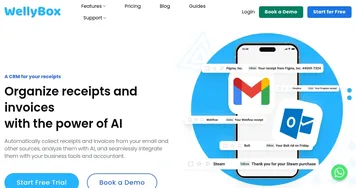
An AI virtual assistant for receipts that automates manual admin tasks
Gemoo
Gemoo - icon
Gemoo
An AI platform that makes it easy to create, edit, and share videos and images
Rossum
Rossum - icon
Rossum
Automates transactional document processing with AI, boosting efficiency
Parsio
Parsio - icon
Parsio
Automates data extraction from emails and PDFs using AI parsers
Photes.io
Photes.io - icon
Photes.io
Converts photos, PDFs, audio, and videos into structured text notes using AI
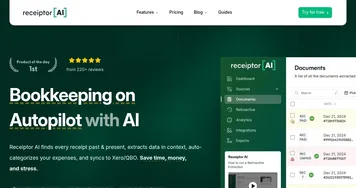
Receiptor AI
Receiptor AI - icon
Receiptor AI
Automates receipt extraction from emails and syncs to accounting tools.
Ocrolus
Ocrolus - icon
Ocrolus
Automates financial document analysis for accurate lending decisions
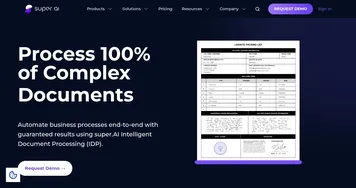
Super.AI
Super.AI - icon
Super.AI
Automates complex document processing workflows from prompts without coding
Reducto
Reducto - icon
Reducto
Converts complex documents into structured data for AI applications
Dubble
Dubble - icon
Dubble
Automates creation of step-by-step guides from screen actions.
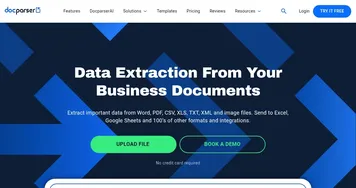
Docparser
Docparser - icon
Docparser
Extracts key data from PDFs and images via OCR and rule-based parsing

Frequently Asked Questions

What is the best AI document scanner?
The best AI document scanner depends on what you scan. Picture to Text and LightPDF are great for quick image-to-text jobs, Nanonets handles high-volume business scanning with structured output, and receipt-focused tools shine for expense tracking. If you scan one document type repeatedly, a specialized scanner reads it more accurately than a general all-purpose one.
How does AI OCR work?
AI OCR works by analyzing an image of text and recognizing each character, then reconstructing words, lines, and layout into editable text. Modern OCR uses machine learning to handle varied fonts, spacing, and even some handwriting far better than older systems. The result is searchable text you can copy or export, produced from what was originally just a picture.
Can AI scan handwritten text?
AI can scan handwritten text, though accuracy is lower than for printed type. Neat, consistent handwriting reads reasonably well, while messy or cursive writing produces more errors. Tools trained specifically on handwriting do best. For anything important, scan handwritten notes and then proofread the output, since a misread word in handwriting is common and easy to miss.
What's the difference between scanning and a PDF editor?
Scanning turns an image of a page into digital text you can use, solving the problem of paper that is not yet a real document. A PDF editor changes the contents of a PDF you already have, like annotating, filling forms, or rearranging pages. Scanning creates the digital document, editing modifies one that already exists.