logo-darklogo-darklogo-darklogo-dark
  • Tool Categories
    • ๐ŸŽจArt & Creative Design505
    • ๐ŸขBusiness Management644
    • ๐Ÿ’ปCoding & Development515
    • ๐Ÿ‘ฎDetection83
    • ๐Ÿง General Use727
    • ๐ŸฅHealth & Wellness55
    • ๐Ÿ“ทImage & Photo Analysis100
    • ๐Ÿ–ผ๏ธImage Generation & Editing618
    • ๐Ÿ“Interior & Architectural Design37
    • ๐ŸŽ“Learning & Education483
    • โš–๏ธLegal & Finance90
    • ๐ŸŽญLifestyle & Entertainment236
    • ๐Ÿ“ขMarketing & Advertising627
    • ๐ŸŽงMusic & Audio138
    • ๐Ÿ‘”Office & Workplace1,014
    • ๐Ÿ”ฌResearch & Data Analysis372
    • ๐Ÿ‘ฅSocial Media245
    • ๐ŸŽฅVideo Generation & Editing426
    • ๐Ÿ‘ง๐ŸปVirtual Companion135
    • ๐ŸŽคVoice Generation & Editing381
    • โœ๏ธWriting & Editing808
    • All Categories
    • AI Use Cases
  • News
  • Events
    • Academic Conferences
    • Developer Conferences
    • Expos / Trade Shows
    • Industry Summits
    • Workshops / Training
    • All Events
    • Past Events
  • Saved Tools
  • Suggest a Tool
โœ•
Home › Legal & Finance › Accounting› WellyBox
WellyBox

WellyBox

An AI virtual assistant for receipts that automates manual admin tasks

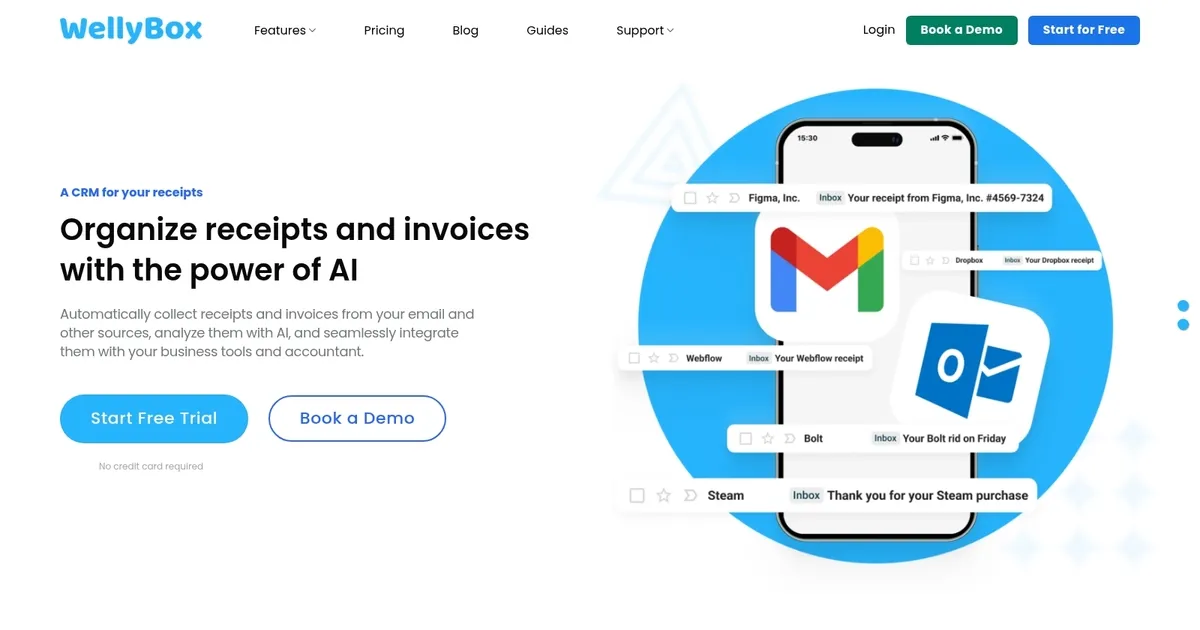
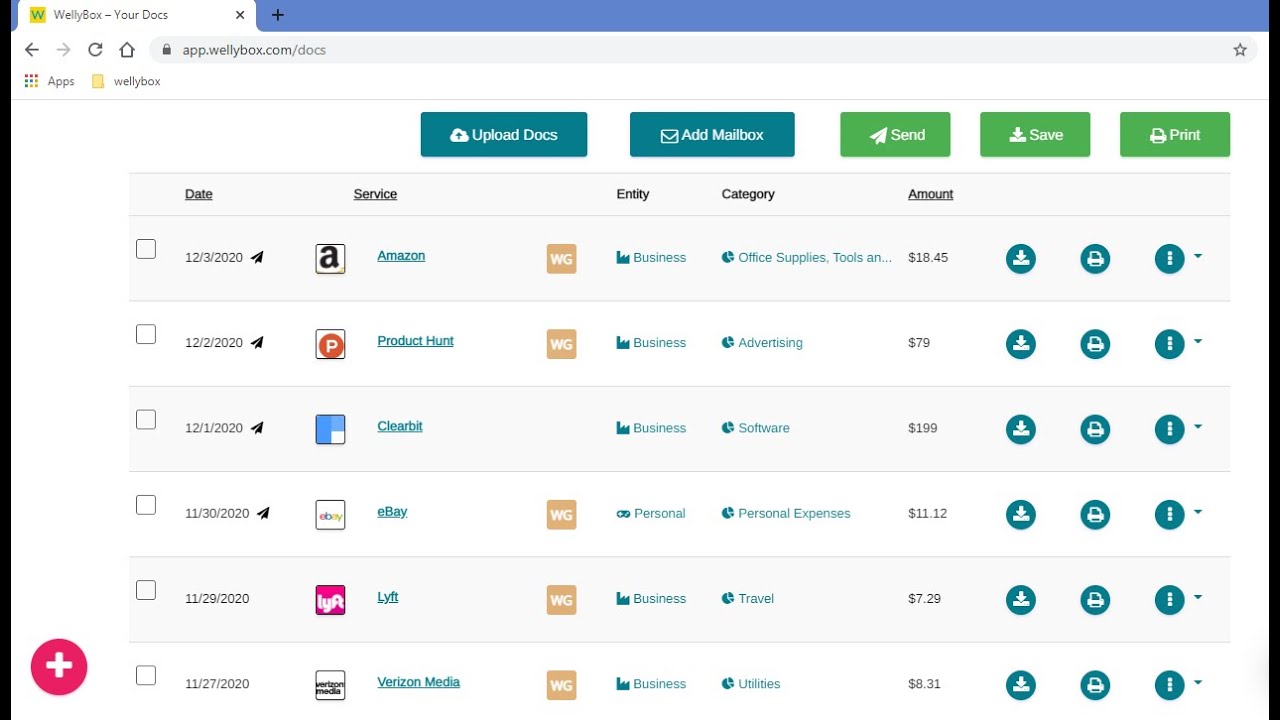
WellyBox is an AI and OCR-driven platform designed to streamline the process of managing business receipts, invoices, and bills for small businesses. It automatically finds and organizes receipts from email accounts, converting them into structured Excel spreadsheets for detailed analysis and reporting.

The solution significantly reduces the time and effort spent on manual document management tasks, ensuring that financial data is easily accessible and ready for accounting workflows. With integrations to popular accounting software like QuickBooks, Xero, and FreshBooks – WellyBox simplifies the transition of financial data into accounting systems, aiding in efficient expense tracking and management.

Moreover, WellyBox enhances productivity by offering features such as automatic receipt collection, secure WhatsApp-based receipt scanning, as well as the ability to send all receipts to accountants directly from its dashboard.

Supporting over 45,000 customers across 51 countries and processing over 70 million documents – WellyBox is a leader in the pre-accounting field, offering businesses peace of mind about their financial document management.

Visit WellyBox ↗
Categories
โš–๏ธ Legal/Finance
๐Ÿงพ Accounting ๐Ÿ’ต Tax Assistant
๐Ÿ‘” Work
๐Ÿ“ค Document Extraction ๐Ÿ–จ๏ธ Scanning ๐Ÿ“• PDF ๐Ÿ“ File
๐Ÿ“ท Image Analysis
๐Ÿ”ค OCR

Homepage Screenshot 📸

WellyBox screenshot

Video Overview 🎬

WellyBox - Video Overview

What are the key features? ✨

  • AI Discovery & Collection: Automatically scans and gathers receipts and invoices from connected email accounts and WhatsApp without manual effort.
  • OCR Data Extraction: Uses optical character recognition and AI to instantly pull key details like amounts, dates, vendors, and categories from documents.
  • Accounting Integrations: Syncs organized expense data directly into tools such as QuickBooks, Xero, FreshBooks, and others for seamless bookkeeping.
  • WhatsApp Receipt Scanning: Allows users to photograph paper receipts and send them via WhatsApp for automatic processing and addition to the dashboard.
  • Dashboard & Export Options: Provides a centralized view to review, search, export to Excel, or share documents with accountants easily.

Who is it for? 🤔

WellyBox helps small business owners, freelancers, and accountants who deal with scattered receipts and invoices across email and messaging apps. Its especially useful for anyone who spends too much time hunting documents for expense reports, tax prep, or month-end reconciliation and wants automation without complex setup.

Examples of what you can use it for 💡

  • Small business owner: Automatically collects all digital receipts from email and WhatsApp to generate accurate expense reports without manual searching.
  • Freelancer: Tracks client-related expenses and subscriptions by pulling invoices from Gmail or Outlook and exporting them for tax deductions.
  • Accountant: Receives organized batches of client receipts and data directly, streamlining month-end processing and audit preparation.
  • Self-employed professional: Scans paper receipts via WhatsApp on the go, ensuring every business meal or travel cost gets captured and categorized.
  • Remote team manager: Centralizes scattered team expense documents in one dashboard for easier oversight and integration with accounting software.

Pros & Cons ⚖️

  • Saves hours on receipt hunting
  • Strong WhatsApp integration
  • Easy accounting sync
  • Helpful customer support
  • Occasional categorization fixes
  • Permission scope concerns

FAQs 💬

What email providers does WellyBox support?
It primarily works with Gmail and Outlook, with strong focus on these for automatic scanning and collection.
Can WellyBox handle paper receipts?
Yes, you can photograph them and send via WhatsApp to a dedicated number for AI processing and addition to your dashboard.
Does it integrate with QuickBooks or Xero?
Yes, it offers direct sync to QuickBooks, Xero, FreshBooks, and several other accounting platforms for automated data entry.
Is there a free trial available?
Yes, WellyBox provides a trial period so you can test connecting an inbox and see the AI in action on your own documents.
How secure is connecting my email?
It uses limited, secure permissions focused only on financial documents, with industry-standard encryption and privacy practices.
Will it pull old receipts from my inbox?
Yes, on initial connection it often retrieves historical receipts going back years, which helps catch missed expenses.
Can I share documents with my accountant?
Absolutely, you can grant direct access or send organized batches from the dashboard without manual emailing.
What happens if AI misreads a receipt?
You can review and edit entries manually in the dashboard to correct any extraction errors before exporting or syncing.
Is WellyBox suitable for large teams?
It works best for small businesses, freelancers, and solo users, though some teams use it successfully for basic expense collection.
Does it support exporting to Excel?
Yes, you can export receipt lists and data to Excel for custom tracking or sharing outside integrated accounting tools.

Ready to try WellyBox?

An AI virtual assistant for receipts that automates manual admin tasks

Visit WellyBox ↗

WellyBox alternatives 🔗

  1. Monarch Monarch A financial management platform that allows users to track, organize, and budget
  2. AngelList Relay AngelList Relay Transform unstructured data from your inbox into an organized dashboard by simply forwarding an email
  3. SimplyWise SimplyWise An AI app that streamlines expense tracking and document organization
  4. Keeper AI Accountant Keeper AI Accountant Ask an AI accountant service from Keeper, a smart tax filing app for freelancers
  5. TaxGPT TaxGPT Streamlines tax research and automates workflows for tax professionals with AI precision
  6. Midday Midday Streamlines invoicing, time tracking, and financial management for freelancers
Share
WellyBox screenshot enlarged
Promote WellyBox
light badge
Copy Embed Code
dark badge
Copy Embed Code
neutral badge
Copy Embed Code
Best AI Tools

Discover the best AI tools for any use case

Explore
  • Tool Categories
  • AI Use Cases
  • AI Events
  • AI News
  • Saved Tools
Company
  • About Us
  • Contact Us
  • Media & Partnerships
  • Suggest a Tool
Legal
  • Privacy Policy
  • Terms of Service
Copyright © 2026 Best AI Tools 415 Mission Street, 37th Floor, San Francisco, CA 94105