logo-darklogo-darklogo-darklogo-dark
  • Tool Categories
    • ๐ŸŽจArt & Creative Design505
    • ๐ŸขBusiness Management644
    • ๐Ÿ’ปCoding & Development515
    • ๐Ÿ‘ฎDetection83
    • ๐Ÿง General Use727
    • ๐ŸฅHealth & Wellness55
    • ๐Ÿ“ทImage & Photo Analysis100
    • ๐Ÿ–ผ๏ธImage Generation & Editing618
    • ๐Ÿ“Interior & Architectural Design37
    • ๐ŸŽ“Learning & Education483
    • โš–๏ธLegal & Finance90
    • ๐ŸŽญLifestyle & Entertainment236
    • ๐Ÿ“ขMarketing & Advertising627
    • ๐ŸŽงMusic & Audio138
    • ๐Ÿ‘”Office & Workplace1,014
    • ๐Ÿ”ฌResearch & Data Analysis372
    • ๐Ÿ‘ฅSocial Media245
    • ๐ŸŽฅVideo Generation & Editing426
    • ๐Ÿ‘ง๐ŸปVirtual Companion135
    • ๐ŸŽคVoice Generation & Editing381
    • โœ๏ธWriting & Editing808
    • All Categories
    • AI Use Cases
  • News
  • Events
    • Academic Conferences
    • Developer Conferences
    • Expos / Trade Shows
    • Industry Summits
    • Workshops / Training
    • All Events
    • Past Events
  • Saved Tools
  • Suggest a Tool
โœ•
Home › Legal & Finance › Accounting› Receiptor AI
Receiptor AI

Receiptor AI

Automates receipt extraction from emails and syncs to accounting tools.

Receiptor AI is an AI-driven tool that automates the extraction, categorization, and organization of receipts and invoices from email inboxes, WhatsApp messages, and manual uploads. It integrates directly with accounting software such as QuickBooks Online and Xero, enabling seamless data transfer for expense tracking and reporting.

The platform supports retroactive analysis of email histories, scanning years of messages to identify and process overlooked documents. This feature ensures comprehensive financial records without manual intervention. Users can export data in formats including CSV, PDF, and ZIP, with options for audit-ready reports that include detailed vendor information, amounts, dates, and tax details.

Key functionalities include smart AI categorization based on purchase context, real-time expense analytics via dynamic charts, and multi-language support for global receipts. The tool processes attachments, embedded links, and forwarded messages, maintaining compliance with data policies like Googles API Services User Data Policy.

Security measures encompass Cloud Application Security Assessment validation through June 2025, with no storage of email content beyond message IDs for processing. Pricing structures offer one-time scans for backlogs and subscription plans from Starter to Enterprise, scaling with usage limits on accounts, documents, and analyses.

Competitors like Expensify focus on mobile receipt capture but lack deep email retro-scanning, while Hubdoc integrates tightly with Xero yet charges per document. Receiptor AI provides broader inbox automation at flexible costs. For implementation, users connect sources via API, set categorization rules, and monitor via the dashboard for ongoing accuracy.

Visit Receiptor AI ↗
Categories
โš–๏ธ Legal/Finance
๐Ÿงพ Accounting ๐Ÿ’ต Tax Assistant ๐Ÿ’ฐ Finance
๐Ÿ‘” Work
๐Ÿ“ค Document Extraction โœ‰๏ธ Email Assistant ๐Ÿ–จ๏ธ Scanning ๐Ÿ“• PDF
๐Ÿ“ท Image Analysis
๐Ÿ”ค OCR

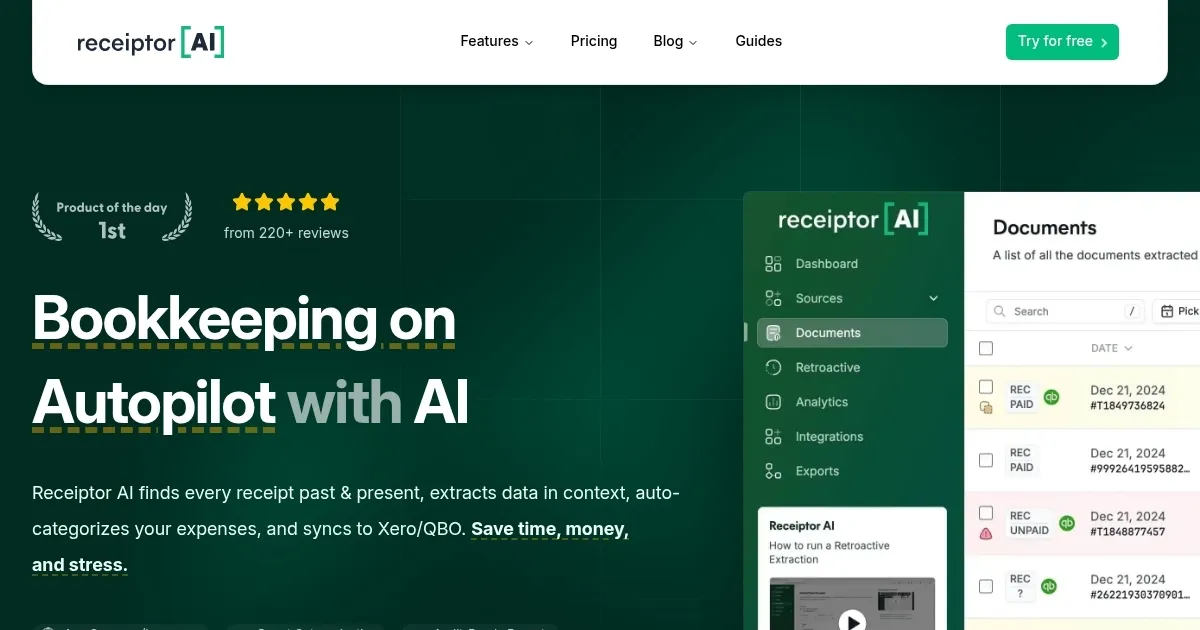
Homepage Screenshot 📸

Receiptor AI screenshot

Video Overview 🎬

Receiptor AI - Video Overview

What are the key features? ✨

  • Automatic Extraction: Instantly identifies and pulls receipts from emails, attachments, and links without manual input.
  • Retroactive Analysis: Scans historical email archives to recover and process past invoices and bills.
  • Smart Categorization: Uses AI to classify expenses based on context, including vendor, amount, and tax details.
  • Seamless Integrations: Syncs extracted data directly to QuickBooks Online, Xero, or exports to CSV and PDF formats.
  • Real-Time Analytics: Generates dynamic graphs and reports for immediate insights into spending patterns.

Who is it for? 🤔

Receiptor AI suits freelancers juggling gig expenses, small business owners buried in vendor emails, accountants streamlining client workflows, and digital nomads tracking travel costs across borders, empowering anyone overwhelmed by manual receipt hunting to reclaim hours for growth-focused tasks.

Examples of what you can use it for 💡

  • Freelancer: Scans inbox for project-related invoices, categorizes by client, and exports reports for quarterly billing.
  • Small Business Owner: Automates daily expense pulls from WhatsApp vendor chats, syncing to Xero for real-time cash flow views.
  • Accountant: Sets up client workspaces to collect and organize receipts, reducing follow-up calls and prep time for audits.
  • E-commerce Operator: Extracts supplier bills from email threads, tags inventory costs, and integrates with QuickBooks for stock reconciliation.
  • Digital Nomad: Captures travel receipts in multiple languages, filters personal from business, and generates tax-ready summaries.

Pros & Cons ⚖️

  • Time-saving automation
  • Accurate data extraction
  • Easy integrations
  • Strong user support
  • Occasional PDF glitches
  • Setup learning curve

FAQs 💬

Does Receiptor AI work with non-English receipts?
Yes, it processes receipts in any language, extracting details accurately for international users.
How secure is my email data?
It complies with Google API policies and stores only message IDs, not full content, with CASA Tier 2 validation.
Can it handle bulk historical scans?
Absolutely, retroactive analysis covers unlimited past emails in one scan via the one-time option.
What integrations are available?
Direct syncs to QuickBooks Online and Xero, plus exports to CSV, PDF, ZIP, and Google Drive.
Is there a free trial?
Yes, a 14-day free trial lets you test full features without commitment.
How does categorization work?
AI analyzes context beyond keywords, assigning categories like travel or supplies based on purchase details.
Can teams use it for multiple clients?
Growth and higher plans support organizations with dedicated workspaces per client.
What if extraction misses something?
Manual review and re-scan options allow quick corrections, with support available via chat.
Does it track mileage too?
Currently focused on document extraction; pair with integrated apps for mileage via accounting software.
How scalable is it for high volumes?
Scale and Enterprise plans handle thousands of documents monthly with custom limits.

Ready to try Receiptor AI?

Automates receipt extraction from emails and syncs to accounting tools.

Visit Receiptor AI ↗
Receiptor AI alternatives 🔗

  1. Monarch Monarch A financial management platform that allows users to track, organize, and budget
  2. AngelList Relay AngelList Relay Transform unstructured data from your inbox into an organized dashboard by simply forwarding an email
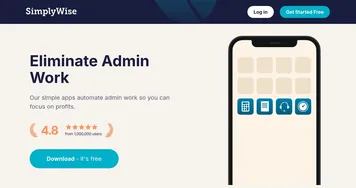
  3. SimplyWise SimplyWise An AI app that streamlines expense tracking and document organization
  4. Keeper AI Accountant Keeper AI Accountant Ask an AI accountant service from Keeper, a smart tax filing app for freelancers
  5. TaxGPT TaxGPT Streamlines tax research and automates workflows for tax professionals with AI precision
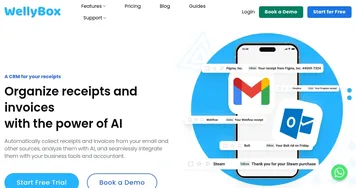
  6. WellyBox WellyBox An AI virtual assistant for receipts that automates manual admin tasks
Share
Receiptor AI screenshot enlarged
Promote Receiptor AI
light badge
Copy Embed Code
dark badge
Copy Embed Code
neutral badge
Copy Embed Code
Best AI Tools

Discover the best AI tools for any use case

Explore
  • Tool Categories
  • AI Use Cases
  • AI Events
  • AI News
  • Saved Tools
Company
  • About Us
  • Contact Us
  • Media & Partnerships
  • Suggest a Tool
Legal
  • Privacy Policy
  • Terms of Service
Copyright © 2026 Best AI Tools 415 Mission Street, 37th Floor, San Francisco, CA 94105