Photes.io
Converts photos, PDFs, audio, and videos into structured text notes using AI
I spent two days playing with Photes.io, and let me tell you, it’s like having a magic wand for turning visual clutter into something useful. I snapped a photo of my messy handwritten notes from a team meeting — coffee stains and all — and within seconds, Photes.io churned out a tidy text document. It didn’t just grab the words; it organized them into bullet points, almost like it knew how my brain works. Powered by GPT-4 Vision, this tool goes beyond basic OCR, making sense of context in a way that feels downright spooky. It’s not perfect, but it’s a productivity boost that’s hard to ignore.
The interface is clean, almost too simple, which I appreciated as a newbie. I uploaded a PDF of a presentation slide, and Photes.io extracted the text and even formatted the headers and lists neatly. The real kicker was exporting it straight to Notion, where I could tweak it further. I also tried a short audio clip — think a 30-second voice memo — and it spat out a transcript that was surprisingly accurate, though it missed a couple of mumbled words. Integration with apps like Obsidian and Google Docs is seamless, and the real-time sync meant I could access my notes on my laptop moments later. For someone like me, juggling multiple projects, this felt like a lifeline.
But there’s a catch. The free plan’s credits ran out faster than I expected — converting a single video ate up a chunk. The Pro Plan seems more generous, but I wish the pricing was clearer upfront. Compared to ClipDrop, which I’ve dabbled with for photo editing, Photes.io is better at structured note creation, though ClipDrop wins for image cleanup. Sembly AI is great for meeting transcriptions but lacks the multi-format versatility. One annoyance? Low-res images can trip up the AI, leaving gaps in the output. I also heard whispers on X about sketchy review practices, which makes me cautious.
A delightful surprise was the template feature. I customized a note format to match my usual style, and it saved me time. It’s not flawless — complex charts confused it a bit — but it’s a tool that rewards clear inputs. If you’re curious, snap a few test photos and try the free version. Mess with the export options to see what fits your workflow, and don’t be afraid to tweak the settings for better results
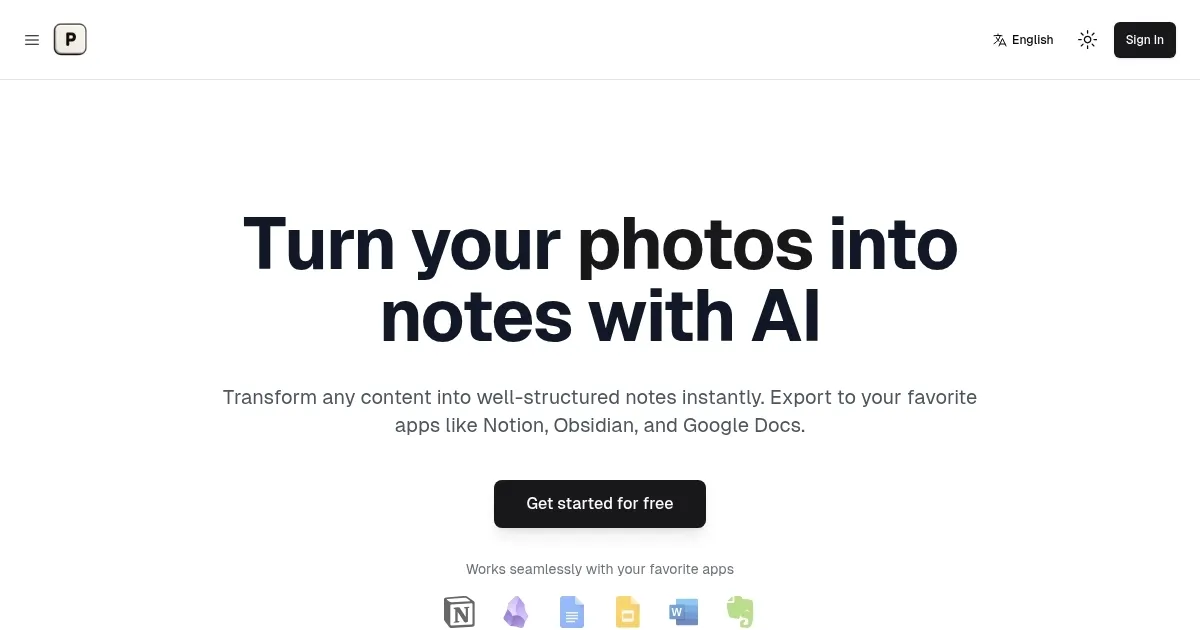
Homepage Screenshot 📸
What are the key features? ✨
- Image to Notes: Converts photos into structured text notes using AI.
- Multi-Modal AI: Analyzes text, charts, and diagrams for contextual accuracy.
- App Integration: Exports notes to Notion, Obsidian, Google Docs, and more.
- Real-Time Syncing: Updates notes across devices instantly.
- Custom Templates: Allows users to format notes to match their style.
Who is it for? 🤔
Examples of what you can use it for 💡
- Student: Converts whiteboard photos into text notes for study in Notion.
- Professional: Transforms meeting slides into shareable notes for collaboration.
- Researcher: Extracts data from charts in PDFs for organized research logs.
- Freelancer: Turns audio brainstorming sessions into text for project planning.
- Educator: Converts video lectures into text notes for lesson summaries.
Pros & Cons ⚖️
- Converts multiple formats to text.
- Integrates with popular apps.
- Provides customizable templates.
- Struggles with low-res images.
- Limited free plan credits.
FAQs 💬
Ready to try Photes.io?
Converts photos, PDFs, audio, and videos into structured text notes using AI
Visit Photes.ioPhotes.io alternatives 🔗