Reducto
Converts complex documents into structured data for AI applications
Reducto is an AI-driven API that converts unstructured documents like PDFs, Excel files, and PowerPoint slides into structured data for large language model (LLM) workflows. It excels at parsing complex layouts, including multi-column texts, tables, and charts, using a combination of vision models and language processing. The tool integrates with any vector database or embedding system, making it versatile for AI applications like RAG pipelines. Founded in 2023 by MIT graduates, Reducto serves industries like finance, healthcare, and legal, processing millions of pages daily for clients like Scale AI and Vanta.
Key features include the Parsing API, which transforms documents into structured JSON, preserving layout elements like headers and tables. The Agentic OCR framework enhances accuracy by reviewing outputs, reducing errors in complex documents. Intelligent Chunking groups content semantically for better retrieval, while custom schemas allow users to extract specific data fields. Security is robust, with AWS S3 hosting, AES-256 encryption, and zero data retention options for compliance-heavy industries.
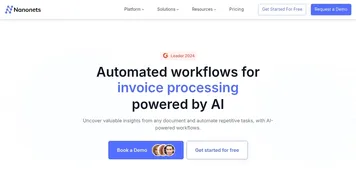
Compared to competitors like Tesseract and ABBYY FineReader, Reducto offers superior handling of intricate layouts. Tesseract, an open-source OCR, struggles with multi-column documents and lacks AI-driven context analysis. ABBYY is powerful but often costlier and less flexible for AI integrations. Nanonets is a close competitor, offering fast processing for simpler documents but less precision with complex layouts. Reducto’s focus on LLM-ready outputs gives it an edge for AI teams.
The free tier supports up to 30 pages, suitable for testing but limiting for larger projects. Paid plans scale with page volume, offering competitive value compared to ABBYY’s higher costs. Processing speeds may slow with large, complex files, particularly in high-resolution OCR mode. The platform’s API-first design prioritizes developers, which may challenge non-technical users.
For best results, start with the free tier to test Reducto on your most complex documents, and take it from there.
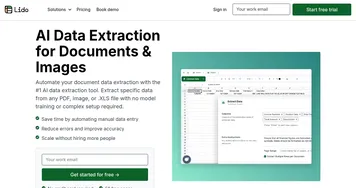
Homepage Screenshot 📸

What are the key features? ✨
- Parsing API: Converts PDFs, Excel, and more into structured JSON outputs.
- Agentic OCR: Reviews outputs to ensure high accuracy in complex documents.
- Intelligent Chunking: Groups content semantically for improved retrieval.
- Custom Schemas: Allows users to define specific data fields for extraction.
- Secure Processing: Uses AWS S3 with AES-256 encryption and zero data retention.
Who is it for? 🤔
Examples of what you can use it for 💡
- AI Developer: Uses Reducto to parse financial reports for RAG pipelines.
- Healthcare Analyst: Extracts patient data from medical records for analysis.
- Legal Researcher: Converts contracts into structured data for review.
- Insurance Manager: Processes claims documents for automated workflows.
- Data Scientist: Structures spreadsheets for training custom LLMs.
Pros & Cons ⚖️
- Flexible API for any vector database
- Strong security with zero retention
- Custom schemas for precise extraction
- Agentic OCR boosts output reliability
- Free tier limited to 30 pages
- API-first design may challenge non-techies
FAQs 💬
Ready to try Reducto?
Converts complex documents into structured data for AI applications
Visit Reducto