Docparser
Extracts key data from PDFs and images via OCR and rule-based parsing
Docparser is a cloud based tool that extracts structured data from PDFs, Word files, images, and other formats using OCR and rule definitions. It processes documents through uploads from email, cloud storage, or API, applies user set rules for fields like dates and totals, and outputs to Excel, CSV, JSON, or integrated apps. Core tech includes Zonal OCR for targeted text capture and pattern matching for tables and line items.
The tool supports presets for invoices, purchase orders, bank statements, contracts, HR forms, shipping notes, and price lists. Users define rules by selecting areas or keywords, with drag and drop for tables and checkboxes. Preprocessing handles image deskew and artifact removal, barcode and QR code scanning integrates directly — and Docparser enhances automation for custom outputs and workflows.
Integrations cover Google Sheets, Dropbox, Salesforce, Zapier, Workato, and Power Automate, enabling data pushes to CRMs or ERPs. REST API and webhooks support real time exports. Pricing follows a credit model per parsed page, with tiered monthly plans and add ons for retention or assistance. A 14 day trial offers full access without payment details. Compared to Parseur, Docparser costs less for rule based tasks but lags in adaptive AI for varied layouts.
Users like the no code setup and accuracy on uniform documents, often achieving 90 percent hit rates on invoices. Exports maintain original formatting for easy review. Surprises include quick QR parsing in logistics docs. Drawbacks involve lower performance on inconsistent or handwritten content, where manual fixes add time. Rossum provides better human oversight options, though at higher entry costs. Nanonets excels in API volume but requires more dev input.
Version control tracks rule changes, and multi layout parsers handle variants in one setup. Security features encrypt data and limit access. For teams with steady document influx, it reduces entry errors by automating 80 percent of routine pulls.
Load sample files into the trial, configure a basic invoice rule, and test an export to Sheets. Adjust based on results to fit your volume.
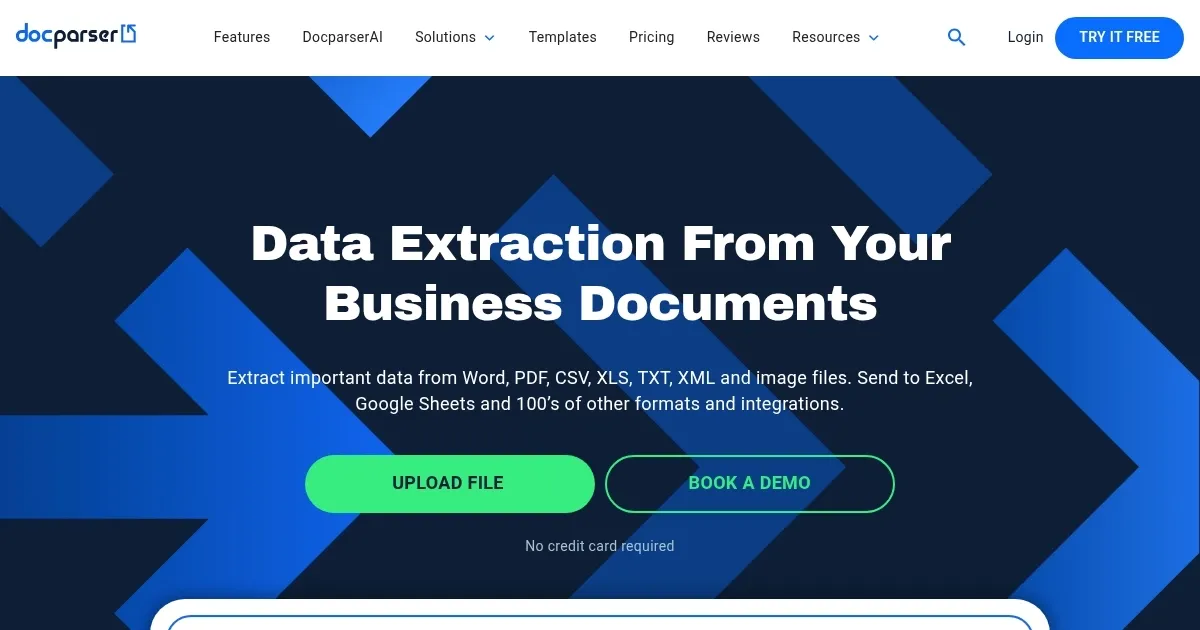
Homepage Screenshot 📸
Video Overview 🎬
What are the key features? ✨
- Zonal OCR: Targets specific document areas for precise text extraction from scans and images.
- Table Extraction: Defines rows and columns via drag and drop to convert grids into structured formats like CSV.
- DocparserAI: Powers custom automation and output tailoring for complex parsing needs.
- Integrations: Connects to Zapier, Google Sheets, and Salesforce for direct data flow into workflows.
- Preprocessing: Cleans images by deskewing and removing artifacts to boost OCR accuracy.
Who is it for? 🤔
Examples of what you can use it for 💡
- Accountant: Processes monthly invoices by extracting totals and line items, then exports to QuickBooks via Zapier.
- HR Manager: Pulls employee data from enrollment forms, including checkboxes, and updates Salesforce records automatically.
- Logistics Coordinator: Scans shipping notes for QR codes and barcodes, converting details to inventory spreadsheets.
- Legal Assistant: Extracts key terms from contracts and agreements, routing parsed data to review tools.
- Ecommerce Operator: Parses product price lists from PDFs, feeding updates to POS systems or Excel trackers.
Pros & Cons ⚖️
- Accurate on uniforms
- Quick exports
- Free trial access
- Struggles with handwriting
- Credit based costs
FAQs 💬
Ready to try Docparser?
Extracts key data from PDFs and images via OCR and rule-based parsing
Visit Docparser