Thunderbit
Extracts structured data from websites in two clicks using AI-powered automation
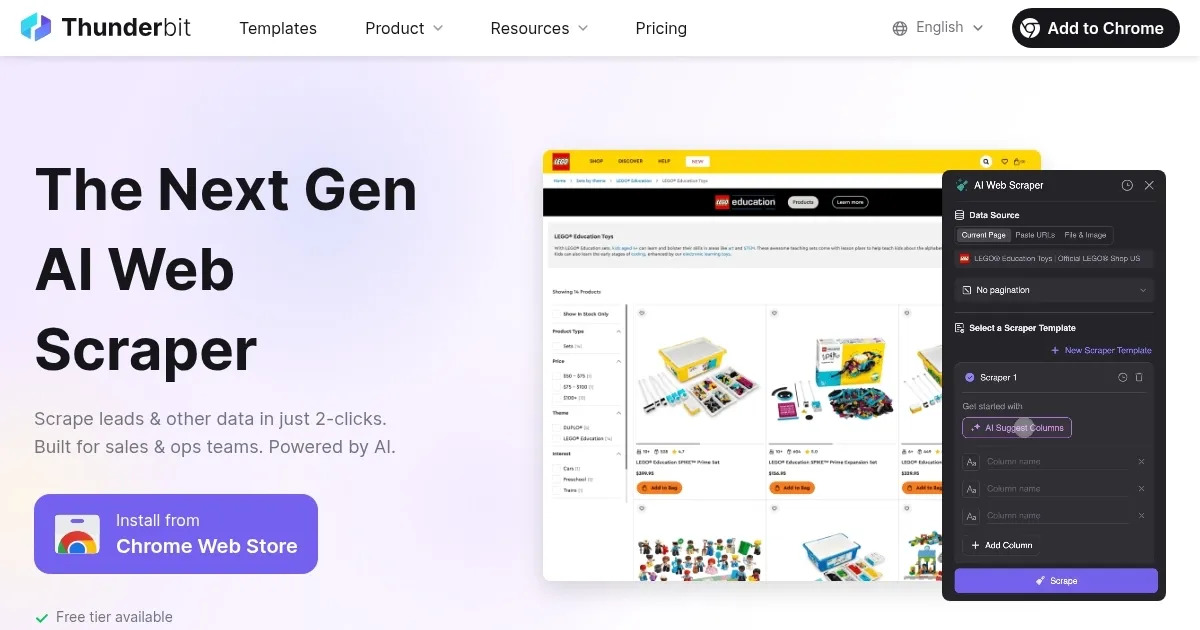
Thunderbit is an AI-powered Chrome extension designed to simplify web data extraction for business users, enabling data scraping from websites, PDFs, and images in two clicks. It uses natural language processing to suggest data fields and exports results to Google Sheets, Notion, or Airtable. Tailored for sales, marketing, e-commerce, and real estate professionals, it streamlines tasks like lead generation and competitor analysis.
Key features include “AI Suggest Columns,” which automatically identifies data fields like product names or prices, and “Subpage Scraping,” which extracts data from linked pages. The tool supports pre-built templates for platforms like Amazon, Instagram, and Shopify, reducing setup time. It also offers OCR for extracting text from images and PDFs, and integrates with productivity tools for seamless data management. A free tier is available, with paid plans for higher usage, though specific pricing requires visiting their website.
Thunderbit excels in ease of use, requiring no coding skills, unlike competitors such as Apify, which targets developers with robust scraping options, or ScrapingBee, which focuses on API-driven scraping with proxy support. User feedback on Product Hunt praises its intuitive interface and time efficiency, but some Trustpilot reviews note limitations, such as stalling during large-scale scraping of 100+ URLs.
The tool’s OCR capability for PDFs and images is a standout, enabling users to extract structured data from non-web sources. However, it may struggle with dynamic websites requiring extensive navigation, like those with infinite scroll. Pricing appears competitive for non-technical users, with a free-forever tier and flexible paid plans.
To get started, install the Chrome extension, sign up for a free account, and use the “Playground” to test features. Pre-built templates are ideal for beginners, while custom column options suit specific needs. For complex sites, check compatibility first, and refer to Thunderbit’s YouTube tutorials for guidance.
Homepage Screenshot 📸
Video Overview 🎬

What are the key features? ✨
- AI Suggest Columns: Automatically proposes data fields like names or prices for quick scraping.
- Subpage Scraping: Extracts data from linked pages, such as product details, without manual navigation.
- Instant Data Scraper Templates: Offers pre-built templates for sites like Amazon and Instagram for one-click exports.
- OCR Extraction: Pulls text from PDFs and images into structured tables.
- Data Export: Integrates with Google Sheets, Notion, and Airtable for seamless data management.
Who is it for? 🤔
Examples of what you can use it for 💡
- Sales Professional: Scrapes LinkedIn profiles to gather contact details for lead generation.
- Marketer: Extracts competitor pricing and product details from e-commerce sites like Amazon.
- E-commerce Manager: Pulls customer reviews from Shopify stores for sentiment analysis.
- Real Estate Agent: Collects property listings from Zillow for market research.
- Researcher: Extracts social media engagement metrics from Instagram for trend analysis.
Pros & Cons ⚖️
- No-code interface simplifies scraping.
- AI suggests relevant data fields.
- Free tier available for testing.
- Integrates with Google Sheets, Notion.
- Struggles with large-scale scraping.
- Dynamic sites may pose challenges.
FAQs 💬
Ready to try Thunderbit?
Extracts structured data from websites in two clicks using AI-powered automation
Visit ThunderbitThunderbit alternatives 🔗