logo-darklogo-darklogo-darklogo-dark
  • Tool Categories
    • 🎨Art & Creative Design505
    • 🏢Business Management644
    • 💻Coding & Development515
    • 👮Detection83
    • 🧠General Use727
    • 🏥Health & Wellness55
    • 📷Image & Photo Analysis100
    • 🖼️Image Generation & Editing618
    • 📐Interior & Architectural Design37
    • 🎓Learning & Education483
    • ⚖️Legal & Finance90
    • 🎭Lifestyle & Entertainment236
    • 📢Marketing & Advertising627
    • 🎧Music & Audio138
    • 👔Office & Workplace1,014
    • 🔬Research & Data Analysis372
    • 👥Social Media245
    • 🎥Video Generation & Editing426
    • 👧🏻Virtual Companion135
    • 🎤Voice Generation & Editing381
    • ✍️Writing & Editing808
    • All Categories
    • AI Use Cases
  • News
  • Events
    • Academic Conferences
    • Developer Conferences
    • Expos / Trade Shows
    • Industry Summits
    • Workshops / Training
    • All Events
    • Past Events
  • Saved Tools
  • Suggest a Tool
✕
Home › Coding & Development › Web Scraping› PandaExtract
PandaExtract

PandaExtract

Extracts structured data like lists, emails, images, and text from websites without coding

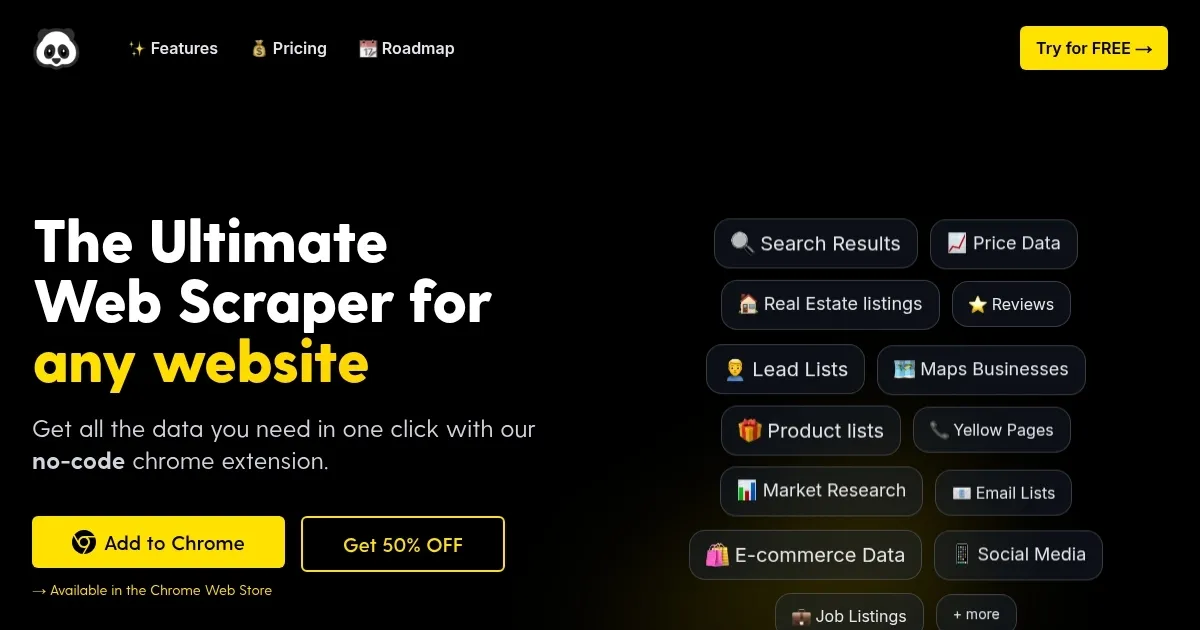
PandaExtract is an AI-powered no-code Chrome extension designed for web scraping, allowing users to extract structured data from any website with minimal effort. It features smart selection tools that automatically detect lists, tables, and paginated content, enabling one-click extraction of data like reviews, prices, and leads. The tool supports bulk processing by accepting multiple URLs and applying selections across pages, and it includes specialized scanners for emails, images, and text with metadata.

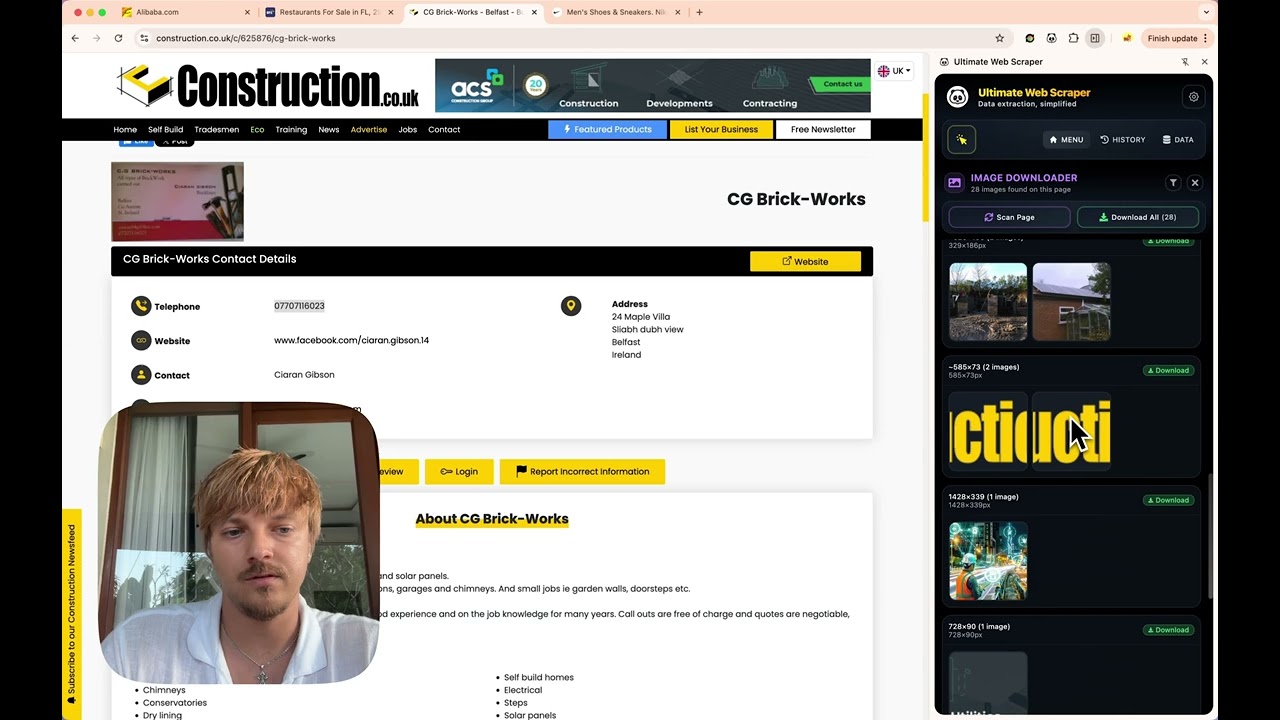
Key functionalities include the email scanner, which performs deep scans on pages and sub-pages to collect contact information from hundreds of sites at once, and the image downloader that categorizes images by size and type for selective bulk downloads. The text extractor provides clean, structured output with associated metadata, useful for content aggregation. Additionally, the built-in data table allows for viewing, filtering, editing, and exporting data to formats like CSV or Excel.

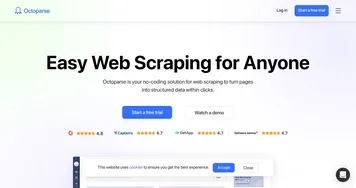
In comparison to competitors, PandaExtract offers a more user-friendly interface than Octoparse, which requires some setup for complex tasks, but it may lack the advanced proxy support found in ScrapingBee. Pricing follows a one-time payment model, making it generally more cost-effective for individual users than subscription-based services like Apify, though enterprise needs might favor the latter’s scalability.

Users appreciate the no-code approach, which eliminates programming requirements, and the AI-driven accuracy in detecting elements, reducing manual intervention. However, it can struggle with highly dynamic or protected sites, and long sessions require the browser to remain active. A notable surprise is its effectiveness on maps services, extracting business details efficiently where other tools falter.

For optimal use, begin with the smart selection on list-based pages to build familiarity, then progress to bulk extractions for efficiency gains. Always verify extracted data for completeness, especially on complex layouts, and consider combining with manual edits in the data table before final export.

Visit PandaExtract ↗
Categories
💻 Coding
🕷️ Web Scraping
👔 Work
📤 Document Extraction
🔬 Research
⛏️ Data Mining 📊 Data Analytics

Homepage Screenshot 📸

PandaExtract screenshot

Video Overview 🎬

What are the key features? ✨

  • Smart Selection Tool: Highlights and extracts structured data from lists, tables, and paginated content with a hover and click.
  • Bulk Page Extraction: Processes multiple similar URLs to extract selected elements like text, images, or links efficiently.
  • Email Scanner: Scans pages and sub-pages in bulk to discover and collect email addresses from websites.
  • Image Downloader: Detects, categorizes, and allows bulk downloading of images by size and type.
  • Text Extractor: Pulls clean text content and metadata from provided URLs for structured export.

Who is it for? 🤔

PandaExtract proves helpful for professionals in marketing, sales, research, and real estate who need quick access to web data without coding skills, such as marketers gathering competitor prices, salespeople building lead lists from directories, researchers compiling reviews or product details, and business owners conducting market analysis from e-commerce or maps sites.

Examples of what you can use it for 💡

  • Marketer: Extracts customer reviews from Trustpilot to analyze sentiment and improve strategies.
  • Salesperson: Scrapes business leads from Google Maps including contacts and locations for outreach.
  • Researcher: Collects product data from Amazon like prices and descriptions for market comparisons.
  • Real Estate Agent: Pulls listings from Zillow with details on prices, locations, and ratings.
  • E-commerce Owner: Gathers competitor product info from Shopify to monitor trends and pricing.

Pros & Cons ⚖️

  • Easy no-code interface
  • AI-powered detection
  • Bulk extraction capabilities
  • One-time payment affordable
  • Browser-dependent operation
  • Occasional detection misses

FAQs 💬

What is PandaExtract?
PandaExtract is a no-code Chrome extension for web scraping that extracts structured data from websites using AI-powered tools.
Do I need coding skills to use it?
No, it's designed for non-programmers with intuitive hover-and-click selections.
What data types can it extract?
It handles lists, emails, images, text, metadata, reviews, prices, leads, and more.
How does the email extraction work?
Upload URLs, and it scans pages deeply to collect visible and hidden email addresses in bulk.
Which browsers support PandaExtract?
It works on Chrome, Edge, and Brave browsers.
Is there a free trial available?
Yes, new users can try it before purchasing, with discounts often available.
How does pricing compare to alternatives?
It uses a one-time fee, making it more affordable than subscription models in competitors.
Can it handle paginated content?
Yes, it automatically scrolls and extracts from infinite or paginated lists.
What are upcoming features?
The roadmap includes list-details extraction, save and re-run, scheduling, and integrations.
Does it work on all websites?
It performs well on most, but may need tweaks for sites with heavy anti-scraping measures.

Ready to try PandaExtract?

Extracts structured data like lists, emails, images, and text from websites without coding

Visit PandaExtract ↗

PandaExtract alternatives 🔗

  1. Manus Manus An AI agent designed to handle complex tasks all by itself
  2. Apify Product Matching AI Apify Product Matching AI Using AI to automate product matching across different e-commerce websites
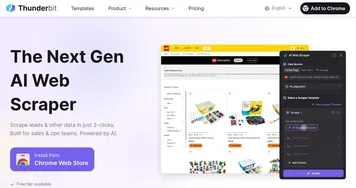
  3. Firecrawl Firecrawl A powerful tool designed to simplify web scraping and crawling
  4. Jina AI Jina AI A platform for building multimodal apps in the cloud, including neural search and generative AI
  5. Exa Exa A fancy tool designed to enhance AI applications by connecting them to web-based knowledge
  6. Oxylabs Oxylabs Offers a suite of proxy services and scraping tools for facilitate large-scale data gathering
Share
PandaExtract screenshot enlarged
Promote PandaExtract
light badge
Copy Embed Code
dark badge
Copy Embed Code
neutral badge
Copy Embed Code
Best AI Tools

Discover the best AI tools for any use case

Explore
  • Tool Categories
  • AI Use Cases
  • AI Events
  • AI News
  • Saved Tools
Company
  • About Us
  • Contact Us
  • Media & Partnerships
  • Suggest a Tool
Legal
  • Privacy Policy
  • Terms of Service
Copyright © 2026 Best AI Tools 415 Mission Street, 37th Floor, San Francisco, CA 94105