ScrapeStorm
Extracts web data visually with AI, no coding needed
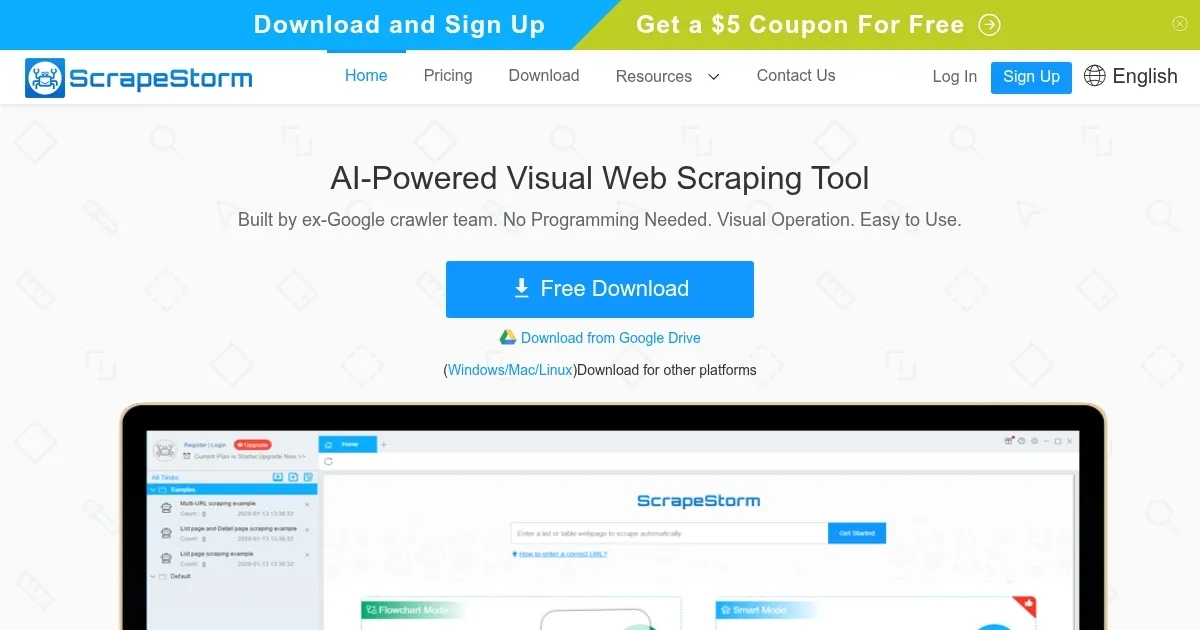
ScrapeStorm lands in the crowded field of web scraping tools like a well-tuned sports car in a sea of minivans. You know the drill: you need data from a site, but coding feels like learning ancient Greek. This tool, built by folks from Google’s crawler team, promises to handle it all with a visual flair that makes the process feel almost playful. I mean, who wouldn’t want to click around a webpage like they’re shopping online, only to end up with a tidy spreadsheet of product prices or email lists? Its Smart Mode kicks things off by sniffing out lists, tables, and even those sneaky pagination buttons just from a URL you toss in. No fiddling with selectors or XPath nonsense, at least not right away. And for those days when you need more control, the Flowchart Mode lets you build workflows that simulate real user actions, like scrolling or filling forms, turning complex sites into your personal data piñata.
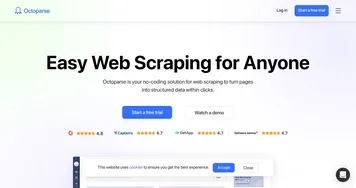
But let’s talk real talk. Users rave about how it handles e-commerce giants like Amazon or niche forums without breaking a sweat, exporting straight to Google Sheets or MySQL with a few clicks. One reviewer on Capterra called it a ‘workhorse’ for pulling thousands of rows without the usual headaches of blocks or CAPTCHAs, thanks to built-in IP rotation. Compared to something like Octoparse, which also skips code but leans heavier on templates, ScrapeStorm feels more intuitive for ad-hoc grabs, though Octoparse might edge it out for massive enterprise runs with better scheduling. Still, ScrapeStorm’s cloud sync means your tasks follow you across machines, Windows to Mac without a hitch. That’s handy if you’re juggling setups, I think.
Of course, nothing’s perfect. Some folks gripe about the free tier capping you at 100 rows a day, which stings if you’re testing big ideas. And while the AI is sharp, it occasionally misses quirky site layouts, forcing a switch to manual mode that eats time. A surprise? The student discount drops costs nicely, making it accessible for bootstrappers or academics scraping research data. Pricing starts free but scales to pro levels around mid-range for tools in this space, a bit pricier than ParseHub‘s free-heavy model yet justified by the no-learning-curve vibe. ParseHub shines for free users with unlimited local runs, but ScrapeStorm’s AI polish might win you over for speed.
Digging deeper, the simulation ops cover the bases: mouse hovers, dropdowns, even conditional waits that keep scrapes humming on dynamic pages. Export variety impresses too, from TXT dumps to direct WordPress posts. One user shared how they automated lead gen from LinkedIn clones, pulling contacts without bans, a neat trick that competitors like Apify handle via actors but with more setup. Apify’s modular approach suits devs, but for point-and-click fans, ScrapeStorm keeps it simple. Reliability holds up in tests, though large jobs might pause unexpectedly, a quirk that support fixes quick via chat.
You’ll like the empowerment it brings, turning data dread into a quick win. But watch for those edge cases on heavily guarded sites; proxies help, but nothing’s foolproof. If you’re dipping toes, grab the freebie and run a small scrape on a news aggregator. Tweak as needed, export, analyze. Before long, you’re not just scraping, you’re strategizing with fresh intel. Give it a spin on that backlog of sites you’ve eyed, and see how it streamlines your flow.
Homepage Screenshot 📸
Video Overview 🎬

What are the key features? ✨
- Smart Mode: Automatically detects and extracts structured data like lists and tables from URLs using AI algorithms.
- Flowchart Mode: Enables building custom scraping workflows through visual point-and-click simulations of user interactions.
- Data Export: Supports multiple formats including Excel, CSV, databases, and cloud services for seamless integration.
- Cloud Sync: Automatically saves tasks to the cloud for access across unlimited devices and platforms.
- IP Rotation: Prevents blocks by rotating proxies during scraping sessions on protected websites.
Who is it for? 🤔
Examples of what you can use it for 💡
- Marketer: Scrapes product details from rival sites to analyze pricing strategies and update campaigns.
- Researcher: Extracts article metadata from journals for literature reviews without manual copying.
- E-commerce Owner: Monitors stock levels on supplier pages to automate reorder alerts.
- Lead Generator: Pulls contact info from directories to build targeted outreach lists.
- Analyst: Gathers forum discussions on trends for sentiment reports in reports.
Pros & Cons ⚖️
- Easy for beginners
- Fast AI detection
- Versatile exports
- Cross-platform use
- Free tier limits
- Occasional bugs
FAQs 💬
ScrapeStorm alternatives 🔗