logo-darklogo-darklogo-darklogo-dark
  • Tool Categories
    • 🎨Art & Creative Design505
    • 🏢Business Management644
    • 💻Coding & Development515
    • 👮Detection83
    • 🧠General Use727
    • 🏥Health & Wellness55
    • 📷Image & Photo Analysis100
    • 🖼️Image Generation & Editing618
    • 📐Interior & Architectural Design37
    • 🎓Learning & Education483
    • ⚖️Legal & Finance90
    • 🎭Lifestyle & Entertainment236
    • 📢Marketing & Advertising627
    • 🎧Music & Audio138
    • 👔Office & Workplace1,014
    • 🔬Research & Data Analysis372
    • 👥Social Media245
    • 🎥Video Generation & Editing426
    • 👧🏻Virtual Companion135
    • 🎤Voice Generation & Editing381
    • ✍️Writing & Editing808
    • All Categories
    • AI Use Cases
  • News
  • Events
    • Academic Conferences
    • Developer Conferences
    • Expos / Trade Shows
    • Industry Summits
    • Workshops / Training
    • All Events
    • Past Events
  • Saved Tools
  • Suggest a Tool
✕
Home › Coding & Development › Web Scraping› Browse AI
Browse AI

Browse AI

The easiest way to extract and monitor data from any website

Browse AI is a web automation tool designed to extract and monitor data from any website without requiring coding skills. Users can easily train a robot within minutes to perform tasks such as data extraction, monitoring updates and changes on websites, and accessing prebuilt robots for common use cases.

The platform supports a range of functionalities, including bulk running of 50,000 robots at once, emulating user interactions, scheduling data extractions, global data collection, and integration with over 7,000 applications. As such, Browse AI is meant to streamline the process of gathering structured data from the web without requiring special tech skills to do its magic.

The tool excels at tracking company information on LinkedIn, extracting job listings, app details from various marketplaces, social media content, and much more. It offers capabilities like handling pagination, scrolling, solving captchas, and adapting to site layout changes.

With its no-code approach, Browse AI democratizes the ability to harness web data for various analytical and operational purposes, catering to both individual and enterprise needs. The tool is highly rated by its user base of over 370,000 individuals and teams.

Visit Browse AI ↗
Categories
💻 Coding
🕷️ Web Scraping 🌐 Browser
👔 Work
📡 Monitoring 🔗 Agent
🔬 Research
⛏️ Data Mining 📊 Data Analytics
🏢 Business
🔄 Workflow

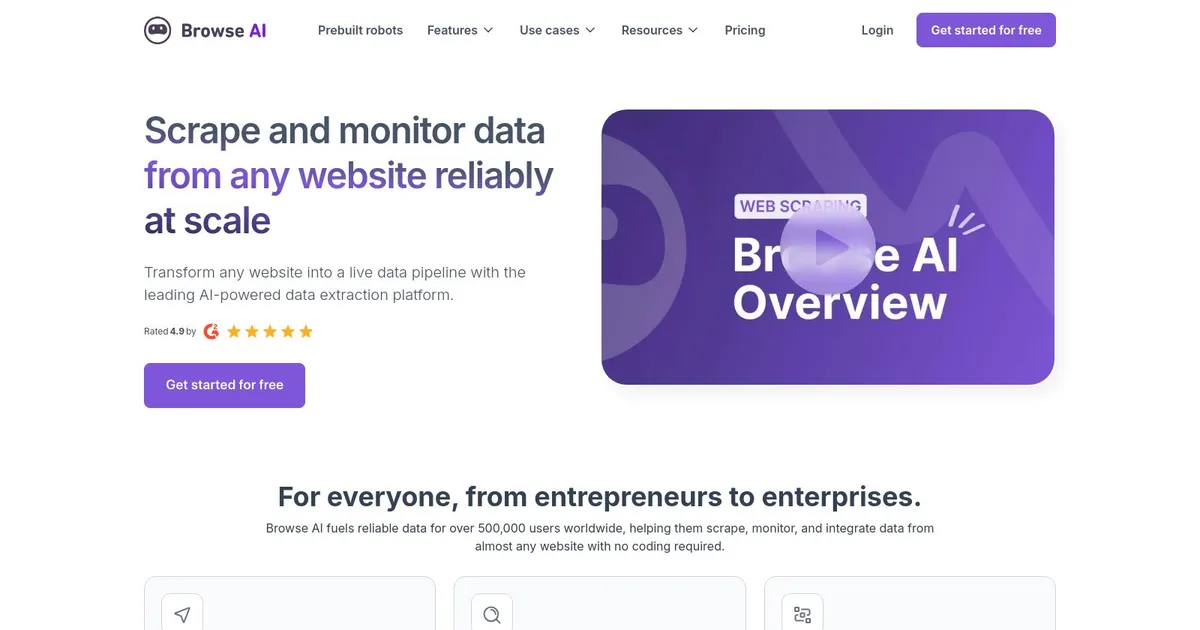
Homepage Screenshot 📸

Browse AI screenshot

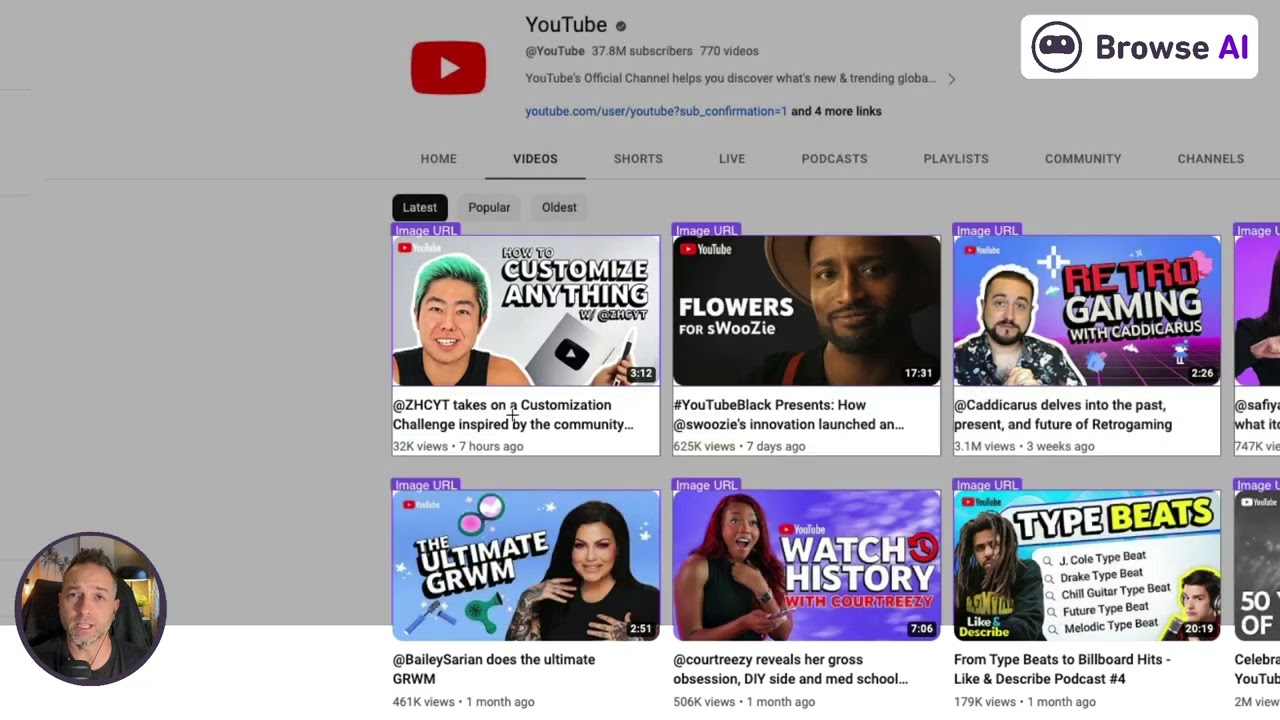
Video Overview 🎬

Browse AI - Video Overview

What are the key features? ✨

  • Point-and-Click Extraction: Build custom robots by simply clicking on webpage elements to train AI for data capture without coding.
  • AI-Powered Monitoring: Schedule robots to run automatically and get alerts on content or layout changes with adaptive handling.
  • Prebuilt Robots: Access over 250 ready-made scrapers for popular sites like Amazon, YouTube, Airbnb, and Google Maps for instant use.
  • Data Integration & Export: Send extracted data to Google Sheets, Airtable, APIs, webhooks, or over 7000 apps via Zapier and Make.com.
  • Bot Evasion & Reliability: Use proxies, retries, human-like behavior emulation, and geo-targeting to handle dynamic sites and avoid blocks.

Who is it for? 🤔

Browse AI suits marketers, researchers, e-commerce owners, real estate pros, recruiters, and small business teams who need regular web data without hiring developers or wrestling code. Non-technical users love the point-and-click setup, while scaling operations appreciate monitoring and integrations. Anyone tracking prices, listings, reviews, jobs, or social stats finds it speeds up competitive analysis, lead gen, and market research.

Examples of what you can use it for 💡

  • E-commerce owner: Monitor competitor product prices and inventory daily to adjust pricing strategies quickly.
  • Real estate investor: Extract property listings, prices, and details from sites like Zillow or Airbnb for market trend tracking.
  • Recruiter: Pull job postings from boards like LinkedIn or Upwork to build candidate pipelines automatically.
  • Content marketer: Scrape trending YouTube or TikTok videos and stats for idea generation and performance benchmarking.
  • Market researcher: Gather reviews, ratings, and listings from Amazon or Etsy to analyze consumer sentiment and trends.

Pros & Cons ⚖️

  • No-code ease of use
  • Adapts to site changes
  • Strong integrations
  • Reliable monitoring alerts
  • Credits deplete fast on big jobs
  • Occasional complex site hiccups

FAQs 💬

What does Browse AI actually do?
It extracts structured data from websites and monitors them for changes using no-code AI robots that you train by pointing and clicking.
Do I need coding skills to use Browse AI?
No, it's designed for non-technical users with a point-and-click interface to build and run scrapers.
What kinds of websites can it scrape?
It works on almost any site, including dynamic ones with JavaScript, pagination, forms, and anti-bot measures, thanks to built-in evasion tools.
How does it handle website layout changes?
AI detects changes and often auto-adapts robots, reducing breakage compared to traditional scripts.
Is there a free plan or trial?
Yes, a free tier exists with limited credits and robots to test core features, plus options to create custom ones quickly.
Can it monitor data and send alerts?
Yes, schedule runs and get notifications via email or integrations when content or prices change.
What integrations does it support?
It connects to Google Sheets, Airtable, Zapier, Make.com, APIs, webhooks, and over 7000 apps for automated data flows.
How does pricing work?
It uses a credit system for tasks and runs, with tiers offering more credits, robots, faster checks, and team access.
Is it compliant with data privacy laws?
Yes, it's SOC 2 Type II certified, GDPR compliant, uses encryption, and follows strict data handling policies.
What are common use cases?
Price monitoring, lead generation, job tracking, review collection, real estate data, and social media stats extraction.

Ready to try Browse AI?

The easiest way to extract and monitor data from any website

Visit Browse AI ↗

Browse AI alternatives 🔗

  1. Manus Manus An AI agent designed to handle complex tasks all by itself
  2. Apify Product Matching AI Apify Product Matching AI Using AI to automate product matching across different e-commerce websites
  3. Firecrawl Firecrawl A powerful tool designed to simplify web scraping and crawling
  4. Jina AI Jina AI A platform for building multimodal apps in the cloud, including neural search and generative AI
  5. Exa Exa A fancy tool designed to enhance AI applications by connecting them to web-based knowledge
  6. Oxylabs Oxylabs Offers a suite of proxy services and scraping tools for facilitate large-scale data gathering
Share
Browse AI screenshot enlarged
Promote Browse AI
light badge
Copy Embed Code
dark badge
Copy Embed Code
neutral badge
Copy Embed Code
Best AI Tools

Discover the best AI tools for any use case

Explore
  • Tool Categories
  • AI Use Cases
  • AI Events
  • AI News
  • Saved Tools
Company
  • About Us
  • Contact Us
  • Media & Partnerships
  • Suggest a Tool
Legal
  • Privacy Policy
  • Terms of Service
Copyright © 2026 Best AI Tools 415 Mission Street, 37th Floor, San Francisco, CA 94105