Skip to content
logo-darklogo-darklogo-darklogo-dark
  • Tool Categories
    • 🎨Art & Creative Design505
    • 🏢Business Management644
    • 💻Coding & Development514
    • 👮Detection83
    • 🧠General Use728
    • 🏥Health & Wellness55
    • 📷Image & Photo Analysis100
    • 🖼️Image Generation & Editing618
    • 📐Interior & Architectural Design37
    • 🎓Learning & Education483
    • ⚖️Legal & Finance90
    • 🎭Lifestyle & Entertainment236
    • 📢Marketing & Advertising627
    • 🎧Music & Audio138
    • 👔Office & Workplace1,014
    • 🔬Research & Data Analysis373
    • 👥Social Media245
    • 🎥Video Generation & Editing426
    • 👧🏻Virtual Companion135
    • 🎤Voice Generation & Editing381
    • ✍️Writing & Editing808
    • All Categories
    • AI Use Cases
  • News
  • Events
    • Academic Conferences
    • Developer Conferences
    • Expos / Trade Shows
    • Industry Summits
    • Workshops / Training
    • All Events
    • Past Events
  • Saved Tools
  • Suggest a Tool
    ✕
    Home › Coding & Development › Web Scraping› Roborabbit
    Roborabbit

    Roborabbit

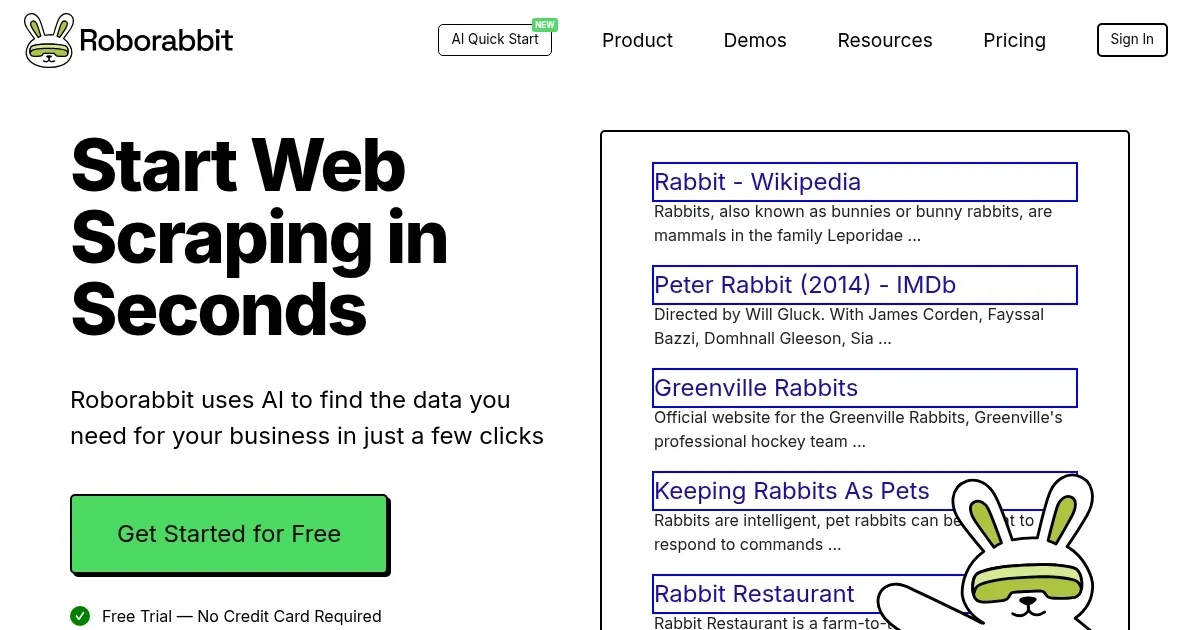
    Automates web scraping and browser tasks with AI-driven, no-code solutions

    Roborabbit is a no-code platform that uses AI to automate web scraping and browser tasks, offering tools for data extraction, testing, and integrations. It’s designed for businesses and developers who want to streamline repetitive online tasks without coding. Built on AWS serverless architecture, it supports over 30 browser actions and 5000+ integrations, making it a versatile choice for automation.

    The Task Builder lets users create automations by dragging and dropping actions like navigating URLs, clicking links, or capturing data. The AI Quick Start feature analyzes webpages to suggest data fields for extraction, simplifying setup for non-technical users. Integrations with Zapier, Make.com, and a REST API allow seamless data flow into tools like Google Sheets or custom apps. Users can schedule tasks or trigger them via events, supporting use cases like scraping real estate or job data.

    Roborabbit’s credit-based pricing counts each action, such as loading a page or saving data, as one credit. The free trial includes 100 credits, but large-scale scraping can quickly consume them. Compared to UiPath and Automation Anywhere, Roborabbit is more accessible for non-coders but less suited for complex enterprise needs. Scrapy offers more flexibility for dynamic websites but requires coding skills.

    Limitations include occasional struggles with JavaScript-heavy sites, which can cause incomplete data capture. The documentation, while functional, lacks detailed examples for advanced tasks like pagination. Video tutorials are a strong point, offering clear guidance for beginners. The platform’s no-code approach and integrations make it appealing for small teams, though heavy users may need to monitor credit usage closely.

    For best results, start with the free trial to test simple tasks. Use the video tutorials to learn the Task Builder, and check the knowledge base for setup tips.

    Visit Roborabbit ↗
    Categories
    💻 Coding
    🕷️ Web Scraping 🌐 Browser ✅ Testing
    🏢 Business
    🔄 Workflow
    🔬 Research
    ⛏️ Data Mining
    👔 Work
    🔗 Agent ⚡ Work Productivity

    Homepage Screenshot 📸

    Roborabbit screenshot

    What are the key features? ✨

    • Task Builder: Drag-and-drop interface to create browser automations.
    • AI Quick Start: AI suggests data fields for extraction from webpages.
    • Web Scraping: Extracts data like job listings or financial info with ease.
    • Integrations: Connects with Zapier, Make.com, and REST API for workflows.
    • Custom Feeds: Creates optimized JSON feeds from scraped data.

    Who is it for? 🤔

    Roborabbit is designed for small business owners, marketers, and developers who need to automate web tasks like data scraping or testing without coding expertise. Its no-code interface suits non-technical users, while the REST API and integrations appeal to developers building automated workflows.

    Examples of what you can use it for 💡

    • Small Business Owner: Scrapes restaurant data to analyze local market trends.
    • Marketer: Extracts job listings to identify hiring trends for campaigns.
    • Developer: Automates testing of web apps using scheduled tasks.
    • Researcher: Captures financial data for market analysis via API triggers.
    • Freelancer: Takes website screenshots for client reports using Task Builder.

    Pros & Cons ⚖️

    • AI simplifies data extraction
    • Wide integration options
    • Free trial with 100 credits
    • Struggles with dynamic sites
    • Credits deplete quickly

    FAQs 💬

    What is Roborabbit used for?
    Roborabbit automates web scraping and browser tasks like data extraction and testing without coding.
    Do I need coding skills to use Roborabbit?
    No, its drag-and-drop Task Builder makes it accessible for non-coders.
    What kind of data can I scrape with Roborabbit?
    You can scrape real estate, job listings, financial data, and more.
    Does Roborabbit offer a free trial?
    Yes, it provides 100 free credits, no credit card required.
    Can Roborabbit integrate with other tools?
    Yes, it supports Zapier, Make.com, and REST API integrations.
    How does the credit system work?
    Each action, like loading a page, costs one credit.
    Is Roborabbit suitable for large-scale scraping?
    It works but may need many credits for high-volume tasks.
    Does it handle JavaScript-heavy websites?
    It struggles with some dynamic sites, unlike code-based tools.
    Are there tutorials for beginners?
    Yes, video tutorials guide users through basic and advanced features.
    Can I schedule automated tasks?
    Yes, tasks can be scheduled or triggered via integrations.

    Ready to try Roborabbit?

    Automates web scraping and browser tasks with AI-driven, no-code solutions

    Visit Roborabbit ↗

    Roborabbit alternatives 🔗

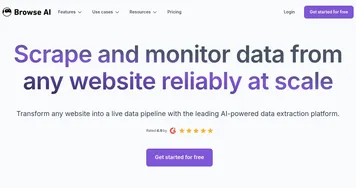
    1. Browse AI Browse AI The easiest way to extract and monitor data from any website
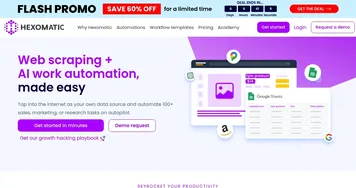
    2. Hexomatic Hexomatic Automates web scraping and tasks with no-code solutions
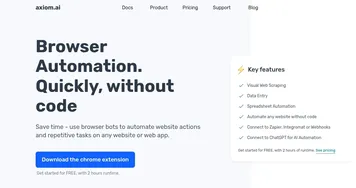
    3. Axiom.ai Axiom.ai Automate repetitive tasks within a browser without writing any code
    4. Agenty Agenty Extracts web data using AI-powered point-and-click automation for easy collection and analysis
    5. Octoparse AI Octoparse AI Automates workflows with AI agents and no-code bots for busywork
    6. ScrapeStorm ScrapeStorm Extracts web data visually with AI, no coding needed
    Share
    Roborabbit screenshot enlarged
    Best AI Tools

    Discover the best AI tools for any use case

    Explore
    • Tool Categories
    • AI Use Cases
    • AI Events
    • AI News
    • Saved Tools
    Company
    • About Us
    • Contact Us
    • Media & Partnerships
    • Suggest a Tool
    Legal
    • Privacy Policy
    • Terms of Service
    Copyright © 2026 Best AI Tools 415 Mission Street, 37th Floor, San Francisco, CA 94105