Best AI Browser Tools

44 toolsRanked by traffic

AI browser tools build artificial intelligence directly into web browsing, either as an assistant in your browser or as an agent that navigates and acts on the web for you. You can summarize a long page, ask questions about what you're reading, or hand off a task like booking or research and let the agent click through sites on its own. Brave Leo and Opera AI bake a chatbot into the browser, while Sider and Monica add one through an extension.

People use these to read faster, draft replies in place, and skip the copy-paste shuffle between a webpage and a separate chatbot. Browser agents like Manus go further and complete multi-step tasks across sites, though that power comes with caution: an agent acting on real accounts can make mistakes, so watch what it does before trusting it with anything sensitive. Most assistants run on the page you're viewing, so privacy depends on the tool you pick.

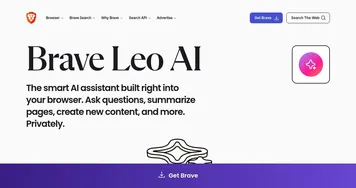
Brave Leo
Brave Leo - icon
Brave Leo
Assists with web queries, content creation, and document analysis in-browser
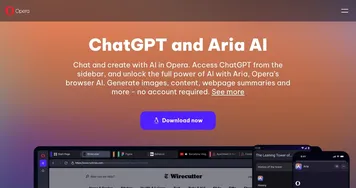
Opera AI
Opera AI - icon
Opera AI
Integrates AI chat and image generation into a browser
Manus
Manus - icon
Manus
An AI agent designed to handle complex tasks all by itself
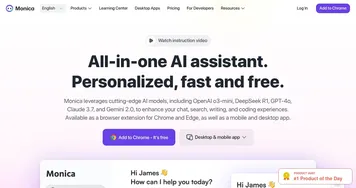
Monica
Monica - icon
Monica
A browser extension powered by ChatGPT that acts as a chatbot assistant
Bolt
Bolt - icon
Bolt
Transforms natural language prompts into full-stack web apps instantly
Sider
Sider - icon
Sider
Quick access to ChatGPT from a sidebar of your web browser
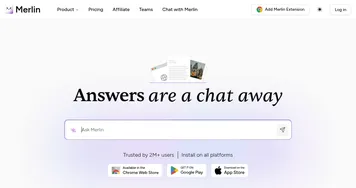
Merlin
Merlin - icon
Merlin
A ChatGPT browser plugin for productivity tools such as content or video summarizing
KaneAI
KaneAI - icon
KaneAI
An AI-powered tool designed to revolutionize software testing
Fellou
Fellou - icon
Fellou
Automates web tasks, conducts deep searches, and generates reports with AI-driven actions
Jam AI
Jam AI - icon
Jam AI
Automates bug report generation from screen captures and logs, creating titles, descriptions, and repro steps instantly
Dia
Dia - icon
Dia
Simplifies web tasks with AI-driven tab interaction and automation
Firecrawl
Firecrawl - icon
Firecrawl
A powerful tool designed to simplify web scraping and crawling
Glarity
Glarity - icon
Glarity
An online tool that provides concise summaries of content across different platforms
Browse AI
Browse AI - icon
Browse AI
The easiest way to extract and monitor data from any website
Thunderbit
Thunderbit - icon
Thunderbit
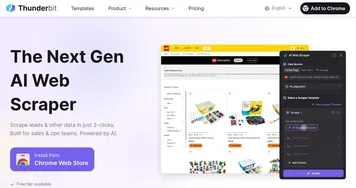
Extracts structured data from websites in two clicks using AI-powered automation

Frequently Asked Questions

What is an AI browser?
An AI browser is a web browser with artificial intelligence built in, so you can chat with a page, summarize articles, and get answers without leaving the tab. Some, like Brave Leo and Opera AI, ship the assistant inside the browser itself; others add the same features through an extension you install on a browser you already use.
What can AI browser agents do?
AI browser agents navigate the web and complete tasks for you, such as filling forms, comparing options across sites, gathering research, and clicking through multi-step flows. You describe the goal and the agent works through the pages on its own. They are powerful but still make mistakes, so supervise anything involving logins, payments, or important accounts.
Are AI browsers free?
Many AI browser features are free. Brave Leo and Opera AI include a built-in assistant at no cost, and extensions like Sider and Monica offer free tiers with daily limits. Heavier use, the most capable models, and autonomous agent features usually sit behind a paid plan, often priced around a typical monthly subscription.
Is it safe to use an AI browser?
AI browsers are generally safe for reading and summarizing, but safety varies by tool. The assistant can see the page you're on, so check the provider's privacy policy and what data leaves your device. For autonomous agents that act on your accounts, grant access carefully and review each action before it touches sensitive information.
Do AI browser assistants work on any website?
Most AI browser assistants work on ordinary public web pages, reading the visible content to answer questions and summarize. They struggle with pages behind logins, heavy interactive apps, and sites that block automated access. Agents that take actions can hit the same walls, plus a site's terms of service may restrict automated browsing.