logo-darklogo-darklogo-darklogo-dark
  • Tool Categories
    • ๐ŸŽจ Art
    • ๐Ÿข Business
    • ๐Ÿ’ป Coding
    • ๐Ÿ‘ฎ Detection
    • ๐Ÿง  General
    • ๐Ÿฅ Health
    • ๐Ÿ“ท Image Analysis
    • ๐Ÿ–ผ๏ธ Image
    • ๐Ÿ“ Architecture
    • ๐ŸŽ“ Education
    • โš–๏ธ Legal/Finance
    • ๐ŸŽญ Lifestyle
    • ๐Ÿ“ข Advertising
    • ๐ŸŽง Music
    • ๐Ÿ‘” Work
    • ๐Ÿ”ฌ Research
    • ๐Ÿ‘ฅ Social
    • ๐ŸŽฅ Video
    • ๐Ÿ‘ง๐Ÿป Companion
    • ๐ŸŽค Voice
    • โœ๏ธ Writing
    • All Categories
    • AI Use Cases
  • News
  • Events
    • Academic Conferences
    • Developer Conferences
    • Expos / Trade Shows
    • Industry Summits
    • Workshops / Training
    • All Events
    • Past Events
  • Saved Tools
  • Suggest a Tool
โœ•
Home › Learning & Education › Homework Helper› EaseMate AI
EaseMate AI

EaseMate AI

Streamlines study, work, and creativity with AI-powered chat, summarization, and content generation

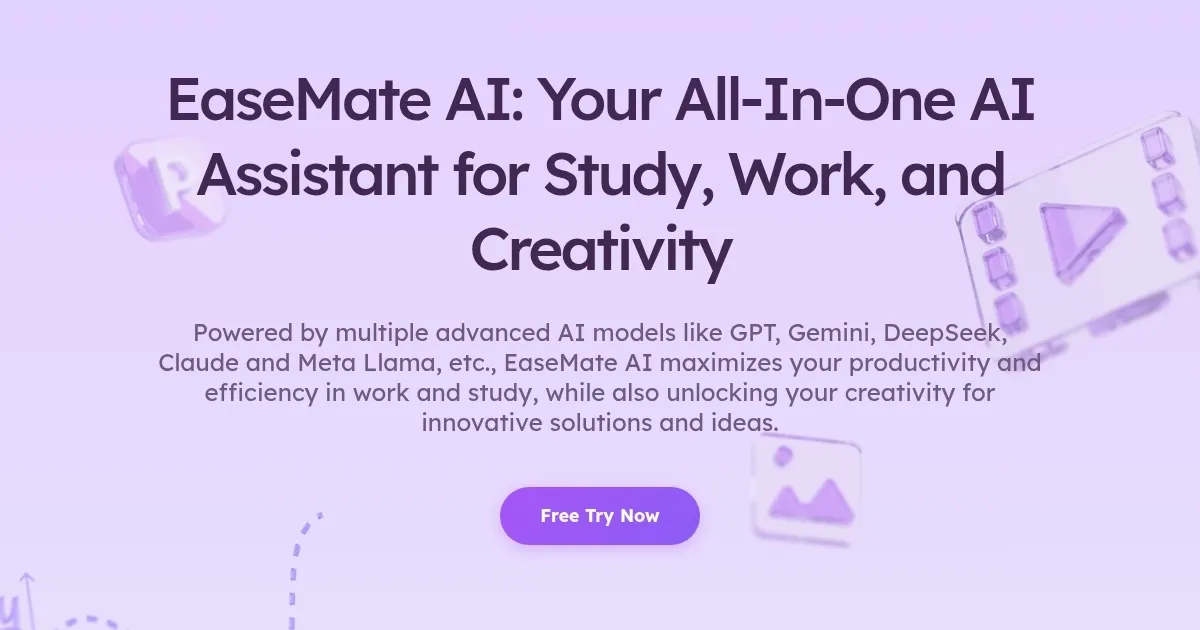
EaseMate AI is a free, all-in-one platform integrating advanced AI models like GPT-4o mini, DeepSeek V3, and Claude 3 Haiku to support tasks like chatting, summarizing, writing, translating, and creating visual content. It operates as a web app and Chrome extension, requiring no login for most features. The AI Chat feature uses natural language processing to deliver context-aware responses across topics, supporting 17 languages. ChatPDF allows users to upload PDFs, summarize content, and ask questions, with OCR technology extracting text from images. The AI Math Solver processes text or image-based math problems, providing step-by-step solutions. Creative tools like the AI Image Animator and Veo 3 Video Generator convert photos or text into animations and videos, supporting formats like JPG and PNG. The AI Detector identifies AI-generated text with high accuracy.

The platform is accessible without subscriptions, though daily limits apply (e.g., two animations, six images). Paid credit packages unlock higher quotas. Competitors like ChatGPT offer broader ecosystems but require subscriptions for premium features, while Sider provides similar sidebar functionality with fewer free options. EaseMate’s strengths include its no-login access and diverse tools, but reliability issues, such as failed image generation, and unresponsive support have been reported on Trustpilot. Privacy is emphasized, with data not stored or reused.

The AI Story Generator lets users customize stories by genre and length, ideal for quick creative output. The Flashcard Maker and Quiz Generator aid students with study materials. However, the platform’s credit system can be frustrating when features fail, and the free plan’s limits may not suit heavy users. The Chrome extension enhances workflow by integrating AI into browsing.

To get started, use ChatPDF for document analysis or the Math Solver for homework. Test creative tools with free daily quotas before committing to paid plans. Check user reviews for updates on reliability and support responsiveness.

Visit EaseMate AI ↗
Categories
๐ŸŽ“ Education
โœ๏ธ Homework Helper โ“ Answer ๐Ÿ“ฐ Article Summarization ๐Ÿ“บ Tutorial ๐Ÿ“” Book Summarization
โœ๏ธ Writing
๐Ÿ“œ Essay Writing ๐Ÿค– Writing Assistant
๐Ÿ‘” Work
๐Ÿ“‘ PDF Summarizer
๐Ÿ”ฌ Research
๐Ÿ“„ Research Paper

Homepage Screenshot 📸

EaseMate AI screenshot

What are the key features? ✨

  • AI Chat: Engages in context-aware conversations using models like GPT-4o mini and Claude 3 Haiku.
  • ChatPDF: Summarizes PDFs and answers questions with OCR for image-based text extraction.
  • AI Math Solver: Solves math problems with step-by-step explanations from text or images.
  • AI Image Animator: Converts photos into animations using Runway and Veo 3 models.
  • AI Detector: Identifies AI-generated text with percentage-based results for originality checks.

Who is it for? 🤔

EaseMate AI suits students, researchers, professionals, and content creators seeking free, versatile AI tools. Its ChatPDF and Math Solver are ideal for academics tackling dense documents or complex equations, while the Image Animator and Video Generator appeal to social media influencers and marketers crafting engaging visuals. Writers benefit from the Story Generator, and businesses can use translation and summarization for global communication, all without financial barriers.

Examples of what you can use it for 💡

  • Student: Uses ChatPDF to summarize research papers and ask targeted questions for assignments.
  • Content Creator: Employs AI Image Animator to turn photos into shareable animations for social media.
  • Teacher: Leverages AI Math Solver to create courseware and correct student homework efficiently.
  • Marketer: Utilizes AI Detector to ensure original content for campaigns and avoid AI-generated text.
  • Language Learner: Applies AI Translation to practice multilingual conversations in real time.

Pros & Cons ⚖️

  • Free access with no login for most features.
  • OCR extracts text from images and PDFs.
  • Browser extension enhances workflow.
  • Customer support lacks responsiveness.
  • Credit system can frustrate users.

FAQs 💬

Is EaseMate AI free to use?
EaseMate AI offers most features for free with daily limits, like two animations or six images, and paid credit packages for higher quotas.
Do I need to sign up to use EaseMate AI?
No, most features, including AI Chat and Story Generator, require no login, though some advanced models need an account.
Is my data safe with EaseMate AI?
Yes, EaseMate uses advanced security algorithms to protect data, ensuring itโ€™s not stored or reused without permission.
What AI models power EaseMate AI?
It integrates GPT-4o mini, DeepSeek V3, Claude 3 Haiku, Meta Llama 3.3, and others for diverse tasks.
Can EaseMate AI summarize PDFs?
The ChatPDF feature summarizes PDFs and allows users to ask questions about the content for free.
Does EaseMate AI support mobile devices?
Yes, itโ€™s accessible on smartphones and computers via browsers with a stable internet connection.
Can I create animations with EaseMate AI?
The AI Image Animator turns photos into animations, supporting styles like Disney or Ghibli, with two free daily credits.
How accurate is the AI Detector?
It uses GPT-4o and linguistic analysis to identify AI-generated text with high accuracy, similar to tools like Originality.ai.
What file formats does EaseMate AI support?
It supports PDF, DOC, PPT for documents and JPG, JPEG, PNG for images, with a 10MB limit per file.
How does EaseMate compare to ChatGPT?
EaseMate offers free access to premium models without subscriptions, unlike ChatGPT, but may lack its ecosystem depth.

Ready to try EaseMate AI?

Streamlines study, work, and creativity with AI-powered chat, summarization, and content generation

Visit EaseMate AI ↗

EaseMate AI alternatives 🔗

  1. ChatGPT ChatGPT All-round AI assistant generating human-like responses to user queries and tasks
  2. Britannica Chatbot Britannica Chatbot A digital librarian drawing from over 130,000 meticulously fact-checked articles
  3. Gauth Gauth A useful mobile app designed to assist students in solving complex math problems
  4. Scribbr Scribbr Rewrites text using AI to maintain meaning with new wording
  5. Brainly Brainly Provides instant homework help and AI-powered tutoring for students
  6. AI Homework Help AI Homework Help Supercharge your study doc with instant answers and explanations and recommended resources
Share
EaseMate AI screenshot enlarged
Promote EaseMate AI
light badge
Copy Embed Code
dark badge
Copy Embed Code
neutral badge
Copy Embed Code
Best AI Tools

Discover the best AI tools for any use case

Explore
  • Tool Categories
  • AI Use Cases
  • AI Events
  • AI News
  • Saved Tools
Company
  • About Us
  • Contact Us
  • Media & Partnerships
  • Suggest a Tool
Legal
  • Privacy Policy
  • Terms of Service
Copyright © 2026 Best AI Tools 415 Mission Street, 37th Floor, San Francisco, CA 94105