logo-darklogo-darklogo-darklogo-dark
  • Tool Categories
    • 🎨 Art
    • 🏢 Business
    • 💻 Coding
    • 👮 Detection
    • 🧠 General
    • 🏥 Health
    • 📷 Image Analysis
    • 🖼️ Image
    • 📐 Architecture
    • 🎓 Education
    • ⚖️ Legal/Finance
    • 🎭 Lifestyle
    • 📢 Advertising
    • 🎧 Music
    • 👔 Work
    • 🔬 Research
    • 👥 Social
    • 🎥 Video
    • 👧🏻 Companion
    • 🎤 Voice
    • ✍️ Writing
    • All Categories
    • AI Use Cases
  • News
  • Events
    • Academic Conferences
    • Developer Conferences
    • Expos / Trade Shows
    • Industry Summits
    • Online Events
    • Workshops / Training
    • All Events
    • Past Events
  • Saved Tools
  • Suggest a Tool
✕
Home › Voice Generation & Editing › Podcast› Streamlabs Podcast Editor
Streamlabs Podcast Editor

Streamlabs Podcast Editor

A podcast editing solution that transcribes audio and video to text for easy edits and repurposing content

Streamlabs Podcast Editor is an innovative tool designed to simplify the podcast editing process, making it accessible and efficient even for those with no editing experience. It allows users to edit their video content by transcribing the audio into text with the help of artificial intelligence. Once the content is transcribed, users can easily edit the text to remove filler words, pauses, or any unwanted podcast sections.

The tool supports a variety of content, including YouTube, Twitch, and Spotify, making it versatile for repurposing long-form content into shorter clips for social media platforms like TikToks, Reels, and Shorts. Furthermore, it offers customization options, such as adding images, subtitles, emojis, and shapes, or incorporating personal branding elements like logos.

Beyond the basic editing functionalities, the Streamlabs Podcast Editor stands out as a comprehensive solution for podcast and content creators looking to optimize their workflow. It enables efficient editing, customization, and content optimization across different social media platforms, enhancing engagement and reach. The tool is part of the Streamlabs ecosystem, offering integration with other services like Streamlabs Desktop, Talk Studio, and more, under the Streamlabs Ultra plan.

This suite aims to provide creators with all the necessary tools to enhance their live streams, brand identity, and content visibility online, offering features like easy transcription, AI-assisted highlight clip extraction, subtitles, and translation services.

Visit Streamlabs Podcast Editor ↗

Categories

🎤 Voice

🎙️ Podcast 🎤 Recording 📝 Transcriber

🎧 Music

🎚️ Audio Editing 🎛️ Audio Enhancing 🔇 Noise Cancellation

🎥 Video

✏️ Video Editing

✍️ Writing

💬 Subtitle Generation

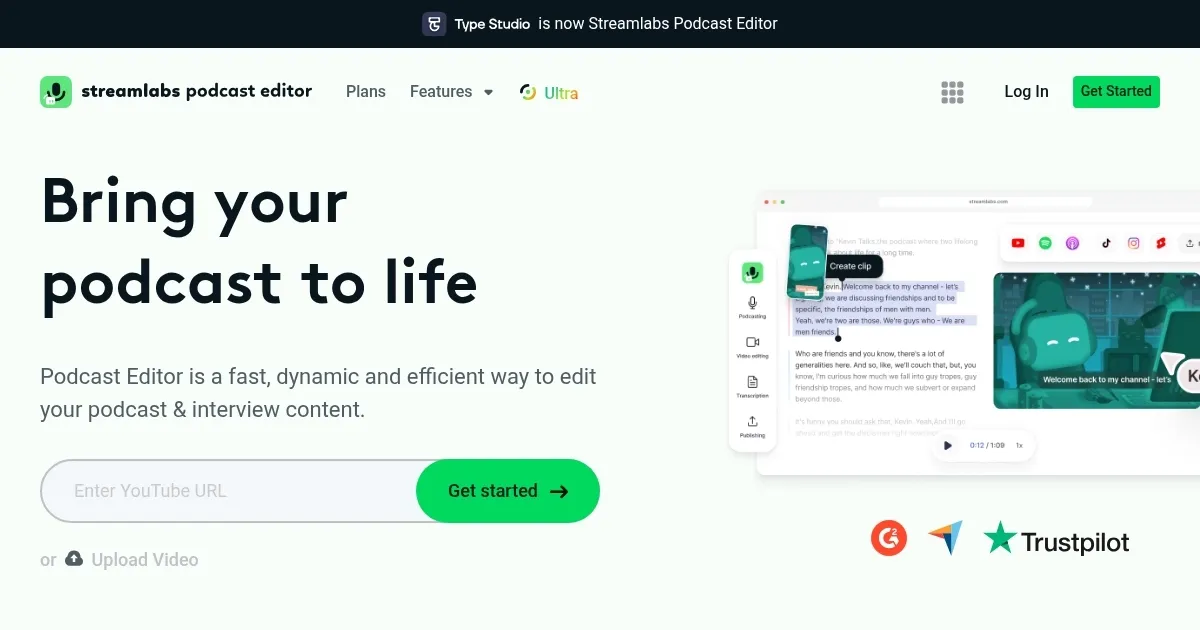
Screenshot 📸

Streamlabs Podcast Editor screenshot

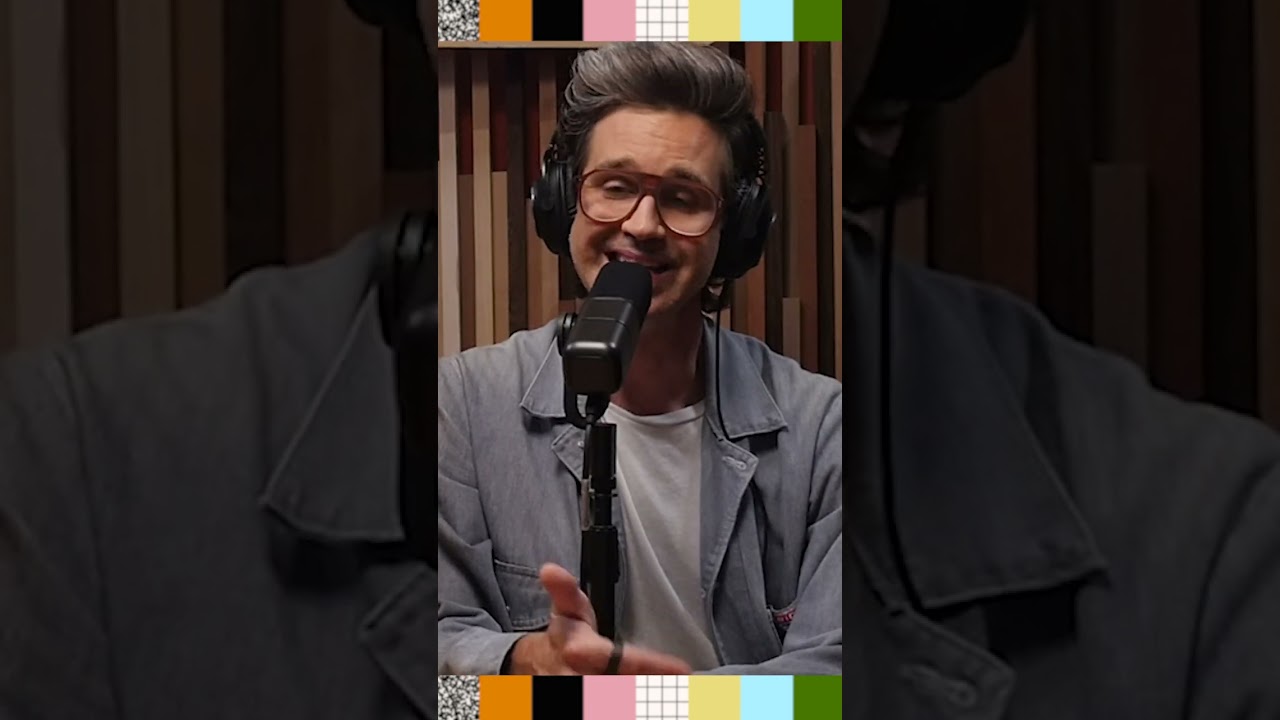
Video Overview 🎬

What are the key features? ✨

  • Automated editing: AI will help you edit and polish your podcast audio automatically.
  • Noise reduction: Remove background noise and enhance audio quality.
  • Multitrack editing: Edit multiple audio tracks simultaneously for an improved final product.
  • Audio effects: Add professional effects like equalization, compression, and reverb.
  • Exporting: Export your edited podcasts in various formats that are ready for distribution.

Who is it for? 🤔

Streamlabs Podcast Editor is made for podcasters, content creators, educators, and businesses needing a user-friendly tool to enhance and streamline audio editing. It is suitable for both professionals and those just getting started in audio production. Ultimately, it will help everyone produce high-quality audio content efficiently.

Examples of what you can use it for 💡

  • Streamline the editing process for producing high-quality podcasts
  • Enhance audio for YouTube videos, vlogs, and other multimedia content
  • Prepare educational podcasts and lectures with clear and professional audio
  • Edit company podcasts and internal communication recordings
  • Improve the sound quality of personal audio projects and storytelling

Pros & Cons ⚖️

  • Makes it easy to produce professional-sounding audio
  • You can also use it to make your YouTube videos sound better
  • Good for different use cases
  • Not sure it's the best AI audio production tool out there

FAQs 💬

What is Streamlabs Podcast Editor?
It's an AI-powered tool that lets you edit video podcasts or interviews by simply tweaking a transcribed text script, rather than slogging through timelines. Upload your recording, get an auto-transcript, and cuts happen automatically, which saves hours, probably.
How does the text-based editing work?
The tool transcribes your audio or video into editable text. Delete words like "um" or whole sections, and it ripples through to the media file. Add pauses, fix errors, or highlight clips, all without touching a waveform. Reviewers call it intuitive for beginners, though accents might trip up accuracy sometimes.
Is there a free version, and what are the pricing options?
Yes, the free tier gives you 1 hour of editing per month for videos up to 1 hour long, with basic features like transcription. For more, upgrade to Podcast Editor Pro at $9/month (or $12 billed annually) for 40 hours, no watermarks, and subtitles export. Or go all-in with Streamlabs Ultra at $19/month for the full suite, including recording tools.
What AI features does it offer for podcast editing?
Beyond transcription, it auto-removes filler words like "ums" and "oohs," detects highlights for short clips, cuts silences, and even translates to over 30 languages in real-time. Users on X praise how it turns long episodes into TikTok-ready snippets effortlessly.
Can I use it for video podcasts or just audio?
Absolutely both. It handles video uploads, adds subtitles, resizes for platforms like Instagram or YouTube, and pulls from a stock library of images and emojis to jazz things up. Perfect for "Just Chatting" streamers repurposing content.
What integrations does Streamlabs Podcast Editor have?
It ties seamlessly into Streamlabs' ecosystem, like Talk Studio for recording multi-guest sessions locally in high quality. Export directly to Twitch, YouTube, or Spotify. No deep ties to Adobe or Final Cut yet, but it works standalone via browser.
Is it beginner-friendly, or do I need editing experience?
Super approachable, even for newbies. The interface is clean, with one-click equalizers and effects. Reddit threads note it's easier than Descript for quick cuts, though pros might want more advanced color grading. Start with the free trial, no credit card needed.
What are the main limitations or downsides?
Free version caps at 1 hour monthly, and AI transcription can falter with heavy accents or noisy audio. Some X users report export glitches, like stalling renders. It's mostly online, so spotty internet hurts. Overall, though, it's reliable for most.
How does it compare to tools like Descript or Riverside?
Like Descript, it's text-first, but cheaper and more streamer-focused with built-in resizing. Riverside excels at remote recording, while this shines in post-editing clips. Recent 2025 reviews say it's a solid mid-tier pick, especially at $9 for pros.
Can I try it before committing, and what's the support like?
Jump in with the free tier or search the Internet for coupon codes for a free trial. As for support, it's responsive via tickets, with guides on their hub. User feedback shows quick fixes for issues, making it feel trustworthy for solo creators.

Ready to try Streamlabs Podcast Editor?

A podcast editing solution that transcribes audio and video to text for easy edits and repurposing content

Visit Streamlabs Podcast Editor ↗

Streamlabs Podcast Editor alternatives 🔗
  1. ElevenLabs ElevenLabs Generates lifelike, expressive AI voices for diverse applications
  2. NotebookLM NotebookLM Transforms uploaded documents into interactive AI-powered research assistants
  3. Descript Descript Transforms video editing with AI-driven text-based tools and automated design
  4. Riverside Audio & Video Transcription Riverside Audio & Video Transcription An AI service that generates high-accuracy audio and video transcription in multiple languages.
  5. Murf Murf Converts text to lifelike speech for various applications
  6. Cleanvoice Cleanvoice Removes filler sounds, mouth clicks, and background noise from podcast audio automatically
Share
Streamlabs Podcast Editor screenshot enlarged
Promote Streamlabs Podcast Editor
light badge
Copy Embed Code
dark badge
Copy Embed Code
neutral badge
Copy Embed Code
Best AI Tools

Discover the best AI tools for any use case

About Us | Contact Us | Suggest an AI Tool
Privacy Policy | Terms of Service
Copyright © 2026 Best AI Tools 415 Mission Street, 37th Floor, San Francisco, CA 94105