InVideo
Helps you make professional videos with ready-made customizable templates
InVideo is an AI-powered tool that lets anyone create cool videos “on day one.” It simplifies the video creation process with ready-made templates that you can quickly customize, even if you’ve never done it before. It is dubbed the fastest, easiest way to create pro-quality videos.
The tool offers more than 5,000 templates covering all kinds of use cases. You can search through this vast library by platform, industry and content type — and when you find the template you like, customize it to fit your needs.
InVideo also offers some fancy yet easy-to-use video editing capabilities, like enabling the easy removal of background from product images.
And if that’s not enough, you can further change the video with text prompts. That’s right, you don’t need to use a video editor — although it is also available — but you can type what you want to achieve and let AI do it for you. Pretty cool.
All being said, we are not surprised to learn that InVideo has 7 million customers in 190 countries, as well as great reviews on sites like Capterra, Trustpilot and G2. Check it out.
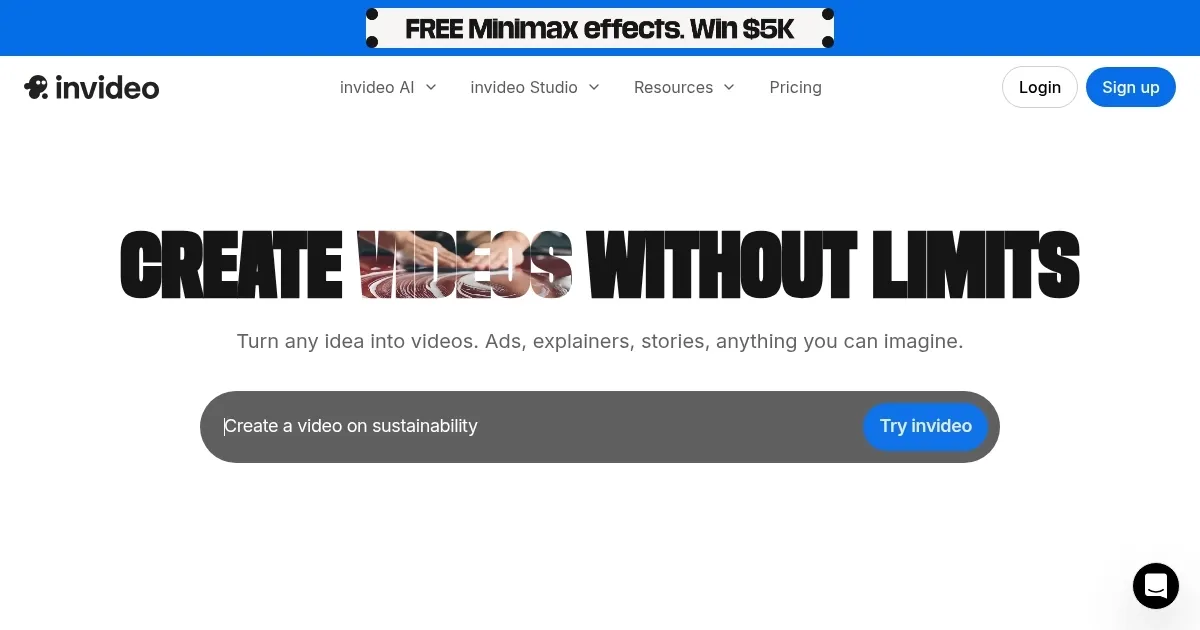
Homepage Screenshot 📸
Video Overview 🎬
What are the key features? ✨
- 5000+ templates: InVideo has templates for any use case you could think of. You can search by platform, industry and content type. Then, you can customize a template for your brand using simple drag-drop-replace actions.
- Single-click shortcuts: Remove the background of your product images to make them pop. Add stock media and music, and apply your brand's colors and fonts. All with a single click.
- AI tools to boost productivity: Not sure what your video should be all about? No problem - use AI to generate a script using basic text prompts or convert your article or blog into a video in minutes using InVideo's AI-powered text-to-video editor.
- Edit video with text prompts: Add instructions such as target audience and platform, and customize the look of your video with your text prompts. Every generated video is unique!
- Complete editing control: Or if you know what you're doing, you can take advantage of the fully-powered video editor. Also, change the script and media and get a completely new video.
Who is it for? 🤔
Examples of what you can use it for 💡
- Create professionally-produced videos with ease
- Promote your products and/or services on video-sharing sites
- Get new customers from YouTube and TikTok
- Engage users with videos
- Set your brand up for social media success
Pros & Cons ⚖️
- Allows everyone to create fancy videos
- Editing videos with text prompts is cool
- AI can even generate the script for you
- Some users have reported problems with customer support
FAQs 💬
Ready to try InVideo?
Helps you make professional videos with ready-made customizable templates
Visit InVideo