Best AI YouTube Video Generation Tools

13 toolsRanked by traffic

YouTube video generation tools make full YouTube videos with AI, from long-form narrated pieces to faceless channel content built around a script and stock or generated footage. You give the tool a topic or script, and it produces a video with voiceover, visuals, and captions, plus extras like titles and thumbnails on some platforms. Common picks include InVideo, VideoGen, AutoShorts.ai, and TubeBuddy.

Faceless-channel creators and YouTubers use these to keep a steady upload schedule without filming, and some pair generation with editing tools that cut filler and add captions. The honest trade-off is that fully automated videos can feel generic, and YouTube rewards original, useful content, so the strongest channels use AI for the heavy lifting and add a real script, voice, or angle on top. Tools like TubeBuddy lean toward optimization, helping with titles, tags, and research rather than generating the footage itself.


InVideo
InVideo - icon
InVideo
Helps you make professional videos with ready-made customizable templates
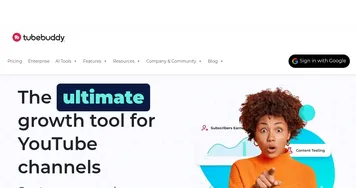
TubeBuddy
TubeBuddy - icon
TubeBuddy
An AI tool that will help you create, manage, and grow your YouTube channel
Short AI
Short AI - icon
Short AI
Generates viral short videos from long content or ideas in minutes
VideoGen
VideoGen - icon
VideoGen
An AI-powered video generator that helps users create professional-quality videos quickly
Gling
Gling - icon
Gling
An AI video editing tool that helps creators make their videos better
AutoShorts.ai
AutoShorts.ai - icon
AutoShorts.ai
Generates and posts faceless videos for TikTok and YouTube daily
Subscribr
Subscribr - icon
Subscribr
Creates engaging YouTube scripts with AI-driven research and optimization
Eklipse
Eklipse - icon
Eklipse
An AI tool that generates short clips with highlights from longer videos
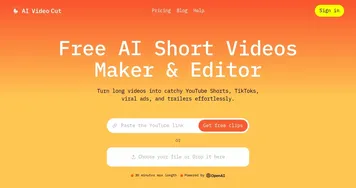
AI Video Cut
AI Video Cut - icon
AI Video Cut
Converts long videos into short, viral-ready clips for social media platforms
StoryShort
StoryShort - icon
StoryShort
Generates faceless videos from text prompts in minutes
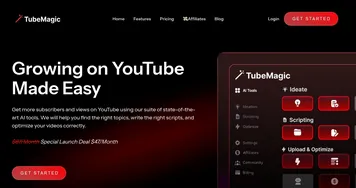
TubeMagic
TubeMagic - icon
TubeMagic
Uses AI to enhance YouTube channel growth and video performance
Spotter Studio
Spotter Studio - icon
Spotter Studio
An AI-powered ideation for brainstorming, researching, and planning videos for YouTube

Frequently Asked Questions

Can AI make full YouTube videos?
Yes, AI tools can generate full YouTube videos from a topic or script, adding voiceover, visuals, captions, and sometimes titles and thumbnails. This works especially well for faceless channels built on narration and stock footage. The output makes a solid first draft, though a human script and edit usually lift it above generic automated content.
What is the best AI tool for YouTube videos?
The best AI YouTube tool depends on the job. InVideo and VideoGen generate complete videos from a script, AutoShorts.ai automates faceless shorts on a schedule, and TubeBuddy focuses on optimization with titles, tags, and keyword research. Many creators combine a generator for footage with an optimizer for discoverability.
Can I make a faceless YouTube channel with AI?
Yes, AI makes faceless YouTube channels practical by handling narration, visuals, and editing so you never appear on camera. Tools generate scripts, AI voiceovers, and matched footage, and some publish shorts automatically. The format suits topics like facts, finance, and storytelling, though a clear niche and a strong script still decide whether the channel grows.
Will AI-generated videos hurt my YouTube channel?
AI-generated videos won't hurt your channel as long as they're original and genuinely useful, which YouTube's policies reward. Low-effort, mass-produced clips with no added value risk poor performance and can run afoul of spam rules. Using AI to assist a real script, voice, and editing perspective keeps your content on the right side.