logo-darklogo-darklogo-darklogo-dark
  • Tool Categories
    • 🎨Art & Creative Design505
    • 🏢Business Management644
    • 💻Coding & Development515
    • 👮Detection83
    • 🧠General Use727
    • 🏥Health & Wellness55
    • 📷Image & Photo Analysis100
    • 🖼️Image Generation & Editing618
    • 📐Interior & Architectural Design37
    • 🎓Learning & Education483
    • ⚖️Legal & Finance90
    • 🎭Lifestyle & Entertainment236
    • 📢Marketing & Advertising627
    • 🎧Music & Audio138
    • 👔Office & Workplace1,014
    • 🔬Research & Data Analysis372
    • 👥Social Media245
    • 🎥Video Generation & Editing426
    • 👧🏻Virtual Companion135
    • 🎤Voice Generation & Editing381
    • ✍️Writing & Editing808
    • All Categories
    • AI Use Cases
  • News
  • Events
    • Academic Conferences
    • Developer Conferences
    • Expos / Trade Shows
    • Industry Summits
    • Workshops / Training
    • All Events
    • Past Events
  • Saved Tools
  • Suggest a Tool
✕
Home › Video Generation & Editing › Short Video Generation› AutoShorts.ai
AutoShorts.ai

AutoShorts.ai

Generates and posts faceless videos for TikTok and YouTube daily

AutoShorts.ai is an AI-driven platform that automates the creation and posting of faceless videos for TikTok and YouTube. Users define a series by selecting a topic or custom prompt, and the AI generates unique videos with scripts, visuals, and voiceovers. The platform supports multiple styles, such as Minecraft or Comic Book, and includes features like voice cloning and dynamic captions. It auto-posts content based on a user-defined schedule, streamlining channel management.

The Series feature allows users to set a theme, with the AI generating videos using stock visuals and synthetic voices. Users can preview and edit scripts, images, or music before posting. The platform supports 19 languages, including English, Spanish, and Japanese, and optimizes videos for social media platforms. Pricing includes a free plan with one video and premium plans for more frequent posting, competitive with tools like Pictory and Synthesia.

AutoShorts.ai’s automation is its strongest asset, ideal for users seeking minimal involvement. The platform’s dynamic caption engine syncs subtitles with speech, enhancing viewer engagement. Voice cloning allows customizable tones, and HD video resolution ensures quality output. However, users are limited to one series across all plans, restricting multi-niche creators. Posting frequency is capped at twice daily, and customer support response times can be slow.

Compared to Pictory, which excels at repurposing long-form content, or Synthesia, with advanced avatar options, AutoShorts.ai prioritizes automation over flexibility. Its multi-language support and watermark-free videos are notable strengths. The platform lacks short-to-long-form video conversion, a feature competitors offer.

Users should start with the free plan to test compatibility. Focus on a single niche for best results. Review analytics regularly to optimize content. If more editing control is needed, consider Pictory or Synthesia, but for automated faceless video production, AutoShorts.ai delivers.

Visit AutoShorts.ai ↗
Categories
🎥 Video
📲 Short Video Generation 📹 Video Generation 🎶 Tiktok Video Generation 📱 Reel Generation ▶️ YouTube Video Generation 📜 Script To Video Generation 📝 Text to Video
👥 Social
📝 Social Media Post Generation 🎵 TikTok 📱 Social Media Management

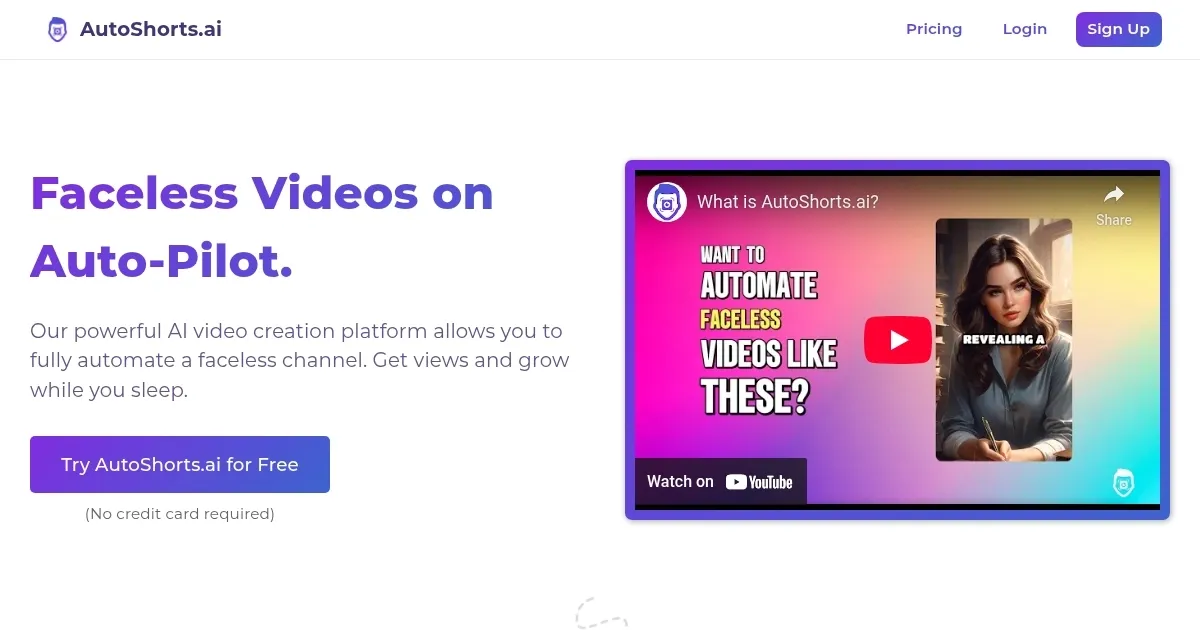
Homepage Screenshot 📸

AutoShorts.ai screenshot

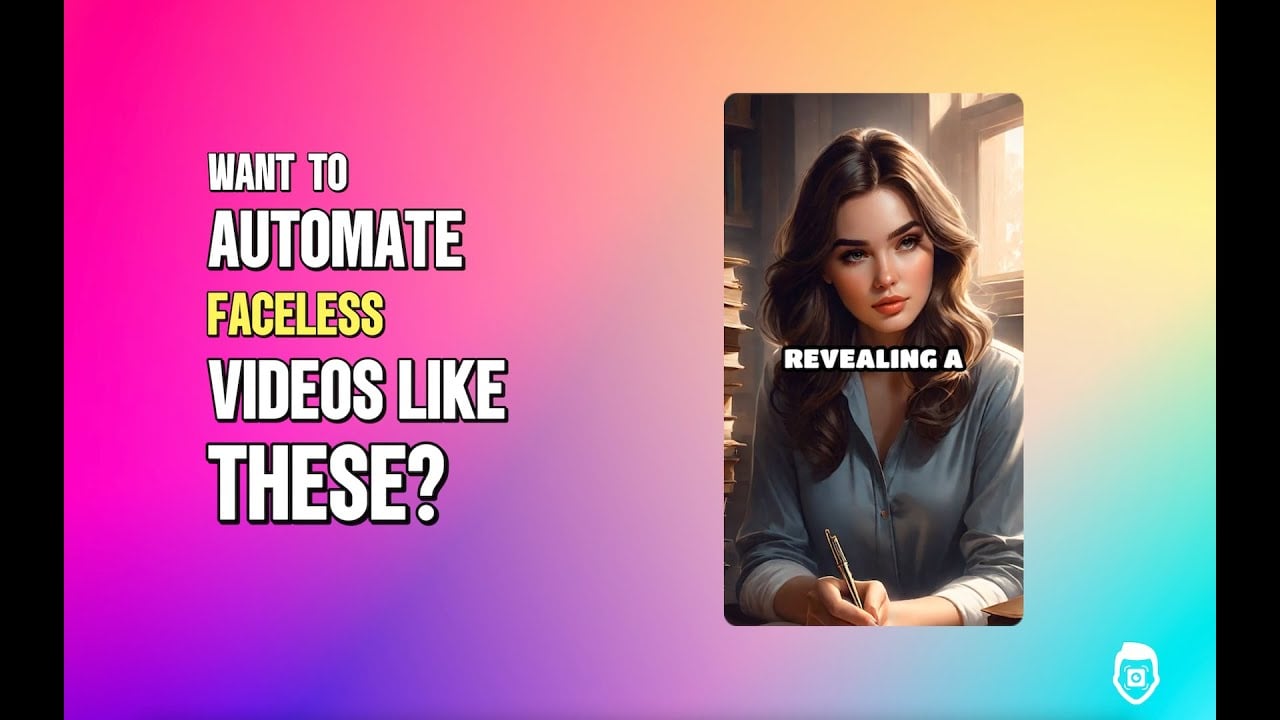
Video Overview 🎬

AutoShorts.ai - Video Overview

What are the key features? ✨

  • Series Creation: Define a topic for AI to generate unique videos automatically.
  • Preview and Customize: Edit scripts, visuals, or music before posting.
  • Auto-Posting: Schedules and posts videos to TikTok and YouTube.
  • Voice Cloning: Customizes synthetic voices for personalized tone.
  • Multi-Language Support: Generates videos in 19 languages for global reach.

Who is it for? 🤔

AutoShorts.ai is designed for content creators, small business owners, and digital marketers who want to maintain active TikTok or YouTube channels without appearing on camera or investing heavy time in video production. It suits those new to content creation or with limited editing skills, as well as busy professionals seeking automated, niche-specific content to grow their online presence.

Examples of what you can use it for 💡

  • Social Media Influencer: Creates daily motivational quote videos to engage followers.
  • Small Business Owner: Generates product demo shorts to promote e-commerce items.
  • Educator: Produces quick tutorial clips for YouTube Shorts to share knowledge.
  • Digital Marketer: Automates niche-specific content to boost brand visibility.
  • Content Repurposer: Turns podcast highlights into shareable TikTok clips.

Pros & Cons ⚖️

  • Supports 19 languages for global use.
  • Offers voice cloning for custom tones.
  • Easy-to-use preview and edit tools.
  • Max posting frequency is twice daily.
  • Visuals may feel generic.

FAQs 💬

What is AutoShorts.ai?
An AI tool that automates faceless video creation for TikTok and YouTube.
Do I need editing skills to use it?
No, the platform is user-friendly with minimal editing required.
Which platforms does it support?
It posts to TikTok and YouTube, with plans to add more.
Can I customize videos?
Yes, you can edit scripts, visuals, and music before posting.
Is there a free plan?
Yes, the free plan allows creating one video without a credit card.
What languages are supported?
Supports 19 languages, including English, Spanish, and Japanese.
Do I own the videos created?
Yes, you fully own all videos and can use or sell them.
How often can I post with premium plans?
Up to twice daily, depending on the plan chosen.
Can I cancel my subscription easily?
Yes, subscriptions can be canceled from the dashboard.
Does it support long-form content?
No, it focuses on short-form videos for social media.

Ready to try AutoShorts.ai?

Generates and posts faceless videos for TikTok and YouTube daily

Visit AutoShorts.ai ↗

AutoShorts.ai alternatives 🔗

  1. Kling AI Kling AI Generates cinematic videos from text or images with realistic motion
  2. Veo Veo Generates high-quality videos with audio from text or image prompts
  3. Sora Sora Generates hyperrealistic videos from text prompts with synchronized audio
  4. Vimeo AI Vimeo AI Creates polished videos from single recordings using AI edits and scripts
  5. CapCut Creative Suite CapCut Creative Suite Online creative suite for everyone to create stunning images and videos
  6. PixVerse PixVerse An AI-driven tool designed to help users create fancy videos with ease
Share
AutoShorts.ai screenshot enlarged
Promote AutoShorts.ai
light badge
Copy Embed Code
dark badge
Copy Embed Code
neutral badge
Copy Embed Code
Best AI Tools

Discover the best AI tools for any use case

Explore
  • Tool Categories
  • AI Use Cases
  • AI Events
  • AI News
  • Saved Tools
Company
  • About Us
  • Contact Us
  • Media & Partnerships
  • Suggest a Tool
Legal
  • Privacy Policy
  • Terms of Service
Copyright © 2026 Best AI Tools 415 Mission Street, 37th Floor, San Francisco, CA 94105