Spotter Studio
An AI-powered ideation for brainstorming, researching, and planning videos for YouTube
Creating cool YouTube content is not easy. With Spotter Studio, this challenge becomes more manageable as this AI-powered ideation system assists creators in brainstorming, researching, and planning videos that resonate with audiences. In fact, it is tailored for both seasoned YouTubers and those just starting out…
Spotter Studio is designed to streamline the content creation process by offering AI-driven assistance that aims to enhance the quality and relevance of your videos. In that sense, it provides personalized video suggestions based on your channel’s past performance and current trends — ensuring your content remains fresh and engaging. In addition, the platform offers tools for optimizing thumbnails and titles, which are crucial in attracting viewers. These features work together to allow you to focus more on the creative aspects of content production.
Aside from ideation and optimization, Spotter Studio offers comprehensive project management tools. It enables you to organize your workflow from pre-production planning to video launch. Also included are collaborative features so that team members can work together on projects, fostering teamwork and enhancing the quality of the final product.
Lastly, we should mention that Spotter Studio keeps your data protected with robust encryption, ensuring your content and personal information remain secure.
Homepage Screenshot 📸
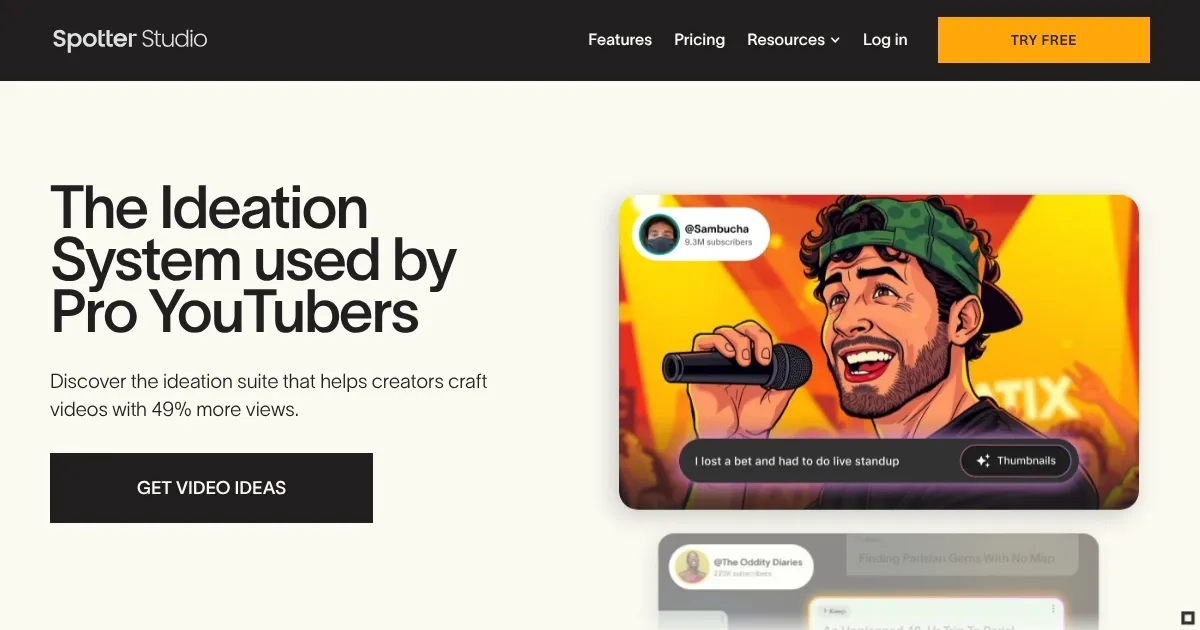
Video Overview 🎬
What are the key features? ✨
- AI video ideation: Provides personalized video suggestions based on your channel's data and current trends to help you generate engaging content ideas.
- Thumbnail & title optimization: Offers insights and recommendations to enhance your video's visual appeal and click-through rates.
- Outlier analysis: Identifies exceptionally performing videos in your niche, allowing you to learn from successful content strategies.
- Workflow management tools: Facilitates efficient project planning and task management to streamline the content creation process.
- Collaborative features: Enables real-time collaboration with team members to enhance productivity and content quality.
Who is it for? 🤔
Examples of what you can use it for 💡
- YouTubers get assistance in generating fresh video ideas and optimizing content to increase viewer engagement
- Marketing professionals get help in the development of compelling video content for campaigns to improve reach and effectiveness
- Educators get help in creating informative and engaging videos that resonate with their target audience
- Businesses can use it for producing promotional and informational videos to enhance their online presence
- Teams can seamlessly work on content creation projects together
Pros & Cons ⚖️
- Offers a suite of features that cover all aspects of video ideation, optimization, and project management
- Supports teamwork with real-time editing and feedback functionalities
- Utilizes AI to provide personalized recommendations
- New users may need some time to fully grasp all features and functionalities
Ready to try Spotter Studio?
An AI-powered ideation for brainstorming, researching, and planning videos for YouTube
Visit Spotter Studio