Skip to content
logo-darklogo-darklogo-darklogo-dark
  • Tool Categories
    • 🎨Art & Creative Design505
    • 🏢Business Management644
    • 💻Coding & Development514
    • 👮Detection83
    • 🧠General Use728
    • 🏥Health & Wellness55
    • 📷Image & Photo Analysis100
    • 🖼️Image Generation & Editing618
    • 📐Interior & Architectural Design37
    • 🎓Learning & Education483
    • ⚖️Legal & Finance90
    • 🎭Lifestyle & Entertainment236
    • 📢Marketing & Advertising627
    • 🎧Music & Audio138
    • 👔Office & Workplace1,014
    • 🔬Research & Data Analysis373
    • 👥Social Media245
    • 🎥Video Generation & Editing426
    • 👧🏻Virtual Companion135
    • 🎤Voice Generation & Editing381
    • ✍️Writing & Editing808
    • All Categories
    • AI Use Cases
  • News
  • Events
    • Academic Conferences
    • Developer Conferences
    • Expos / Trade Shows
    • Industry Summits
    • Workshops / Training
    • All Events
    • Past Events
  • Saved Tools
  • Suggest a Tool
    ✕
    Home › Social Media › YouTube› TubeBuddy
    TubeBuddy

    TubeBuddy by BENlabs

    An AI tool that will help you create, manage, and grow your YouTube channel

    TubeBuddy is an AI-powered tool designed for YouTube creators to enhance their channel’s performance and simplify content management. It integrates directly into YouTube and offers a variety of features such as video SEO, thumbnail generation, and advanced analytics. Combined, these tools are aimed at increasing a video’s visibility and audience engagement.

    Specifically, SEO tools are made to help creators optimize their video titles, descriptions, and tags to improve search rankings. This is crucial for creators who want to reach a broader audience and increase their video views.

    TubeBuddy also features bulk processing capabilities, allowing creators to make changes to multiple videos at once. This saves time and effort, especially for creators with a large number of videos.

    In addition, there are detailed analytics and reporting that provide creators with insights into their channel’s performance, viewer demographics, and engagement metrics.

    Last but not least, TubeBuddy offers various pricing plans — including a free version with basic features and paid plans with more advanced tools. This flexibility makes it accessible to creators of all sizes and at different stages of their YouTube journey.

    Visit TubeBuddy ↗
    Categories
    👥 Social
    ▶️ YouTube 📱 Social Media Management 🖼️ Youtube Thumbnail Generation #️⃣ Hashtag
    📢 Advertising
    🔍 SEO 💻 Digital Marketing
    🎨 Art
    🖼️ Thumbnail Generation
    🎥 Video
    ▶️ YouTube Video Generation
    🔬 Research
    📊 Data Analytics
    ✍️ Writing
    🔠 Title Generation

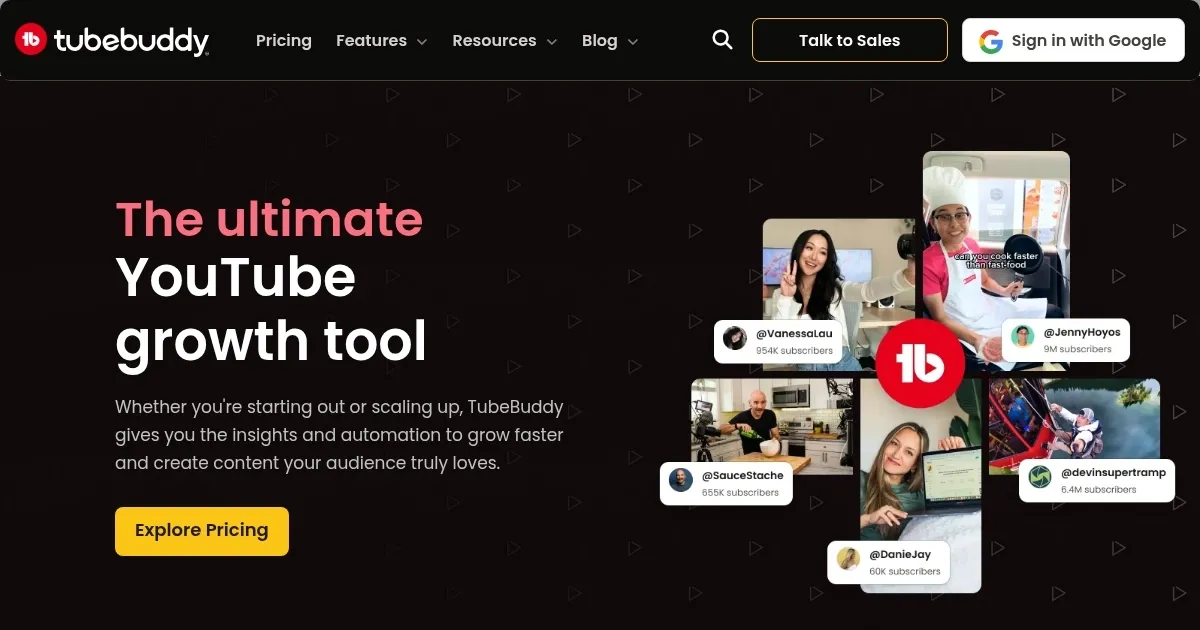
    Homepage Screenshot 📸

    TubeBuddy screenshot

    Video Overview 🎬

    TubeBuddy - Video Overview

    What are the key features? ✨

    • Video SEO tools: Help creators optimize video titles, descriptions, and tags to improve search rankings and visibility on YouTube.
    • Bulk processing: Allows creators to update multiple videos at once, saving time and effort.
    • Advanced analytics: TubeBuddy provides detailed insights into channel performance, audience demographics, and engagement metrics.
    • Thumbnail generation: There are also tools to create and test engaging thumbnails to increase click-through rates.
    • A/B Testing: Creators can test different video elements to see what works best with their audience.

    Who is it for? 🤔

    TubeBuddy is made for YouTube content creators, ranging from beginners to more established YouTubers. It's designed to help anyone who wants to grow their YouTube channel, optimize their content for better reach, and manage their videos more effectively. The tool is suitable for individual vloggers, professional YouTubers, and even businesses using YouTube for marketing.

    Examples of what you can use it for 💡

    • Improve the ranking of your videos on YouTube, making them easier to find
    • Bulk update titles, descriptions, and tags of multiple videos
    • Access detailed analytics to understand how your audience interacts with your content
    • Design thumbnails that stand out and attract more viewers
    • Conduct A/B testing on different elements of your videos to see what resonates best with your audience

    Pros & Cons ⚖️

    • SEO tools alone are worth the money
    • You get to quickly change titles and descriptions of multiple videos at once
    • Gives you an edge on YouTube
    • Free plan is rather limited

    FAQs 💬

    What is TubeBuddy mainly used for?
    TubeBuddy helps YouTube creators optimize videos for better search visibility and growth through SEO tools, keyword research, tag suggestions, and workflow automation.
    Does TubeBuddy integrate directly with YouTube?
    Yes, it installs as a browser extension and works inside YouTube Studio, adding features like SEO scores, analytics, and bulk editing right in your dashboard.
    Can beginners use TubeBuddy effectively?
    Absolutely, beginners benefit from its guided SEO recommendations, keyword explorer, and simple optimization checklists that teach best practices as you go.
    What kinds of AI features does TubeBuddy offer?
    It includes AI tools for generating video titles, analyzing thumbnails with predictive click scores, and suggesting Shorts content to boost engagement.
    How does TubeBuddy help with thumbnails and titles?
    It lets you run A/B tests on thumbnails and titles to see what drives more clicks, plus AI generates optimized suggestions based on performance data.
    Is TubeBuddy good for keyword research?
    Yes, its Keyword Explorer shows search trends, competition levels, and relevant tags to help videos rank higher in YouTube and Google searches.
    Can TubeBuddy track video performance?
    It provides rank tracking, view analytics, and competitor comparisons so you see how videos perform over time and adjust strategies accordingly.
    Does TubeBuddy support bulk editing?
    Yes, bulk tools allow you to update tags, descriptions, or other metadata across many videos at once, saving significant time for active channels.
    Who is TubeBuddy best suited for?
    It suits YouTube creators who upload consistently and want practical tools to improve SEO, automate tasks, and grow views or subscribers faster.
    How does TubeBuddy compare to other YouTube tools?
    It excels in bulk processing and SEO optimization compared to some alternatives, though some creators note competitors might offer fresher interfaces or trend-focused features.

    Ready to try TubeBuddy?

    An AI tool that will help you create, manage, and grow your YouTube channel

    Visit TubeBuddy ↗

    TubeBuddy alternatives 🔗

    1. VidIQ VidIQ Boosts YouTube channel growth with AI-driven analytics and optimization tools
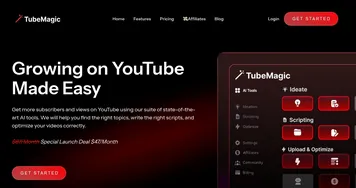
    2. TubeMagic TubeMagic Uses AI to enhance YouTube channel growth and video performance
    3. 1of10 1of10 Generates viral YouTube video ideas, titles, and thumbnails to boost channel growth
    4. Thumbly Thumbly Generates AI-powered thumbnails and titles for YouTube videos
    5. Taja AI Taja AI Helping YouTube creators turn a single video into 27 different social media posts
    6. Subscribr Subscribr Creates engaging YouTube scripts with AI-driven research and optimization
    Share
    TubeBuddy screenshot enlarged
    Best AI Tools

    Discover the best AI tools for any use case

    Explore
    • Tool Categories
    • AI Use Cases
    • AI Events
    • AI News
    • Saved Tools
    Company
    • About Us
    • Contact Us
    • Media & Partnerships
    • Suggest a Tool
    Legal
    • Privacy Policy
    • Terms of Service
    Copyright © 2026 Best AI Tools 415 Mission Street, 37th Floor, San Francisco, CA 94105