Skip to content
logo-darklogo-darklogo-darklogo-dark
  • Tool Categories
    • 🎨Art & Creative Design505
    • 🏢Business Management644
    • 💻Coding & Development514
    • 👮Detection83
    • 🧠General Use728
    • 🏥Health & Wellness55
    • 📷Image & Photo Analysis100
    • 🖼️Image Generation & Editing618
    • 📐Interior & Architectural Design37
    • 🎓Learning & Education483
    • ⚖️Legal & Finance90
    • 🎭Lifestyle & Entertainment236
    • 📢Marketing & Advertising627
    • 🎧Music & Audio138
    • 👔Office & Workplace1,014
    • 🔬Research & Data Analysis373
    • 👥Social Media245
    • 🎥Video Generation & Editing426
    • 👧🏻Virtual Companion135
    • 🎤Voice Generation & Editing381
    • ✍️Writing & Editing808
    • All Categories
    • AI Use Cases
  • News
  • Events
    • Academic Conferences
    • Developer Conferences
    • Expos / Trade Shows
    • Industry Summits
    • Workshops / Training
    • All Events
    • Past Events
  • Saved Tools
  • Suggest a Tool
    ✕
    Home › Social Media › YouTube› VidIQ
    VidIQ

    VidIQ

    Boosts YouTube channel growth with AI-driven analytics and optimization tools

    You’re a YouTube creator, staring at your analytics, wondering why your latest video didn’t pop off. Enter vidIQ, a suite of tools that feels like a trusty sidekick for navigating YouTube’s wild algorithm jungle. This isn’t just another browser extension or app — it’s a full-on growth machine for creators who want data-driven insights without a PhD in analytics. I think vidIQ shines brightest when it hands you actionable tips, like which keywords are trending or when your audience is most active. It’s like having a coach who knows your channel’s quirks and whispers, “Post at 7 p.m. on Tuesdays for max views.”

    The interface is clean, intuitive, and doesn’t overwhelm. The Keyword Research tool, for instance, doesn’t just spit out search volumes — it shows how many channels are competing for those terms, letting you spot low-hanging fruit. The Channel Audit feature is a gem, breaking down what’s working (or not) with your videos, from tags to engagement metrics. You also get the Best Time to Post feature, which analyzes your audience’s habits to pinpoint optimal upload windows. For creators juggling multiple videos, the Bulk Edit tool saves hours by letting you tweak titles, tags, and descriptions in one go. It’s practical, not flashy, and that’s what makes it effective.

    But it’s not perfect. The mobile app, while handy, feels like a lite version of the web platform. Some features, like Outliers and Events, are missing, and it can crash when you overload it with tasks, like adding multiple tags. User feedback on platforms like Reddit often calls out the Thumbnail Generator as underwhelming, producing generic designs that don’t always scream “click me.” The AI-driven suggestions, like title recommendations, can sometimes feel off-target, pushing clickbait vibes that might not suit every creator’s style. Compared to competitors like TubeBuddy or Morningfame, vidIQ’s edge is its AI Coach, which offers personalized feedback based on your channel’s data. TubeBuddy has a similar vibe but leans heavier on community features, while Morningfame focuses on simplicity for smaller creators.

    Pricing-wise, vidIQ offers a free tier that’s generous for beginners, with premium plans unlocking advanced features like competitor tracking and deeper analytics. It’s competitive with TubeBuddy’s pricing, though Morningfame tends to be cheaper for newbies. The surprise? vidIQ’s Chrome extension, Vision, integrates so smoothly with YouTube that you’ll wonder how you browsed without it, showing video analytics right in your search results. Some users, though, grumble about inconsistent scoring systems, where thumbnail or title ratings shift inexplicably.

    For creators serious about growth, vidIQ is a solid bet, but don’t expect miracles. Pair it with your own creativity, test its suggestions, and don’t rely solely on the AI. Start with the free plan, experiment with Keyword Research, and track your analytics weekly to see what sticks.

    Visit VidIQ ↗
    Categories
    👥 Social
    ▶️ YouTube 📱 Social Media Management 🖼️ Youtube Thumbnail Generation #️⃣ Hashtag ⭐ Influencer
    📢 Advertising
    🔍 SEO 🚀 Marketing
    🔬 Research
    📊 Data Analytics
    🎨 Art
    🖼️ Thumbnail Generation
    ✍️ Writing
    🔠 Title Generation
    🎥 Video
    📋 Video Summarizer

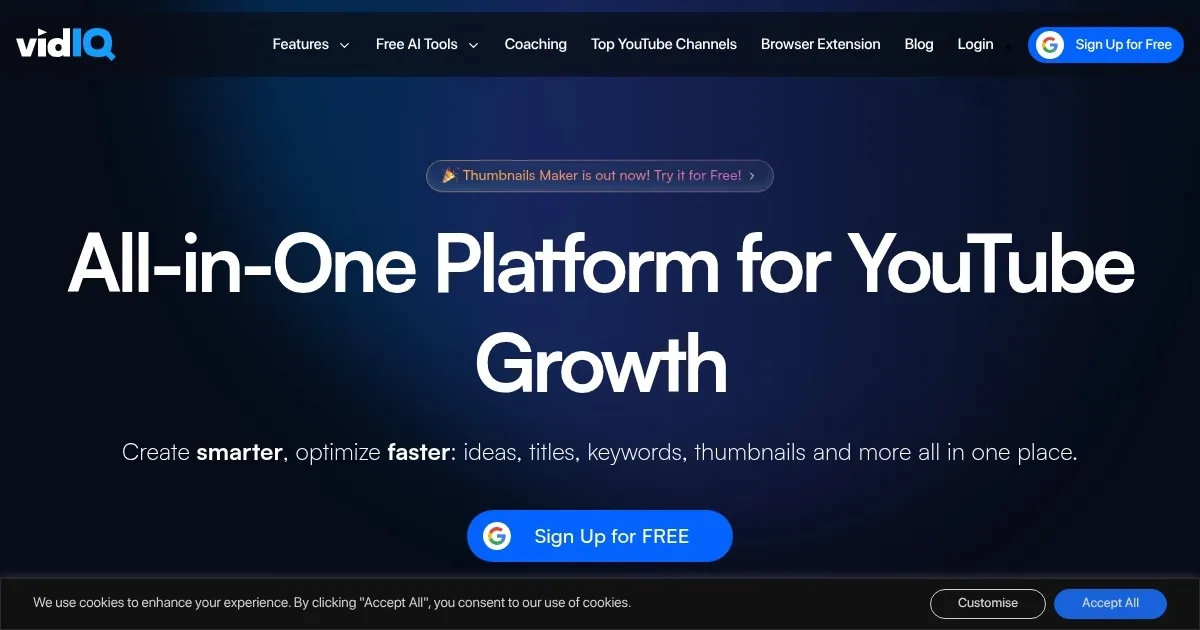
    Homepage Screenshot 📸

    VidIQ screenshot

    Video Overview 🎬

    VidIQ - Video Overview

    What are the key features? ✨

    • Keyword Research: Identifies high-volume, low-competition YouTube search terms to optimize video discoverability.
    • Channel Audit: Analyzes video performance to highlight strengths and areas for improvement.
    • Best Time to Post: Suggests optimal upload times based on audience activity data.
    • AI Coach: Offers personalized recommendations using channel-specific analytics.
    • Trending Videos: Shows top-performing videos in your niche to inspire content ideas.

    Who is it for? 🤔

    vidIQ is designed for YouTube content creators, from beginners to seasoned professionals, who want to grow their channels using data-driven insights. It’s particularly useful for those seeking to optimize video discoverability through keyword research, understand audience behavior, and track competitors without spending hours on manual analysis. Marketing managers and small business owners using YouTube for brand promotion also benefit from its analytics and optimization tools.

    Examples of what you can use it for 💡

    • New YouTube Creator: Uses Keyword Research to find low-competition terms to boost video visibility.
    • Established YouTuber: Leverages Channel Audit to identify and fix underperforming video metadata.
    • Marketing Manager: Tracks competitor channels with Trending Videos to refine brand content strategy.
    • Content Strategist: Applies Best Time to Post to schedule uploads for maximum audience engagement.
    • Niche Vlogger: Uses AI Coach to get tailored tips for improving audience retention.

    Pros & Cons ⚖️

    • Robust free tier for beginners
    • AI Coach offers personalized insights
    • Chrome extension enhances YouTube browsing
    • Mobile app lacks some web features
    • Thumbnail Generator feels generic

    FAQs 💬

    Is vidIQ free to use?
    vidIQ offers a robust free plan with basic features, while paid plans unlock advanced tools like competitor tracking.
    How does vidIQ compare to TubeBuddy?
    vidIQ focuses on AI-driven insights, while TubeBuddy emphasizes community features and tag exploration.
    Can vidIQ help with video SEO?
    Yes, the Keyword Research tool identifies high-volume, low-competition terms to optimize video discoverability.
    Does vidIQ work on mobile devices?
    The mobile app syncs with the web platform but lacks some features and may crash during heavy tasks.
    What is the AI Coach feature?
    AI Coach provides personalized recommendations based on your channel’s analytics to boost performance.
    Can I use vidIQ without a subscription?
    The free tier offers tools like Keyword Research and basic analytics, sufficient for new creators.
    Does vidIQ integrate with YouTube?
    Yes, the Vision Chrome extension embeds analytics directly into YouTube’s interface.
    Is the Thumbnail Generator effective?
    The Thumbnail Generator produces designs, but they’re often generic and may not suit all channels.
    How does Best Time to Post work?
    It analyzes your audience’s activity to suggest optimal upload times for maximum engagement.
    Can vidIQ track competitor channels?
    Yes, Trending Videos and competitor tracking tools show what’s working for similar channels.

    Ready to try VidIQ?

    Boosts YouTube channel growth with AI-driven analytics and optimization tools

    Visit VidIQ ↗
    VidIQ alternatives 🔗

    1. TubeBuddy TubeBuddy An AI tool that will help you create, manage, and grow your YouTube channel
    2. 1of10 1of10 Generates viral YouTube video ideas, titles, and thumbnails to boost channel growth
    3. TubeMagic TubeMagic Uses AI to enhance YouTube channel growth and video performance
    4. Thumbly Thumbly Generates AI-powered thumbnails and titles for YouTube videos
    5. Subscribr Subscribr Creates engaging YouTube scripts with AI-driven research and optimization
    6. Taja AI Taja AI Helping YouTube creators turn a single video into 27 different social media posts
    Share
    VidIQ screenshot enlarged
    Best AI Tools

    Discover the best AI tools for any use case

    Explore
    • Tool Categories
    • AI Use Cases
    • AI Events
    • AI News
    • Saved Tools
    Company
    • About Us
    • Contact Us
    • Media & Partnerships
    • Suggest a Tool
    Legal
    • Privacy Policy
    • Terms of Service
    Copyright © 2026 Best AI Tools 415 Mission Street, 37th Floor, San Francisco, CA 94105