Best AI Linkedin Headshot Tools

22 toolsRanked by traffic

AI LinkedIn headshot generators turn a few ordinary selfies into a polished, professional profile photo. You upload several casual shots, the tool studies your face, and it produces studio-style portraits with clean backgrounds, even lighting, and business attire, no photographer required. Leading options include Aragon AI, Supawork, HeadshotPro, and Profile Pic Maker.

Job seekers, remote workers, and anyone refreshing a LinkedIn or company bio reach for these instead of booking a sitting. The appeal is a professional-looking photo for a fraction of a studio's price, usually delivered in an hour or two. Results vary with the selfies you feed in, so upload a mix of angles in good light and avoid heavy filters. Generated faces can drift slightly from your real one, so review the batch and pick the most natural likeness rather than the most flattering one.

Supawork
Supawork - icon
Supawork
Streamlines the job application process by leveraging AI to enhance professional presentation
Resume Worded
Resume Worded - icon
Resume Worded
Get AI-powered expert feedback on your resume and LinkedIn profile instantly
Profile Pic Maker
Profile Pic Maker - icon
Profile Pic Maker
Create an awesome AI profile picture with features like background remover and face enhancer
Careerflow.ai
Careerflow.ai - icon
Careerflow.ai
The job search AI copilot lets you land your dream job without the stress
Aragon AI
Aragon AI - icon
Aragon AI
An AI service that lets you transform your selfies into AI-generated headshots
BetterPic
BetterPic - icon
BetterPic
An AI-powered tool that can transform your everyday selfies into professional headshots
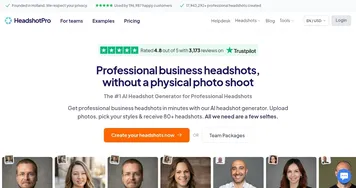
HeadshotPro
HeadshotPro - icon
HeadshotPro
Get professional business headshots in minutes with an AI photographer
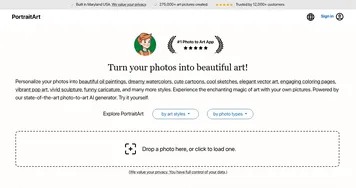
PortraitArt
PortraitArt - icon
PortraitArt
Transforms photos into artistic styles like oil paintings, cartoons, sketches using AI
InstaHeadshots
InstaHeadshots - icon
InstaHeadshots
An AI-driven platform that transforms user-uploaded photos into professional-quality headshots
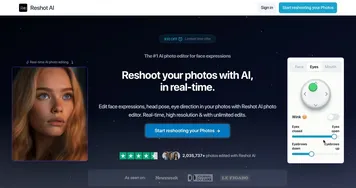
Reshot AI
Reshot AI - icon
Reshot AI
Helping you edit photos using artificial intelligence
ProfilePicture.ai
ProfilePicture.ai - icon
ProfilePicture.ai
Generate profile pictures (pfps) with different styles
Photo AI Studio
Photo AI Studio - icon
Photo AI Studio
An AI-powered tool that can transform your selfies into professional-quality photos
Social Book AI Avatar Generator
Social Book AI Avatar Generator - icon
Social Book AI Avatar Generator
Create your own AI avatars, with over 100+ unique avatar styles to choose from
Dreamwave
Dreamwave - icon
Dreamwave
Generates professional, realistic headshots using AI in under an hour from uploaded photos
LinkedRadar
LinkedRadar - icon
LinkedRadar
Automates LinkedIn lead generation with AI-driven messaging and email finding

Frequently Asked Questions

What is the best AI headshot generator for LinkedIn?
The best LinkedIn headshot generator depends on your budget and how natural you want the result. Aragon AI and HeadshotPro are known for realistic, professional output across many styles, Supawork is fast and beginner-friendly, and Profile Pic Maker offers a quick free option. Compare sample galleries before paying, since quality differs noticeably.
How much do AI headshots cost?
AI headshots typically cost between ten and fifty dollars for a batch of dozens to over a hundred images. That is far cheaper than a studio session, which often runs over a hundred dollars for a few shots. Some tools offer a limited free preview, but the full high-resolution set almost always requires payment.
Do AI headshots look fake or obvious?
Quality varies by tool and by the photos you upload. The better generators produce headshots that pass as real studio portraits, while weaker ones can look airbrushed or slightly off around the eyes and hands. Uploading clear, well-lit selfies from several angles gives the AI more to work with and yields a more natural likeness.
How many photos do I need to upload?
Most AI headshot tools ask for somewhere between five and twenty selfies to learn your face well. Variety matters more than volume: include different angles, expressions, and lighting, and avoid sunglasses, hats, or heavy filters. The more accurately the photos represent how you actually look, the closer the generated headshots will match you.