logo-darklogo-darklogo-darklogo-dark
  • Tool Categories
    • 🎨Art & Creative Design505
    • 🏢Business Management644
    • 💻Coding & Development515
    • 👮Detection83
    • 🧠General Use727
    • 🏥Health & Wellness55
    • 📷Image & Photo Analysis100
    • 🖼️Image Generation & Editing618
    • 📐Interior & Architectural Design37
    • 🎓Learning & Education483
    • ⚖️Legal & Finance90
    • 🎭Lifestyle & Entertainment236
    • 📢Marketing & Advertising627
    • 🎧Music & Audio138
    • 👔Office & Workplace1,014
    • 🔬Research & Data Analysis372
    • 👥Social Media245
    • 🎥Video Generation & Editing426
    • 👧🏻Virtual Companion135
    • 🎤Voice Generation & Editing381
    • ✍️Writing & Editing808
    • All Categories
    • AI Use Cases
  • News
  • Events
    • Academic Conferences
    • Developer Conferences
    • Expos / Trade Shows
    • Industry Summits
    • Workshops / Training
    • All Events
    • Past Events
  • Saved Tools
  • Suggest a Tool
✕
Home › Art & Creative Design › Graphic Design› Designer
Designer

Designer

A graphic design app from Microsoft that helps create professional graphics

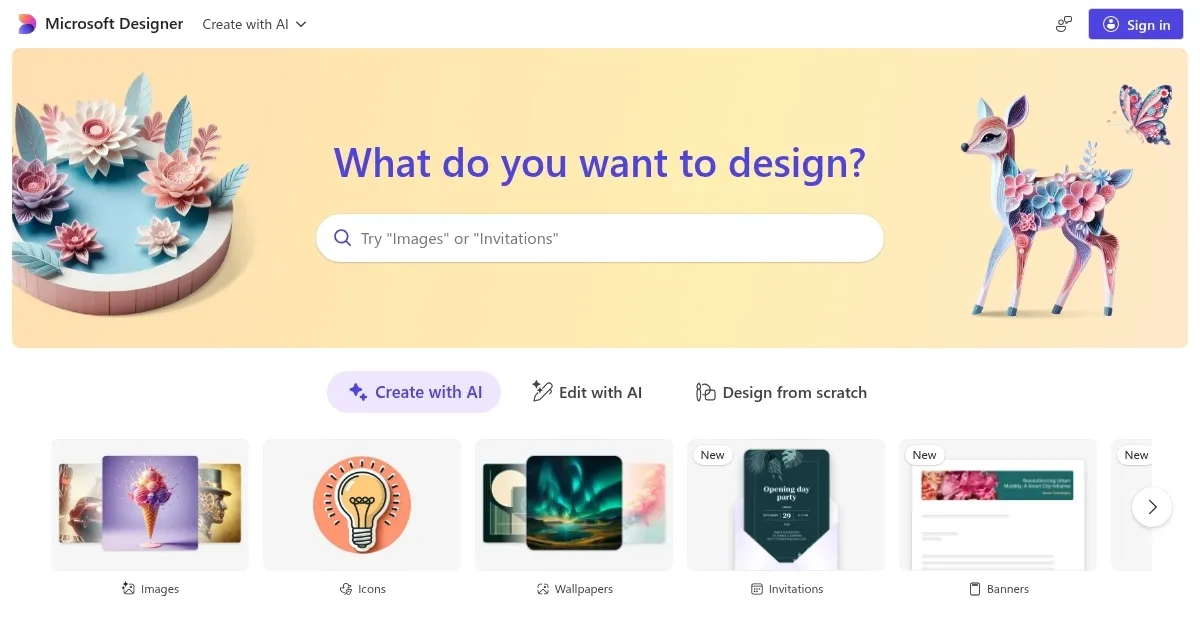
Microsoft Designer is a web-based, AI-powered design tool powered by OpenAI’s DALL-E technology to help users create visual graphics for social media posts, invitations, digital postcards, graphics, and more.

Instead of drawing all on your own, you can describe the design you’d like to create and let AI do it for you.

Don’t have an idea where to start? No problem – you can select one of the examples provided to generate similar designs. These examples also include prompts, so you know how they are created.

But wait, there’s more. Microsoft Designer also supports animations, albeit in a limited fashion. Still, you will be able to use them on platforms such as Instagram and TikTok or even on your website.

The service is free and increasingly popular, so check it out.

Visit Designer ↗
Categories
🎨 Art
🖌️ Graphic Design 🖼️ Design Generation 🧑‍🎨 Design Assistant 💠 Logo Generation 🪧 Poster Generation 🏷️ Sticker Generation
🖼️ Image
🖼️ Image Generation 🪄 Text to Image
👥 Social
📝 Social Media Post Generation
👔 Work
💬 Presentation Generation

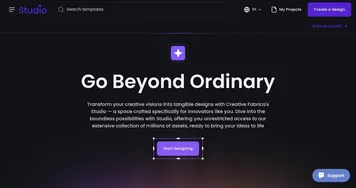
Homepage Screenshot 📸

Designer screenshot

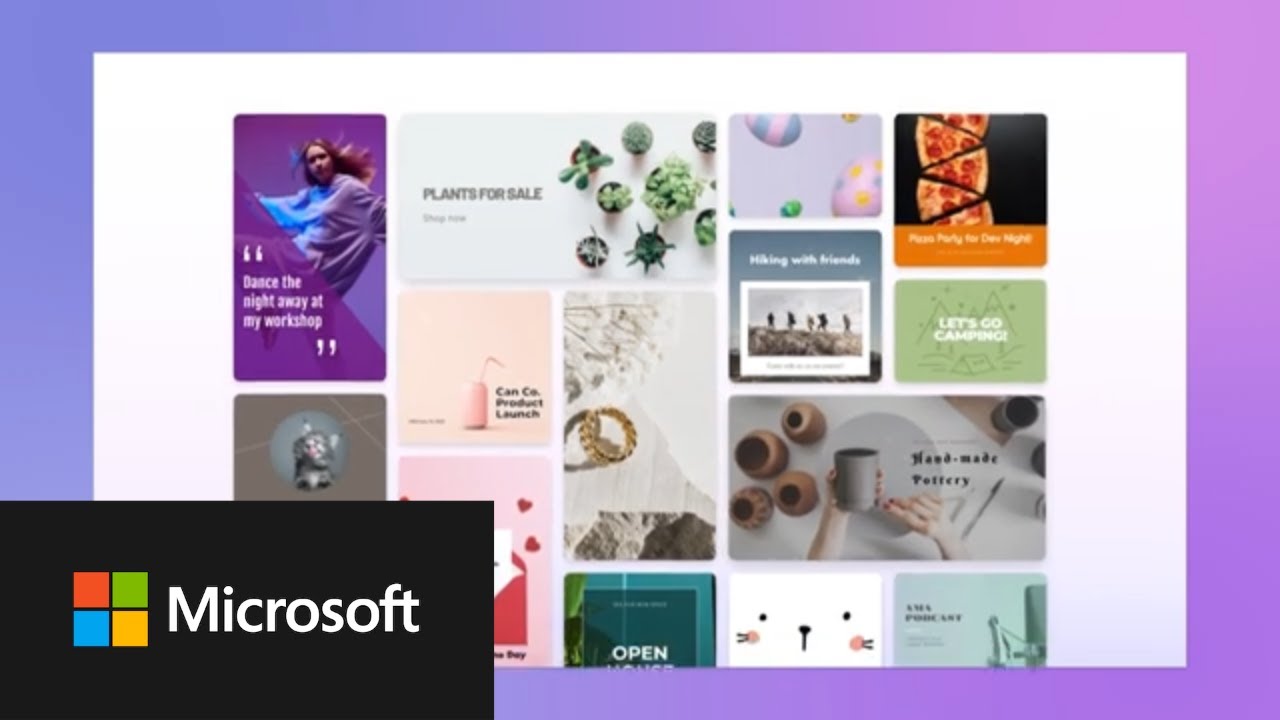
Video Overview 🎬

Designer - Video Overview

What are the key features? ✨

  • Prompt-based design: Works for everyone as you don't have to know how to use Photoshop or any other professional tool.
  • Examples make it easier: If you don't know where to start, you can copy one of the provided examples and fine-tune it for your needs.
  • Social media fans love it: Microsoft Designer makes it much easier to come up with cool graphics that you can share across different social media platforms.
  • Animations: Beyond static images, the Designer can also produce animated graphics that are proven to work better on sites like Instagram, Facebook, etc.
  • Free to use: Microsoft is paying for it, though at some point - you will hit the limit. Nothing is free forever.

Who is it for? 🤔

Microsoft Designer is made for social media managers, marketers, small businesses, bloggers, and content creators who need a quick way to generate images. And because it's free - the tool quickly gained prominence among the general public who just want to "play around" with modern generative AI services. So, whatever you do - you may wish to give Designer a try. Chances are, you'll like the results.

Examples of what you can use it for 💡

  • Quickly create social media graphics
  • Design graphic elements for your website
  • Get inspiration for your designs
  • Combine multiple images to create something new

Pros & Cons ⚖️

  • Uses the latest DALL-E AI engine from OpenAI
  • Free to use, everyone can try it out
  • Great for creating social media graphics
  • There is no paid plan for those who want to seriously rely on Designer

FAQs 💬

What is Microsoft Designer?
Microsoft Designer is a free, AI-powered graphic design app that lets you create professional visuals like social media posts, invitations, and presentations using simple text prompts. It integrates with Microsoft 365 tools and uses tech like DALL-E 3 for image generation, making it easy for non-designers to produce polished content quickly.
Is Microsoft Designer free to use?
Yes, the basic version is free with a Microsoft account, giving access to core AI features like image generation and templates. Premium perks, such as unlimited boosts and advanced editing, come with a Microsoft 365 Personal or Family subscription starting around $7 per month.
What are the main features of Microsoft Designer?
Key features include AI image creation from prompts, a template library for social graphics and banners, background removal, real-time collaboration, and integration with apps like PowerPoint and Teams. It also offers caption suggestions and hashtag ideas for social media.
How does Microsoft Designer integrate with other Microsoft tools?
It works seamlessly with Microsoft 365 apps, so you can pull designs into Word docs, PowerPoint slides, or Teams chats. This makes it great for teams already using Outlook or OneDrive, as edits sync across devices without extra steps.
Is Microsoft Designer good for beginners with no design experience?
Absolutely, its drag-and-drop interface and AI suggestions make it beginner-friendly. You just describe what you want, and it generates options, saving time on learning curves. Users say it's like having a quick design assistant.
What are the limitations or cons of Microsoft Designer?
It has a monthly limit of 15 AI credits for free users, which might run out fast for heavy use, and the template library isn't as huge as some competitors. Also, advanced edits can feel basic compared to pro software, and it needs a stable internet connection.
How does Microsoft Designer compare to Canva?
Microsoft Designer shines in AI speed and Microsoft integrations, ideal for Office users, while Canva offers more templates and collaboration tools at a similar price. Designer might edge out for quick prompts, but Canva feels more versatile for varied projects.
Can I use Microsoft Designer on mobile devices?
Yes, there's a free app for iOS and Android, letting you create and edit designs on the go. It syncs with your web projects, though some users note the mobile editor is simpler than the desktop version.
What kind of content can I create with Microsoft Designer?
You can make social media graphics, invitations, banners, collages, stickers, and even basic videos or animations. It's geared toward marketing materials and personal projects, with AI helping generate ideas from your descriptions.
How do I get started with Microsoft Designer?
Sign in with a free Microsoft account, pick a template or enter a prompt, and let AI suggest designs. No download needed for web use, and it takes just minutes to create your first project.

Ready to try Designer?

A graphic design app from Microsoft that helps create professional graphics

Visit Designer ↗

Designer alternatives 🔗

  1. Canva Magic Design Canva Magic Design Generates custom, on-brand designs from text prompts or uploaded media in seconds.
  2. Adobe Express Adobe Express Creates on-brand content with AI-driven design and video tools
  3. Adobe Firefly Adobe Firefly Generates images, videos, audio, and vectors using AI.
  4. Shopify Logo Maker Shopify Logo Maker Creates custom, high-resolution logos for businesses quickly
  5. Remove.bg Remove.bg A free online tool that automatically removes backgrounds from images
  6. PhotoRoom PhotoRoom An AI-powered photo editing tool that removes backgrounds and enhances photos with user-friendly features.
Share
Designer screenshot enlarged
Promote Designer
light badge
Copy Embed Code
dark badge
Copy Embed Code
neutral badge
Copy Embed Code
Best AI Tools

Discover the best AI tools for any use case

Explore
  • Tool Categories
  • AI Use Cases
  • AI Events
  • AI News
  • Saved Tools
Company
  • About Us
  • Contact Us
  • Media & Partnerships
  • Suggest a Tool
Legal
  • Privacy Policy
  • Terms of Service
Copyright © 2026 Best AI Tools 415 Mission Street, 37th Floor, San Francisco, CA 94105