logo-darklogo-darklogo-darklogo-dark
  • Home
  • Browse
    • Assistant
    • Coding
    • Image
    • Productivity
    • Video
    • Voice
    • Writing
    • All Categories
    • AI Use Cases
  • My Favorites
  • Suggest a Tool
✕
Home › Writing & Editing›
Published by Dusan Belic on July 10, 2023

Paperpal by Editage

Paperpal
Paperpal Homepage
Categories Writing & Editing
Get AI-powered in-depth suggestions to help you polish your academic writing

Paperpal

Paperpal is an AI-based academic writing tool designed to assist students, researchers, publishers, and academics in enhancing the quality of their written work. It offers a range of services, including real-time, subject-specific language suggestions, grammar checks, paraphrasing, plagiarism detection, and more.

The platform features a generative AI toolkit named Copilot, which aids in brainstorming ideas, creating outlines, rewriting text, and ensures the provision of reliable and original content. Paperpal’s AI engine supports over 1,300 subject areas, automatically detects complex writing errors, suggests improvements, and provides editing that meets high human standards — all aimed at reducing the risk of desk rejections.

Paperpal’s unique selling point comes in the form of a tailored experience for academic writing that includes extensive English language recommendations, accurate detection of complex grammar errors, and checks for structural and technical inconsistencies in real time. It prioritizes data privacy, ensuring users’ data is never used for AI training and remains secure within Paperpal servers.

Paperpal also guarantees that documents edited through its platform will not be flagged as plagiarized or by AI detectors, and users retain copyright over their edited documents.

Paperpal Homepage
Categories Writing & Editing

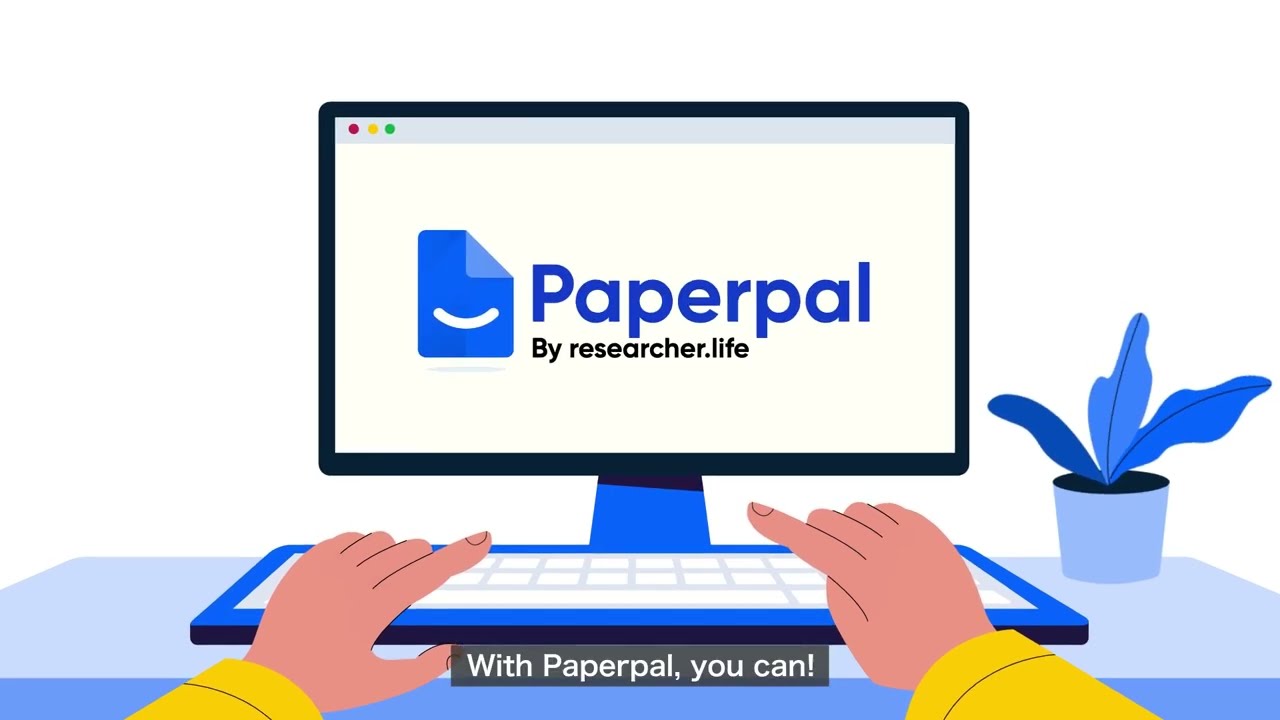
Video Overview ▶️

Paperpal - Video Overview

What are the key features? ⭐

  • Real-time language suggestions: Paperpal provides real-time, subject-specific language corrections tailored for academic writing to ensure precise adjustments without altering technical terms or non-English words.
  • Plagiarism detection: It offers a solid plagiarism checker with color-coded results and side-by-side source comparisons.
  • Research integration: The tool integrates with over 250 million research articles, offering science-backed answers and saving relevant citations as you write.
  • Writing assistant: Paperpal uses AI To assists in brainstorming ideas, creating outlines, abstracts, summaries, and crafting emails.
  • Context-sensitive paraphrasing: It helps paraphrase text accurately, maintaining clarity and tone, and ensuring adherence to journal word counts.

Who is it for? 🤔

Paperpal is made for academics, including students, researchers, and publishers. It caters to those involved in scholarly writing, providing tools to enhance the quality and accuracy of academic texts. The service is especially beneficial for individuals preparing manuscripts for publication, ensuring their work meets the high standards required by academic journals.

Examples of what you can use it for 💭

  • Students and researchers can use Paperpal to improve the quality and readability of their manuscripts
  • Academics can avoid plagiarism issues by using Paperpal's plagiarism checker
  • Researchers can access a vast database of articles for relevant information and citations
  • Authors preparing manuscripts for journal submission can use Paperpal's pre-submission checks to enhance language and technical accuracy
  • Non-native English speakers can benefit from context-sensitive translations from 25+ languages to English

Pros & Cons ⚖️

  • Quick access to millions of research articles
  • Built-in plagiarism checker
  • AI writing assistant can save a ton of time
  • The free plan is rather limited

FAQs 💬

What is Paperpal?
Paperpal is an AI-powered academic writing assistant that helps researchers, students, and professionals with drafting, editing, citing, and submission checks. It draws from over 250 million research articles to provide context-aware suggestions, making it ideal for scholarly work.
Who should use Paperpal?
It's best for academics like PhD students, professors, and non-native English speakers who need help refining manuscripts or essays. If you're tackling research papers or journal submissions, this tool fits right in, though casual writers might find it too specialized.
How does Paperpal integrate with my writing apps?
Paperpal works as add-ins for Microsoft Word, Google Docs, and Overleaf via Chrome extension, plus a web editor for on-the-go use. You get real-time suggestions without switching tabs, which keeps your workflow smooth.
Does Paperpal help with citations?
Yes, it searches 250 million articles for relevant sources and generates citations in over 10,000 styles like APA or MLA. This saves hours on manual hunts, but always double-check for accuracy.
Is Paperpal good for non-native English speakers?
Absolutely, it supports translations in 30+ languages while keeping technical terms intact and suggesting academic phrasing. Users say it boosts confidence in achieving a professional tone.
How accurate is Paperpal's plagiarism checker?
Powered by Turnitin, it scans up to 10,000 words monthly on paid plans and flags similarities against vast databases. It's reliable for academic integrity, though it might catch common phrases too.
Can Paperpal generate full papers or just edit?
It offers templates for outlines, abstracts, and sections, plus generative AI for expansions, but focuses more on refining your ideas ethically. Full drafts need your input to stay original.
What makes Paperpal different from Grammarly?
While Grammarly handles general writing, Paperpal specializes in academic conventions, offering deeper checks for jargon, structure, and journal fit. Reviews show it catches twice as many scholarly edits.
Is Paperpal secure for sensitive research?
Yes, it follows GDPR and ISO 27001 standards, with user data never used for AI training. Everything stays on secure servers, which reassures users handling confidential work.
How do I get started with Paperpal?
Sign up for the free plan on their site to access basic grammar checks and 200 suggestions monthly. Upgrade if you need unlimited features, and explore tutorials for quick onboarding.
Visit Paperpal

Related tools ↙️

  1. CopyMonkey CopyMonkey Generates keyword-optimized Amazon listings in seconds
  2. Copyrocket Copyrocket Generates AI-driven content, images, voices, code, and more for creative and marketing tasks
  3. Typeset Typeset Automates design and writing for ebooks, presentations, and social graphics quickly
  4. Kua.ai Kua.ai Generates SEO-optimized listings, blogs, and posts for multiple e-commerce channels
  5. Just Think Just Think Generates AI content including chat responses, speech audio, artistic images, and animated videos
  6. BlogSEO AI BlogSEO AI Generates SEO-optimized blog content automatically in multiple languages
Last update: December 10, 2025
Share
Promote Paperpal
light badge
Copy Embed Code
dark badge
Copy Embed Code
neutral badge
Copy Embed Code
About Us | Contact Us | Suggest an AI Tool | Privacy Policy | Terms of Service

Copyright © 2026 Best AI Tools
415 Mission Street, 37th Floor, San Francisco, CA 94105