logo-darklogo-darklogo-darklogo-dark
  • Home
  • Browse
    • Assistant
    • Coding
    • Image
    • Productivity
    • Video
    • Voice
    • Writing
    • All Categories
    • AI Use Cases
  • My Favorites
  • Suggest a Tool
✕
Home › Lifestyle & Entertainment ›

YouCam Makeup

Published by Dusan Belic on December 16, 2023

YouCam Makeup by Perfect Corp

YouCam
YouCam Makeup Homepage
Categories Lifestyle & Entertainment
One of the most popular mobile apps for makeup, hairstyle, and retouching

YouCam Makeup

YouCam Makeup is one of the most popular mobile apps for makeup, hairstyle, and retouching — which is, unsurprisingly, popular among Instagram users. However, we should add that we have heard about it being used across other social media sites as well.

The tool lets you instantly try more than 20 hairstyles with the AI hairstyle simulation, including buzz cut short hair, bob, long hair, and more. Also, it supports over 100 hair colors and trendy hair dye patterns like ombre, two-tone, and highlights.

As such, YouCam Makeup could be a real time-saver as you get to see how you would look with a certain hairstyle before actually visiting a barber shop.

Beyond hair, the app also offers hundreds of the “hottest AR makeup filters,” as well as the largest collection of cosmetics. You can use it to try a wide variety of lipstick colors, eye makeup, contour, blush, and foundation.

Finally, we should also mention YouCam Makeup’s ability to change your fashion style, outfit, and to cartoonize your selfies — as well as its powerful face editing tools that let you change the shape of your face, eyes, nose, lips and more.

YouCam Makeup Homepage
Categories Lifestyle & Entertainment

Video Overview ▶️

What are the key features? ⭐

  • AI Beauty Agent: Analyzes facial features and suggests personalized makeup and style transformations in one tap.
  • Makeup Filters: Applies virtual cosmetics from top brands like L'Oréal for realistic try-ons of lipstick, eyeshadow, and more.
  • AI Face Retouch: Smooths skin, removes blemishes, and enhances eyes or teeth with natural-looking AI adjustments.
  • AI Hairstyle Changer: Simulates over 200 hair colors and styles for virtual salon previews before real changes.
  • AI Clothes Changer: Swaps outfits in photos with trendy or formal looks using generative AI for seamless fits.

Who is it for? 🤔

Beauty enthusiasts, social media creators, and everyday selfie takers who want to experiment with looks without real products find YouCam Makeup ideal, as it boosts confidence through quick, realistic edits and helps beginners visualize trends while seasoned users refine routines; even shoppers testing shades remotely save time and returns, making it a go-to for anyone blending tech with personal style on a budget.

Examples of what you can use it for 💭

  • Social media influencer: Tests viral makeup trends on selfies to create engaging before-and-after content for posts.
  • Hairstyle explorer: Tries new cuts and colors virtually to decide on salon appointments with minimal risk.
  • Online shopper: Auditions cosmetic shades from brands like Maybelline before purchasing to ensure perfect matches.
  • Beginner makeup artist: Practices blending techniques on digital faces to build skills without wasting products.
  • Event planner: Enhances group photos with uniform filters for polished invitations or thank-you shares.

Pros & Cons ⚖️

  • Virtually try more than 20 hairstyles
  • And over 100 hair colors and trendy hair dye patterns
  • Not just for hair
  • Most features are available only through premium membership
FAQs 💬

What devices does YouCam Makeup support?
It works on iOS 12+ and Android 8+ devices for smooth AR performance.
Is the app free to use?
Yes, download is free with basic features; premium unlocks via subscription after trials.
How accurate are the virtual makeup try-ons?
AR facial mapping ensures 95% realism, adapting to lighting and angles.
Can I save and share edited photos?
Exports in high-res to camera roll or direct to social apps like Instagram.
Does it include real brand products?
Partners with L'Oréal and Maybelline for authentic shade simulations.
What if the app misdetects my face?
Recalibrate in good light or use photo mode for manual adjustments.
Are there tutorials for new users?
In-app guides and videos cover basics like filters and retouching.
How does the AI Beauty Agent work?
It scans your selfie and recommends looks based on tone and features.
Can I edit videos too?
Yes, image-to-video turns photos into animated clips with makeup applied.
What about privacy for my photos?
Edits process locally; no uploads required unless sharing socially.

Related tools ↙️

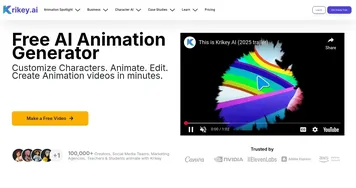
  1. Krikey Krikey An AI-powered animation maker for creating videos, games, and more
  2. Janitor AI Janitor AI Creates and chats with customizable AI characters for immersive roleplay.
  3. Krush Krush Creates personalized AI companions for engaging chats and roleplay
  4. Anime AI Anime AI Create your perfect anime picture with AI, choose between several styles
  5. Caveduck Caveduck An AI-powered platform where users can create and interact with virtual characters in real time
  6. HammerAI HammerAI Uncensored and private platform that lets you chat with AI characters
Last update: November 17, 2025
Share
Promote YouCam Makeup
light badge
Copy Embed Code
light badge
Copy Embed Code
light badge
Copy Embed Code
About Us | Contact Us | Suggest an AI Tool | Privacy Policy | Terms of Service

Copyright © 2026 Best AI Tools
415 Mission Street, 37th Floor, San Francisco, CA 94105