logo-darklogo-darklogo-darklogo-dark
  • Home
  • Browse
    • Assistant
    • Coding
    • Image
    • Productivity
    • Video
    • Voice
    • Writing
    • All Categories
    • AI Use Cases
  • My Favorites
  • Suggest a Tool
✕
Home › Voice Generation & Editing ›

Auphonic

Published by Dusan Belic on August 30, 2023

Auphonic

Auphonic
Auphonic Homepage
Categories Voice Generation & Editing
Automates professional audio enhancement, leveling, noise reduction, and mastering for spoken content

Auphonic

Auphonic is a web-based audio post-production tool designed to automate and simplify the process of achieving professional-quality sound. It offers a range of features, including an Intelligent Leveler for balancing levels between speakers, music, and speech; Noise & Reverb Reduction for eliminating unwanted sounds; Filtering & AutoEQ for removing frequencies and enhancing voice clarity; and the ability to cut filler words and silence to streamline content.

In addition, Auphonic supports Multitrack Algorithms for optimized mixdowns, Loudness Specifications for consistent audio output, Speech2Text & Automatic Shownotes for creating transcriptions, and enhanced support for video — including metadata and chapter integration.

The tool is marketed towards podcasters, video creators, educators, and audiobook producers — providing both free and premium services to accommodate different audio processing needs.

To further facilitate seamless workflows, Auphonic integrates with numerous platforms and services for automatic content deployment, enabling users to publish their audio to platforms like YouTube, Libsyn, and SoundCloud automatically.

It also offers features like Watch Folders, a powerful API, and integration with Zapier to embed Auphonic’s functionalities into users’ existing workflows easily.

Lastly, we should mention that Auphonic prides itself on being an essential tool for improving audio quality effortlessly, making it highly valued among a wide range of auditory content creators.

Auphonic Homepage
Categories Voice Generation & Editing

Video Overview ▶️

What are the key features? ⭐

  • Intelligent Leveler: Automatically balances volume between speakers, music, and dialogue for consistent listening without manual compression.
  • Noise and Reverb Reduction: Removes background hum, echo, and ambient noise while preserving natural voice quality.
  • Filler Word and Silence Cut: Detects and removes ums, ahs, coughs, and long pauses in multiple languages.
  • Loudness Normalization: Applies target loudness, true peak limits, and compliance with broadcast standards like EBU R128.
  • Speech-to-Text and Chapters: Generates multilingual transcripts, shownotes, and automatic chapter markers for easier content navigation.

Who is it for? 🤔

Auphonic helps podcasters who want consistent professional sound without audio engineering skills, educators uploading lecture recordings, video creators improving dialogue tracks, audiobook narrators polishing long-form narration, and small broadcasters or teams lacking dedicated sound engineers. It suits anyone producing spoken-word content regularly and needing fast, reliable enhancement to meet platform expectations or listener standards.

Examples of what you can use it for 💭

  • Podcaster: Upload raw episodes to balance guest and host levels, remove noise, and normalize loudness for broadcast-ready files.
  • Educator: Process lecture audio to cut silences, reduce room echo, and add transcripts for clearer online courses or videos.
  • Video Creator: Enhance interview or narration tracks in videos with automatic leveling and filler word removal before publishing to YouTube.
  • Audiobook Narrator: Master long recordings with consistent volume, noise cleanup, and chapter markers for smoother listening.
  • Content Team Member: Automate batch processing of multiple files via workflows to maintain quality across weekly releases without manual effort.

Pros & Cons ⚖️

  • Saves hours on editing
  • Natural-sounding results
  • Easy automation
  • Multilingual support
  • Limited free hours
  • Less granular control

FAQs 💬

What kind of audio files does Auphonic accept?
It supports common formats like WAV, MP3, AAC, FLAC, and others, including multitrack inputs for separate processing.
Is there a free way to try Auphonic?
Yes, new users get a monthly allowance of free processing hours to test features without payment.
Does Auphonic work for music-heavy content?
It handles music under speech well with ducking, though it focuses primarily on spoken-word optimization rather than full music mastering.
Can I automate uploads and publishing?
Yes, via watch folders, Zapier, API integrations, or direct deployment to platforms like YouTube and podcast hosts.
How accurate is the filler word removal?
It performs reliably in supported languages for common fillers like um or ah, though very fast or accented speech may occasionally miss some.
Does Auphonic alter my voice unnaturally?
No, algorithms aim to preserve natural tone while fixing issues, and most users report clean, authentic-sounding output.
What loudness standards does it support?
It normalizes to targets like EBU R128, ATSC A/85, or custom settings for platform compliance.
Is multitrack processing available to everyone?
Multitrack features appear in paid plans with higher hour allowances.
Can I preview results before final export?
Yes, the interface allows previews and re-processing with adjusted settings if needed.
How does Auphonic compare to manual DAWs for pros?
It excels at quick, automated polish but offers less fine-tuned control than tools like Adobe Audition for complex repairs.

Related tools ↙️

  1. ZenCall ZenCall An AI-powered tool designed to enhance call management for businesses
  2. Millis AI Millis AI Builds advanced voice agents with ultra-low latency for natural conversations
  3. Vocol.ai Vocol.ai Converts speech to text, summarizes, and generates insights from audio
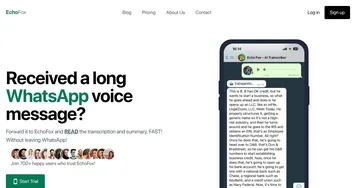
  4. EchoFox EchoFox An AI-powered personal transcription service that integrates with WhatsApp
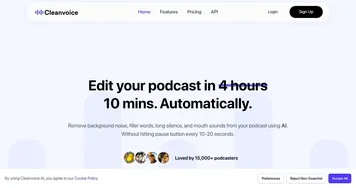
  5. Cleanvoice Cleanvoice Removes filler sounds, mouth clicks, and background noise from podcast audio automatically
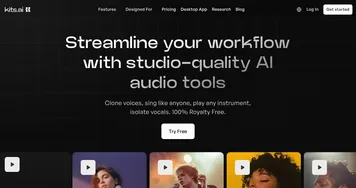
  6. Kits.AI Kits.AI Generate your own AI voices in one click with a library of officially licensed AI voices
Last update: December 23, 2025
Share
Promote Auphonic
light badge
Copy Embed Code
light badge
Copy Embed Code
light badge
Copy Embed Code
About Us | Contact Us | Suggest an AI Tool | Privacy Policy | Terms of Service

Copyright © 2026 Best AI Tools
415 Mission Street, 37th Floor, San Francisco, CA 94105