logo-darklogo-darklogo-darklogo-dark
  • Tool Categories
    • 🎨 Art
    • 🏢 Business
    • 💻 Coding
    • 👮 Detection
    • 🧠 General
    • 🏥 Health
    • 📷 Image Analysis
    • 🖼️ Image
    • 📐 Architecture
    • 🎓 Education
    • ⚖️ Legal/Finance
    • 🎭 Lifestyle
    • 📢 Advertising
    • 🎧 Music
    • 👔 Work
    • 🔬 Research
    • 👥 Social
    • 🎥 Video
    • 👧🏻 Companion
    • 🎤 Voice
    • ✍️ Writing
    • All Categories
    • AI Use Cases
  • News
  • Events
    • Academic Conferences
    • Developer Conferences
    • Expos / Trade Shows
    • Industry Summits
    • Online Events
    • Workshops / Training
    • All Events
    • Past Events
  • Saved Tools
  • Suggest a Tool
✕
Home › Music & Audio › Audio Editing› Cleanvoice
Cleanvoice

Cleanvoice

Removes filler sounds, mouth clicks, and background noise from podcast audio automatically

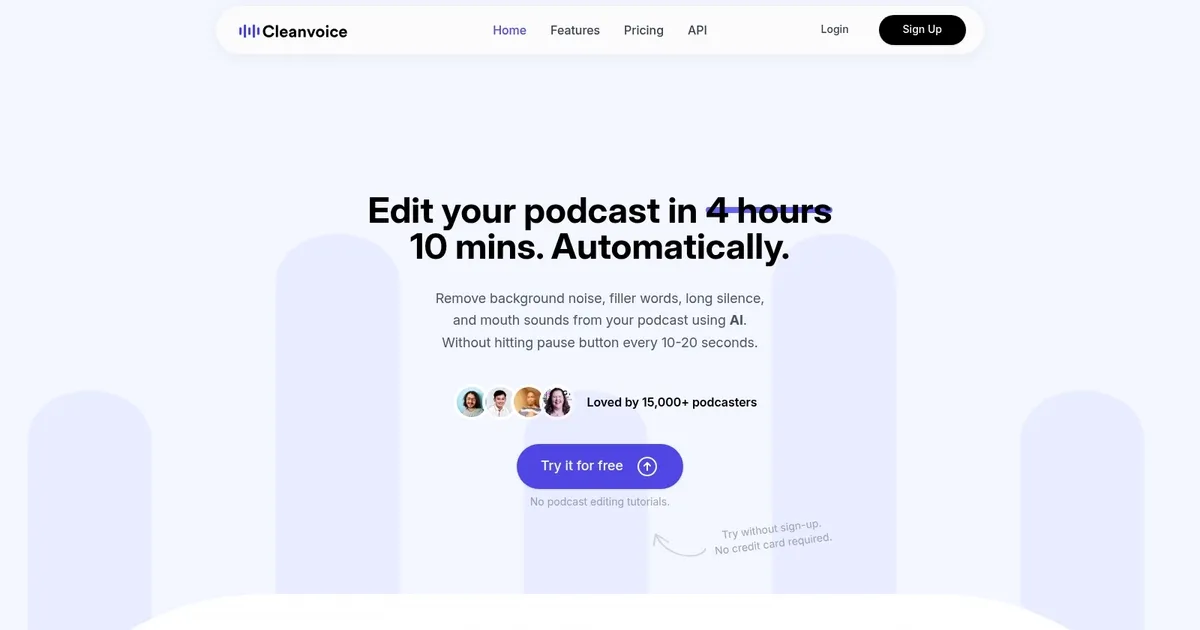
Cleanvoice is an advanced AI tool designed to enhance audio recordings, specifically targeting podcasters and audio content creators. It can remove filler sounds (like “uh” and “ah”), background noise, mouth sounds, and excessive silence from audio tracks.

In that sense, Cleanvoice aims to streamline the editing process, making it significantly less time-consuming for creators to produce clean, professional-sounding podcasts.

The tool supports over 20 languages and various accents, broadening its usability to a global audience. It also offers features such as automatic audio enhancement to eliminate unwanted background noises, dead air remover to keep the audience engaged by shortening lengthy silences, and AI-generated podcast summaries with chapter markers to improve listener experience.

In addition, Cleanvoice provides a range of tools designed to assist in content creation and optimization. Users can benefit from AI-written show notes highlighting key aspects of their episodes and encouraging more listeners.

The platform is easy to use, requiring a simple upload of the audio file(s) for the AI to clean, after which the improved recording can be downloaded or exported.

Cleanvoice offers to clean up to 30 minutes of audio for free, appealing to over 15,000 podcasters who already use and love the service.

Visit Cleanvoice ↗

Categories

🎧 Music

🎚️ Audio Editing 🔇 Noise Cancellation 🎛️ Audio Enhancing

🎤 Voice

🎙️ Podcast ✨ Voice Enhancing 🎤 Recording

Screenshot 📸

Cleanvoice screenshot

Video Overview 🎬

What are the key features? ✨

  • Filler Sound Removal: Automatically detects and removes ums, uhs, you knows, and other filler words
  • Click & Pop Removal: Eliminates mouth clicks, lip smacks, and plosive sounds instantly
  • Noise Reduction: Clears background noise like traffic, fans, or room echo without affecting voices
  • Silence Trimmer: Shortens long pauses to make episodes flow better and sound professional
  • Highlight Clips: Creates ready-to-share 30-second clean clips for social media promotion

Who is it for? 🤔

Cleanvoice.ai is perfect for podcasters, YouTubers, course creators, journalists, and business professionals who record interviews, Zoom calls, or voiceovers and want studio-quality sound without spending hours editing or hiring expensive audio engineers.

Examples of what you can use it for 💡

  • Podcast hosts: Upload raw interviews and get clean episodes ready to publish in minutes
  • YouTube creators: Remove filler sounds from talking-head videos for smoother viewing experience
  • Online course instructors: Clean lecture recordings so students stay focused on content, not ums
  • Journalists: Quickly polish field interviews for radio or news segments
  • Business teams: Turn messy Zoom meeting recordings into clear, professional training clips

Pros & Cons ⚖️

  • Super fast editing, minutes instead of hours
  • Accurate filler and click removal
  • Easy review and undo for every change
  • Pay-per-use credits, no monthly fee
  • Heavy accents may need minor tweaks
  • Limited export formats compared to full editors

FAQs 💬

What exactly does Cleanvoice.ai remove?
It removes filler sounds (um, uh, you know), mouth clicks, lip smacks, stutters, background noise, and can shorten long silences.
Do I need to install anything?
No, everything runs in your browser. Just upload your file and download the clean version.
Is there a free trial?
Yes, you get 30 minutes of free processing with no credit card required.
How long does editing take?
Most files finish in 3-10 minutes, depending on length.
Does it work with multiple speakers?
Yes, it detects different voices and lets you clean one speaker without affecting others.
What file formats can I upload?
MP3, WAV, M4A, and most common podcast formats are supported.
Is it safe for my audio files?
Yes, files are processed securely and automatically deleted after 24 hours.
Can I use it for non-English podcasts?
It works best with English, but many users get good results with Spanish, German, French, and other major languages.
How is pricing different from Descript?
Cleanvoice uses pay-as-you-go credits, so you only pay for what you edit, often cheaper for occasional users.
Will it make my audio sound robotic?
No, it only removes unwanted sounds and keeps natural pacing and tone intact.

Ready to try Cleanvoice?

Removes filler sounds, mouth clicks, and background noise from podcast audio automatically

Visit Cleanvoice ↗

Cleanvoice alternatives 🔗

  1. CapCut Creative Suite CapCut Creative Suite Online creative suite for everyone to create stunning images and videos
  2. VEED VEED Creates pro-level videos with AI-powered editing and collaboration tools
  3. Clipchamp Clipchamp Edit videos effortlessly with AI-powered tools and templates
  4. Vocal Remover Vocal Remover Separates vocals from instrumentals in songs using AI
  5. Streamlabs Podcast Editor Streamlabs Podcast Editor A podcast editing solution that transcribes audio and video to text for easy edits and repurposing content
  6. Media.io Media.io An online platform offering AI-powered video, audio, and image editing tools
Share
Cleanvoice screenshot enlarged
Promote Cleanvoice
light badge
Copy Embed Code
dark badge
Copy Embed Code
neutral badge
Copy Embed Code
Best AI Tools

Discover the best AI tools for any use case

About Us | Contact Us | Suggest an AI Tool
Privacy Policy | Terms of Service
Copyright © 2026 Best AI Tools 415 Mission Street, 37th Floor, San Francisco, CA 94105