logo-darklogo-darklogo-darklogo-dark
  • Home
  • Browse
    • Assistant
    • Coding
    • Image
    • Productivity
    • Video
    • Voice
    • Writing
    • All Categories
    • AI Use Cases
  • My Favorites
  • Suggest a Tool
✕
Home › Website Building›
Published by Dusan Belic on August 30, 2023

CodeDesign

CodeDesign
CodeDesign Homepage
Categories Website Building

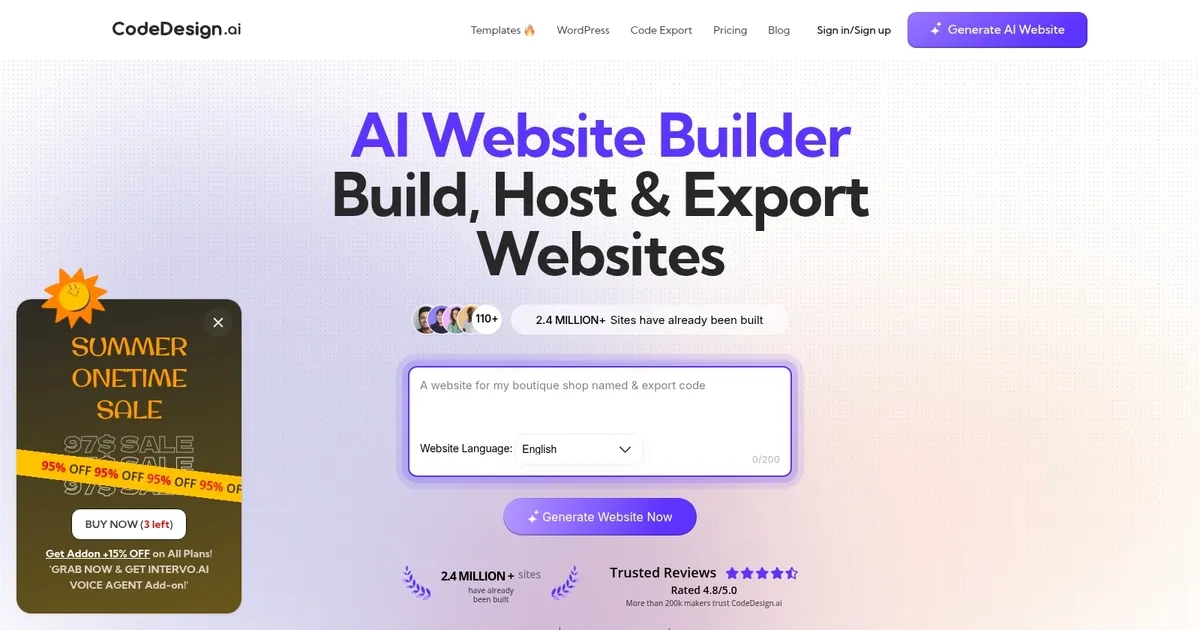
CodeDesign - screenshot

Generates professional websites from text prompts, with editing, hosting, and code export options

CodeDesign

CodeDesign is an AI tool that provides a range of services to simplify the process of creating, hosting, and managing websites. It allows users to generate websites through AI with features like customizable templates, SEO optimization, and the option to export website code.

The platform supports various website types, including landing pages, sales funnels, and portfolios — making it suitable for beginners with no coding experience and those with a basic understanding of web development.

In addition, CodeDesign emphasizes user collaboration by enabling project sharing and providing the convenience of connecting custom domains to users’ projects.

Finally, it lets you create websites even while on the go, using your smartphone instead of your computer. That’s pretty neat when you think about it.

CodeDesign Homepage
Categories Website Building

Video Overview ▶️

CodeDesign - Video Overview

What are the key features? ⭐

  • AI Companion: Chat-based AI generates and edits entire websites from natural language descriptions.
  • Visual Builder: Drag-and-drop interface for precise customization of layouts, elements, and styles.
  • Code Export: Export projects as clean HTML/CSS or React code for use anywhere without lock-in.
  • Publish Options: Host on platform cloud, sync to WordPress, or connect custom domains.
  • AI Magic: Optimize or generate SEO-friendly marketing copy and content enhancements.

Who is it for? 🤔

CodeDesign.ai helps beginners who want a professional site without coding, entrepreneurs launching side projects or businesses, freelancers building client portfolios or landing pages, small agencies managing multiple sites efficiently, and anyone needing quick, exportable websites like personal pages or simple SaaS intros without long-term platform dependency.

Examples of what you can use it for 💭

  • Entrepreneur: Quickly launches a business landing page from a prompt to test ideas and collect leads.
  • Freelancer: Builds a polished portfolio site showcasing work, with easy updates via chat.
  • Small Agency: Creates and hosts dozens of client websites affordably, exporting code when needed.
  • Content Creator: Sets up a simple blog or personal brand page with responsive design and forms.
  • Side Hustler: Generates a sales or waitlist page for a product in minutes, then publishes or integrates elsewhere.

Pros & Cons ⚖️

  • Fast AI generation
  • Clean code export
  • No lock-in
  • Easy for beginners
  • Occasional generic designs
  • AI copy needs edits

FAQs 💬

What kind of websites can CodeDesign.ai build?
It handles landing pages, portfolios, business sites, personal pages, and simple SaaS intros with responsive layouts and basic features like forms.
Do I need coding skills to use it?
No, the AI and visual drag-and-drop tools make it accessible for complete beginners.
Can I export the website code?
Yes, export clean HTML/CSS or React code to host or edit anywhere.
Is there a free plan?
Yes, the basic plan is free with limited projects, subdomain hosting, and one custom domain.
How does publishing work?
Publish on their secure cloud, sync to WordPress, or export code for other hosting.
Does it support custom domains?
Yes, even on free plans you can connect one custom domain.
What about mobile responsiveness?
All designs are automatically responsive, with options to customize for mobile views.
Can I integrate forms and analytics?
Built-in form handling with notifications, Zapier support, and basic analytics included.
Visit CodeDesign

Related tools ↙️

  1. Snapps Snapps Generates AI-powered websites with drag-and-drop ease and built-in hosting
  2. Limecube Limecube Generates custom AI-powered websites in minutes for startups
  3. Marketsy Marketsy Builds AI-powered storefronts for selling digital products instantly
  4. PageGPT PageGPT Generates custom AI-powered landing pages tailored to your brand in minutes
  5. Vzy Vzy Builds fully-functional websites instantly using AI prompts, no coding needed
  6. HeyBoss.AI HeyBoss.AI Creates custom websites and apps from user prompts in minutes, no coding required
Last update: March 1, 2026
Share
Promote CodeDesign
light badge
Copy Embed Code
dark badge
Copy Embed Code
neutral badge
Copy Embed Code
About Us | Contact Us | Suggest an AI Tool | Privacy Policy | Terms of Service

Copyright © 2026 Best AI Tools
415 Mission Street, 37th Floor, San Francisco, CA 94105