logo-darklogo-darklogo-darklogo-dark
  • Home
  • Browse
    • Assistant
    • Coding
    • Image
    • Productivity
    • Video
    • Voice
    • Writing
    • All Categories
    • AI Use Cases
  • My Favorites
  • Suggest a Tool
✕
Home › Learning & Education ›

Google Lens Homework

Published by Dusan Belic on July 10, 2023

Google Lens Homework by Google


Google
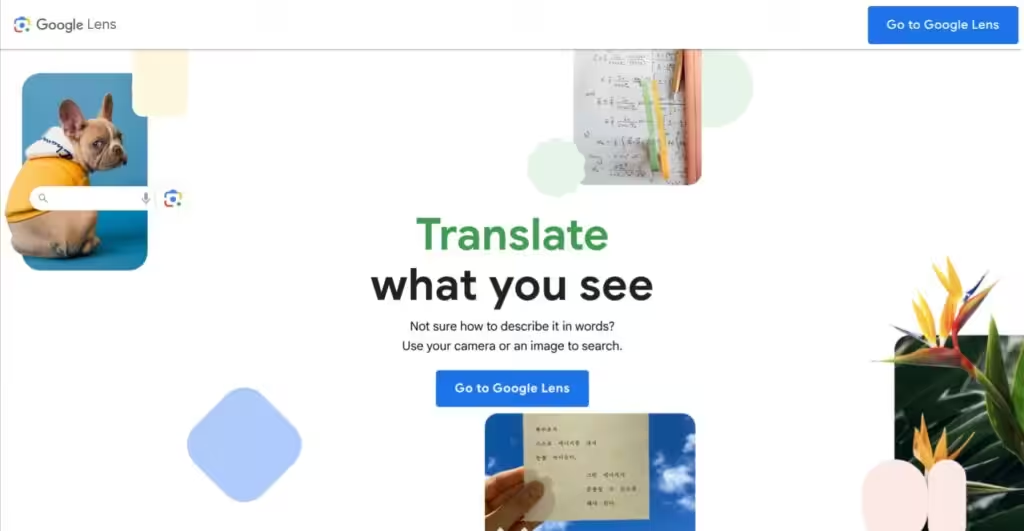
Google Lens Homework Homepage
Categories Learning & Education
A mobile app that uses AI to help students by providing visual explanations of concepts

Google Lens Homework

Formerly called Socratic, Google Lens’ Homework feature uses the search giant’s powerful AI technology to help students understand their school work at a high school and university level.

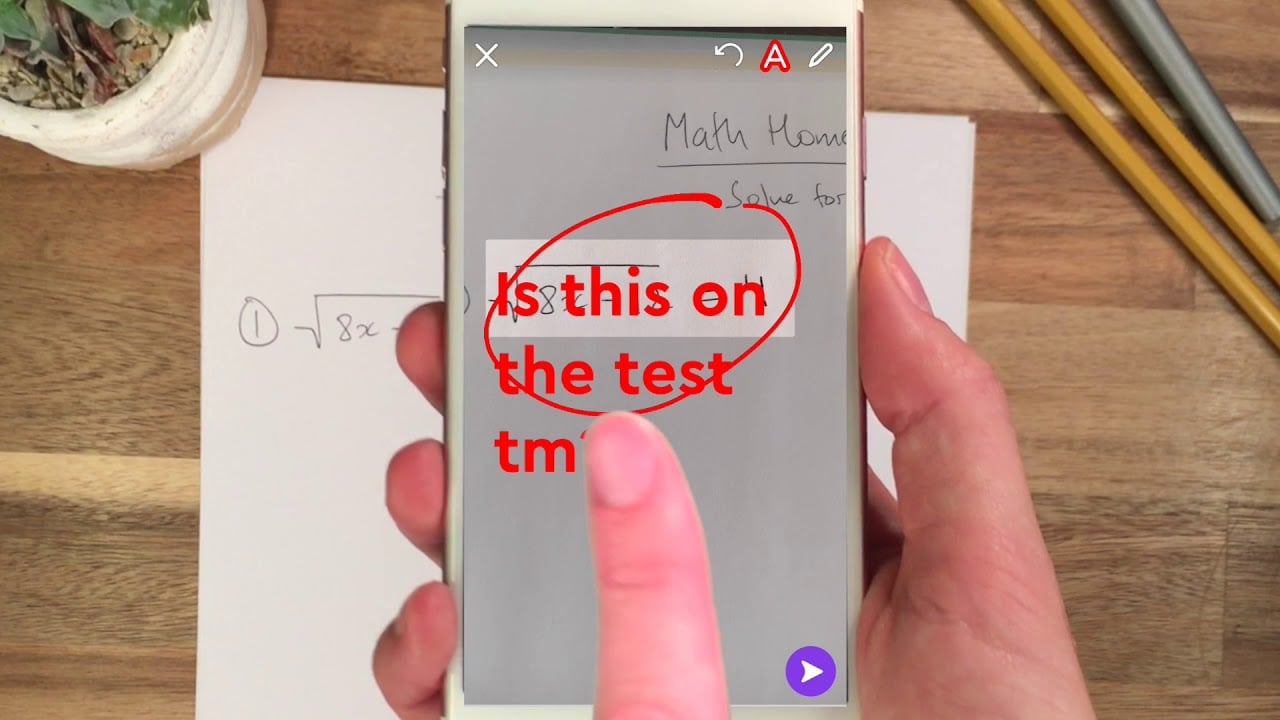
Simply ask Google Lens Homework a question and the app will find the best online resources for you to learn the concepts. It supports most high school subjects, such as science, math, literature, and social studies — with more being added all the time.

The cool thing is that you don’t have to type it all. Instead, you can use your voice or camera to connect to online resources and understand any problem.

Once it understands the subject, Google Lens will help you find videos, step-by-step explanations, and everything else that will help you learn subjects at your own pace.

It’s not a generic search, mind you — Google partnered with teachers and experts to bring visual explanations to Google Lens, making it easier to learn the concepts behind any problem.

In a nutshell, this is one mobile app every student should have installed on their smartphones.

Google Lens Homework Homepage
Categories Learning & Education

Video Overview ▶️

What are the key features? ⭐

  • Your mobile tutor: Google Lens is your very own mobile tutor waiting to answer any question you may have or provide a detailed explanation for any problem. Just fire up the app, and get instant answers, explanatory videos, and more.
  • You don't have to type: Instead of typing information on your phone, you can use your voice and camera and let Google Lens figure out what you need. And it works, with the underlying AI tech figuring out what your problem is and returning relevant answers.
  • Many subjects supported: The app includes support for subjects such as Algebra, Geometry, Trigonometry, Calculus, Biology, Chemistry, Physics, Earth and Environmental Science, US and World History, and Literature.
  • Developed with teachers: Google partnered with teachers and experts to make learning with Google Lens that much easier. In that sense, the app is bursting with visual explanations that make it easier to learn the concepts behind any problem.
  • Students love it: The app's rating in the Apple AppStore is 4.9, based on almost half a million ratings. (September 2023 numbers)

Who is it for? 🤔

Google Lens' homework feature is made for high-school students, though we assume more engaged parents would want to have this app installed on their phones, as well. It is, however, still mostly a US affair, and we're not sure that the curriculum is the same all around the world. Then again, math is math everywhere, and it wouldn't hurt for any high-school student (no matter where they live) to have Google Lens running on their phone. The ability to get instant answers to your questions is rather cool, don't you think?

Examples of what you can use it for 💭

  • Get explanations for concepts you don't understand
  • Scan the math problem and let Google Lens explain the solution to you
  • Go deeper into subjects you care about
  • Ask any question related to your homework
  • Get better grades

Pros & Cons ⚖️

  • It's like having your own AI tutor in your pocket
  • Using your voice and camera to get answers is cool
  • All popular subjects are covered by Google Lens
  • At the moment, it's an English-only app
FAQs 💬

What exactly is Google Lens, and how does it tie into homework?
Google Lens is an AI-powered visual search tool built into the Google app and Chrome browser that lets you point your camera at textbooks, worksheets, or screens to get instant explanations. For homework, it shines by scanning math equations or science diagrams and pulling up step-by-step guides, videos, and resources from trusted sites like Khan Academy, helping you grasp concepts without starting from scratch.
Can Google Lens solve math problems for students?
Yes, it can. Snap a photo of an algebra equation or geometry proof, and Lens highlights the problem while offering breakdowns, like solving for x in quadratic formulas, complete with why each step matters. It’s great for middle schoolers stuck on basics or high schoolers tackling calculus, but I think it works best when you follow along to learn, not just copy.
Is Google Lens free to use for homework help?
Absolutely, it’s free and comes pre-installed on most Android phones via the Google app, or accessible through Chrome on any device. No subscriptions needed for core features like text extraction or visual searches, though linking to Gemini unlocks fancier AI chats for deeper dives.
How accurate is Google Lens at identifying stuff in biology or history homework?
Pretty solid for visuals, like spotting plant cells in a diagram or pulling up timelines for historical events from a textbook page. It draws from reliable sources, but results might vary if the image is blurry; users on forums say it nails 80-90% of science IDs right away. Always double-check against your notes, though.
Does Google Lens work on iPhones or just Android?
It works on both. iOS users get it through the Google app or Photos, while Android folks have it baked in. Recent 2025 updates made it smoother on tablets too, so you can scan larger worksheets without hassle.
Can it help with foreign language homework, like translating readings?
Sure can. It translates text in over 100 languages right from images, perfect for scanning Spanish lit passages or French vocab lists. Students rave about it for quick checks during assignments, and it even pronounces words via audio.
What about privacy? Is it safe for kids to use on schoolwork?
Google says it processes images on-device where possible to keep things private, and you control what gets uploaded. For school, it’s generally safe, but parents should review settings to limit data sharing. Recent chats on X highlight how schools are guiding ethical use to avoid over-reliance.
Has Google Lens changed much in 2025 for student features?
Yeah, it integrated more with Gemini for smarter breakdowns, like generating quizzes from scanned notes, and added a “Learning Guide” mode for step-by-step problem-solving. The old dedicated “Homework” button got streamlined into the main UI, making it less clunky but still powerful.
How do I avoid using it to cheat on tests?
Treat it like a tutor, not a shortcut. Schools are pushing for in-person assessments or lockdown browsers to level the field, and educators suggest using it only for practice problems. On Reddit, teachers note it’s a tool for understanding, not copying, and that mindset keeps things honest.
What if Lens doesn’t recognize my homework image?
Try clearer lighting or cropping just the problem area; it boosts accuracy. If that fails, pair it with voice input in the Google app for hybrid searches. Users tip that combining it with NotebookLM for follow-up quizzes fills in any gaps nicely.

Related tools ↙️

  1. StudyFlash StudyFlash An AI-powered platform that transforms study materials into personalized flashcards
  2. CourseMind CourseMind An AI-driven platform designed to revolutionize the online education experience
  3. Hyperbound Hyperbound Simulates realistic sales calls for training and feedback
  4. Wordtune Summarizer Wordtune Summarizer An AI tool that summarizes long documents
  5. OpenL OpenL An AI-powered translation software that supports more than 100 languages
  6. Brainly Brainly Provides instant homework help and AI-powered tutoring for students
Last update: November 17, 2025
Share
Promote Google Lens Homework
light badge
Copy Embed Code
light badge
Copy Embed Code
light badge
Copy Embed Code
About Us | Contact Us | Suggest an AI Tool | Privacy Policy | Terms of Service

Copyright © 2026 Best AI Tools
415 Mission Street, 37th Floor, San Francisco, CA 94105