logo-darklogo-darklogo-darklogo-dark
  • Home
  • Browse
    • Assistant
    • Coding
    • Image
    • Productivity
    • Video
    • Voice
    • Writing
    • All Categories
    • AI Use Cases
  • My Favorites
  • Suggest a Tool
✕
Home › Video Generation & Editing ›

guidde

Published by Dusan Belic on August 30, 2023

guidde

guidde
guidde Homepage
Categories Video Generation & Editing
The generative AI platform for business that helps create video documentation 11x faster

guidde

Guidde is an advanced generative AI platform designed to streamline the creation of video documentation for businesses, significantly reducing the time and effort required to produce comprehensive guides, SOPs (Standard Operating Procedures), training materials, onboarding documents, FAQs, and feature notes.

With its intuitive browser extension, users capture their workflow and Guidde’s AI technology automatically generates a step-by-step description, pairs it with an AI-generated voiceover from a selection of over 100 voices and languages, and creates a professional-looking video guide.

The tool targets a broad range of use cases, including customer support, customer success, pre-sales, product teams, training, and agencies –aiming to replace traditional, text-heavy documentation with engaging, easy-to-understand video content.

Guidde boasts features that appeal to a broad audience by supporting rapid capture of workflows, AI-driven content creation, voice customization, and smart-sharing options. In that sense, it has received positive feedback from users across different roles — highlighting its ease of use, quality of output, and efficiency in reducing support tickets and streamlining information sharing.

All in all, by leveraging the capabilities of AI – Guidde empowers teams to convey complex processes through video, enhancing learning and productivity.

guidde Homepage
Categories Video Generation & Editing

Video Overview ▶️

What are the key features? ⭐

  • Magic Capture: records screen workflows effortlessly and triggers automatic AI processing
  • AI-Generated Voiceover: provides natural-sounding narration from over 200 voices and languages
  • Smart Annotations: automatically adds step-by-step descriptions, callouts, and highlights
  • Drag-and-Drop Editor: allows easy customization of visuals, timing, text, and transitions
  • Analytics Dashboard: tracks viewer engagement, watch time, and top-performing guides

Who is it for? 🤔

Guidde proves especially useful for customer support teams, onboarding specialists, product trainers, and knowledge base managers who frequently explain processes, create tutorials, or answer repetitive questions. It also helps sales reps build quick product demos, internal teams share best practices, and any group aiming to reduce support tickets through clear, self-service video content. Small businesses and large enterprises alike benefit when visual, narrated guides improve efficiency and consistency.

Examples of what you can use it for 💭

  • Customer Support Agent: creates instant troubleshooting videos to reduce ticket resolution time
  • HR Onboarding Specialist: produces step-by-step employee training guides for new hires
  • Product Manager: documents software features and updates with narrated demos for users
  • Sales Representative: builds personalized product walkthroughs to showcase value quickly
  • Internal Trainer: shares complex workflow tutorials across global teams in multiple languages

Pros & Cons ⚖️

  • Extremely fast creation
  • Polished AI narration
  • Multilingual support
  • Easy sharing options
  • Some voices robotic
  • Free tier limited

FAQs 💬

What is Guidde primarily used for?
Guidde specializes in creating AI-powered video how-to guides and documentation from screen captures, ideal for training, support, and knowledge sharing.
Do I need video editing skills to use Guidde?
No, the AI handles most of the work automatically, and the editor is intuitive for anyone to make adjustments without prior experience.
Is there a free version of Guidde?
Yes, a free tier lets you test the core capture and creation features, though it includes limits on videos and adds watermarks.
How many languages does Guidde support for voiceovers?
Guidde offers voiceovers in over 100 languages with a large selection of AI voices to match different accents and styles.
Can I customize videos with my company branding?
Yes, paid plans include custom branding kits for logos, colors, fonts, and consistent professional appearance across guides.
Does Guidde work only in browsers?
It primarily uses a browser extension, but a desktop app option exists for broader capture needs.
What competitors are similar to Guidde?
Tools like Loom focus on quick videos, while Scribe and Tango emphasize text/screenshot guides, but Guidde stands out for integrated AI narration.
How secure is content created in Guidde?
Features like sensitive info blurring and privacy controls help protect data, with advanced security in enterprise plans.

Related tools ↙️

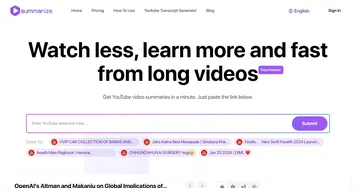
  1. Summarize.ing Summarize.ing An AI-powered platform that provides concise summaries of YouTube videos
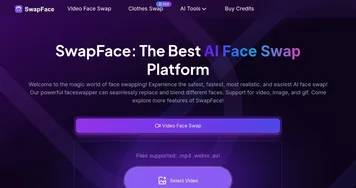
  2. SwapFaces SwapFaces An online platform that leverages deep learning to facilitate face swapping in photos and videos
  3. YouTube Dubbing YouTube Dubbing Translates and dubs videos in real-time for seamless multilingual viewing
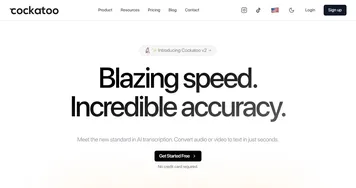
  4. Cockatoo Cockatoo An AI-powered transcription service that converts audio and video files into text
  5. WooTechy WooTechy Unlocks iOS devices, recovers data, and changes voices with AI precision
  6. Picsi.Ai Picsi.Ai Swaps faces in photos, videos, and GIFs using advanced AI technology
Last update: January 17, 2026
Share
Promote guidde
light badge
Copy Embed Code
light badge
Copy Embed Code
light badge
Copy Embed Code
About Us | Contact Us | Suggest an AI Tool | Privacy Policy | Terms of Service

Copyright © 2026 Best AI Tools
415 Mission Street, 37th Floor, San Francisco, CA 94105