logo-darklogo-darklogo-darklogo-dark
  • Tool Categories
    • ๐ŸŽจArt & Creative Design505
    • ๐ŸขBusiness Management644
    • ๐Ÿ’ปCoding & Development515
    • ๐Ÿ‘ฎDetection83
    • ๐Ÿง General Use727
    • ๐ŸฅHealth & Wellness55
    • ๐Ÿ“ทImage & Photo Analysis100
    • ๐Ÿ–ผ๏ธImage Generation & Editing618
    • ๐Ÿ“Interior & Architectural Design37
    • ๐ŸŽ“Learning & Education483
    • โš–๏ธLegal & Finance90
    • ๐ŸŽญLifestyle & Entertainment236
    • ๐Ÿ“ขMarketing & Advertising627
    • ๐ŸŽงMusic & Audio138
    • ๐Ÿ‘”Office & Workplace1,014
    • ๐Ÿ”ฌResearch & Data Analysis372
    • ๐Ÿ‘ฅSocial Media245
    • ๐ŸŽฅVideo Generation & Editing426
    • ๐Ÿ‘ง๐ŸปVirtual Companion135
    • ๐ŸŽคVoice Generation & Editing381
    • โœ๏ธWriting & Editing808
    • All Categories
    • AI Use Cases
  • News
  • Events
    • Academic Conferences
    • Developer Conferences
    • Expos / Trade Shows
    • Industry Summits
    • Workshops / Training
    • All Events
    • Past Events
  • Saved Tools
  • Suggest a Tool
โœ•
Home › Image Generation & Editing › Face Swap› Picsi.Ai
Picsi.Ai

Picsi.Ai

Swaps faces in photos, videos, and GIFs using advanced AI technology

Using Picsi.AI feels like wielding a magic wand for faces, allowing you to see your selfie on a movie star’s body. Powered by InsightFace, this tool swaps faces in photos, videos, and GIFs with a finesse that makes you feel like a digital sorcerer. I tried the web app first, uploading a photo of myself and slapping it onto a random stock image of a surfer. The result? Uncannily realistic, with my goofy grin perfectly matched to the sun-kissed vibe. The Inswapper High Resolution model is the star here, blending faces so seamlessly I had to squint to spot the join.

The Discord bot, InsightFaceSwap, is where things get wild. I set up a server (a bit of a hassle, honestly), linked my account, and started playing with commands like “/swapid.” I swapped my face onto a GIF of a dancing cat — pure internet gold. The Face Texturizer Mode saved me when the cat’s fur clashed with my skin tone, letting me smooth things out. I also dabbled with the Oldify feature, which aged my face into a wrinkled masterpiece. It’s hauntingly accurate, like peeking into a future where I’ve spent too much time squinting at screens.

But it’s not all fun and games. The Discord setup feels like a techy hazing ritual — create a server, invite the bot, generate a token. I fumbled through it, and I’m no stranger to tech. The free plan’s limits hit fast too; I burned through my daily quota in an hour of experimenting. Compared to DeepSwap, which has a slicker interface, or Fotor, with its broader editing suite, Picsi.AI’s Discord reliance feels quirky at best, clunky at worst. Some swaps weren’t perfect — eye colors didn’t always match, and I had to tweak hair manually, which was a buzzkill.

The Chrome extension, though, is a delightful surprise. Right-click an image online, select “swap,” and you’re off to the races. It’s like having a face-swapping superpower tucked into your browser. I also appreciate Picsi.AI’s ethical stance — you can email to block your likeness, which is reassuring in a world of deepfake paranoia.

My advice? Use the web app for quick fixes and save the Discord bot for when you’re feeling adventurous. High-quality images are your friend — low-res ones make the AI grumpy. If you’re hooked, the paid plans (Basic, Pro, Ultra) unlock video swaps and faster processing, which are worth it for creators. And don’t skip the user guide — it’s your map through the Discord jungle.

Visit Picsi.Ai ↗
Categories
๐Ÿ–ผ๏ธ Image
๐ŸŽญ Face Swap ๐Ÿ–ผ๏ธ Image Generation โœ๏ธ Photo Editing ๐Ÿง‘โ€๐ŸŽค Avatar Generation ๐Ÿ“ธ Headshot Generation
๐ŸŽฅ Video
๐ŸŽญ Face Swap Video

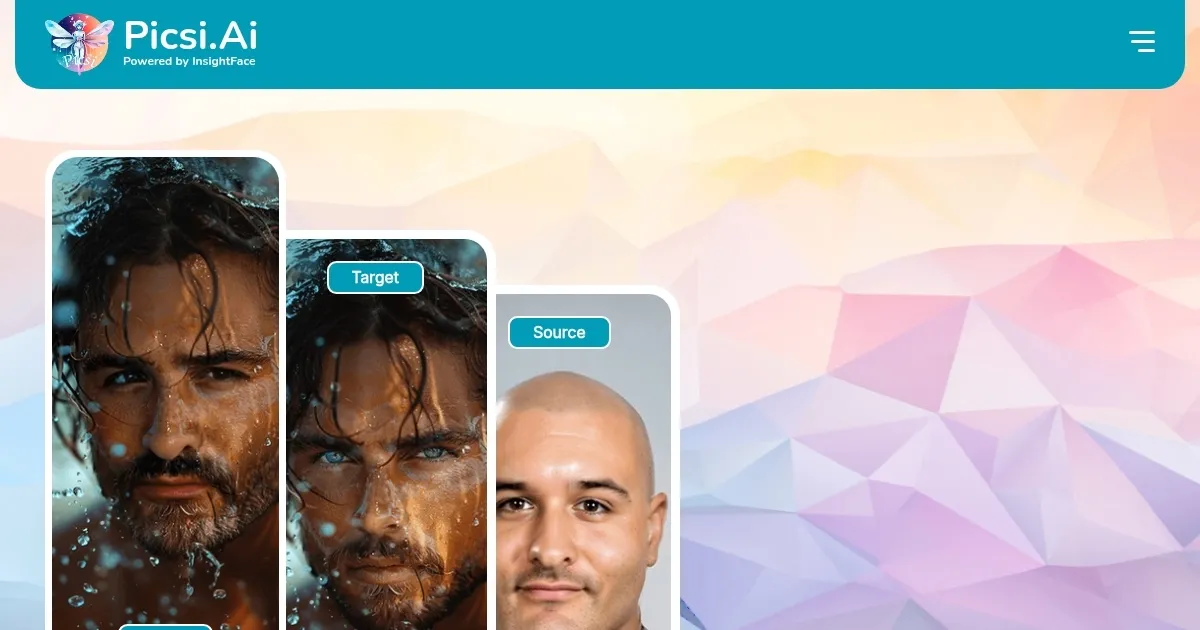
Homepage Screenshot 📸

Picsi.Ai screenshot

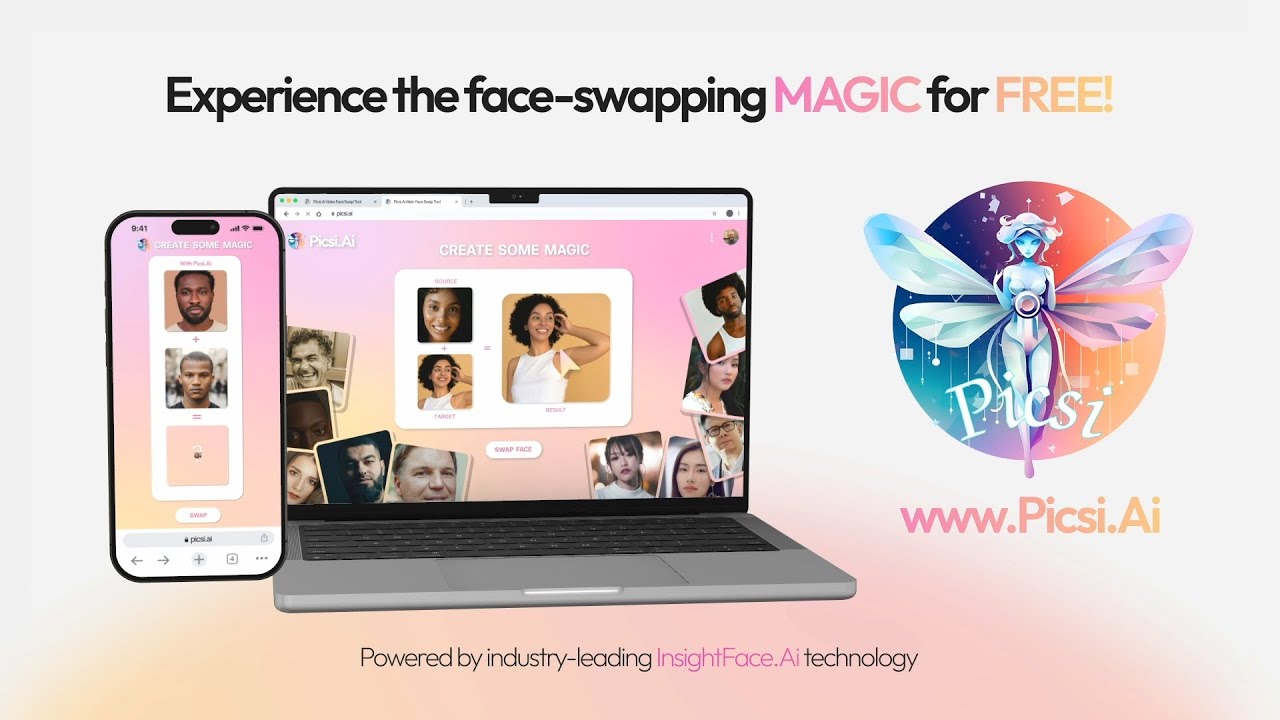
Video Overview 🎬

Picsi.Ai - Video Overview

What are the key features? ✨

  • Inswapper High Resolution: Delivers precise, high-quality face swaps for photos and videos.
  • Face Texturizer Mode: Adjusts skin tone and texture for seamless face blending.
  • Oldify Feature: Ages faces realistically using advanced AI algorithms.
  • Chrome Extension: Enables right-click face swaps on images across websites.
  • Video Face Swapping: Supports real-time face swaps in videos up to 45 seconds (paid plans).

Who is it for? 🤔

Picsi.AI is ideal for content creators, social media influencers, digital artists, and hobbyists who want to create engaging, high-quality face swaps for photos, videos, or GIFs. It suits those comfortable with Discord or seeking a free, accessible tool for casual use, as well as professionals needing advanced features like video processing or multi-face swaps, provided theyโ€™re willing to invest in a paid plan.

Examples of what you can use it for 💡

  • Content Creator: Uses Picsi.AI to swap faces in promotional videos for viral social media content.
  • Digital Artist: Creates unique portraits by blending faces with MidJourney-generated images.
  • Social Media Influencer: Produces fun GIFs with face swaps to engage followers on platforms like X.
  • Hobbyist: Experiments with aging effects to visualize friendsโ€™ future appearances for fun.
  • Game Developer: Integrates face swaps into avatars for interactive gaming experiences.

Pros & Cons ⚖️

  • High-quality face swaps
  • Real-time video processing
  • Free tier available
  • Free tier limits swaps
  • Eye color swap issues

FAQs 💬

What is Picsi.AIโ€™s main function?
Picsi.AI swaps faces in photos, videos, and GIFs using AI-powered InsightFace technology.
Is Picsi.AI free to use?
Yes, it offers a free tier with limited daily swaps; paid plans unlock higher limits.
Do I need a Discord account to use Picsi.AI?
Yes, the full experience requires a Discord account and server setup for the bot.
Can I use Picsi.AI for commercial projects?
Yes, as long as images donโ€™t infringe on copyrights or trademarks.
What image types work best with Picsi.AI?
High-quality, well-lit images yield the best face-swapping results.
Does Picsi.AI support video face swapping?
Yes, it supports real-time video face swaps, especially in paid plans.
Can I block my likeness from being used?
Yes, email Picsi.ai to block or remove unauthorized content.
What are the paid plan options?
Basic, Pro, and Ultra plans offer higher limits; check Picsi.ai's website for details.
Does Picsi.AI work on all browsers?
The Chrome extension works on Chrome; the web app is browser-agnostic.
Can I create GIFs with Picsi.AI?
Yes, it supports animated GIF creation with face swaps.

Ready to try Picsi.Ai?

Swaps faces in photos, videos, and GIFs using advanced AI technology

Visit Picsi.Ai ↗

Picsi.Ai alternatives 🔗

  1. AI Face Swap AI Face Swap An online tool designed for easy and fun face-swapping experiences
  2. Remaker AI Remaker AI Online platform offering media manipulation, such as face swapping, AI portraits, and video enhancements
  3. Vidnoz AI Vidnoz AI An AI-powered text-to-video platform, made for marketers, businesses, educators, and more
  4. Pica AI Pica AI Discover and generate AI art masterpieces in seconds
  5. Artguru Artguru Transforms text or photos into unique AI-generated artwork in seconds
  6. AIEASE AIEASE An AI-powered platform offering a suite of free photo editing tools
Share
Picsi.Ai screenshot enlarged
Promote Picsi.Ai
light badge
Copy Embed Code
dark badge
Copy Embed Code
neutral badge
Copy Embed Code
Best AI Tools

Discover the best AI tools for any use case

Explore
  • Tool Categories
  • AI Use Cases
  • AI Events
  • AI News
  • Saved Tools
Company
  • About Us
  • Contact Us
  • Media & Partnerships
  • Suggest a Tool
Legal
  • Privacy Policy
  • Terms of Service
Copyright © 2026 Best AI Tools 415 Mission Street, 37th Floor, San Francisco, CA 94105