logo-darklogo-darklogo-darklogo-dark
  • Home
  • Browse
    • Assistant
    • Coding
    • Image
    • Productivity
    • Video
    • Voice
    • Writing
    • All Categories
    • AI Use Cases
  • My Favorites
  • Suggest a Tool
✕
Home › Translation ›

Immersive Translate

Published by Dusan Belic on September 29, 2024

Immersive Translate

Immersive
Immersive Translate Homepage
Categories Translation
A browser extension designed to break down language barriers by offering bilingual translations

Immersive Translate

Immersive Translate is a browser extension designed to break down language barriers by offering bilingual translations for websites, PDFs, ePub eBooks, and video subtitles. The tool supports over 10 translation engines — including well-known options like Google Translate, DeepL, and OpenAI — ensuring accurate and context-aware translations. This, in turn, makes it a popular choice for students, professionals, and language learners who need to compare translations side-by-side without losing context.

Immersive Translate allows users to adjust how translations are displayed, whether for learning purposes or professional use. It also includes unique features like mouse-hover and input box translations, making it convenient for reading, browsing, and communication without leaving the webpage. Moreover, the tool offers real-time subtitle translations for videos on platforms like YouTube and Netflix to make foreign content accessible to a broader audience.

Immersive Translate is free to use, though there is a premium version with advanced features and additional support.

Users have praised the tool’s seamless functionality, particularly for academic research, business communication, and language learning. That being said, you could also use it for everyday translations. Check it out.

Immersive Translate Homepage
Categories Translation

Video Overview ▶️

What are the key features? ⭐

  • Bilingual webpage translations: Immersive Translate can translate entire webpages with a bilingual side-by-side display using over 10 translation engines, such as DeepL and OpenAI.
  • Real-time subtitles: It can translate video subtitles on over 60 platforms, supporting bilingual display.
  • PDF translations: The tool can also translate PDF documents while preserving formatting and offering side-by-side bilingual versions.
  • EPUB translations: Immersive Translate can convert foreign-language EPUB eBooks into bilingual formats for immersive reading.
  • Hover translations: You can also instantly translate paragraphs by hovering and pressing a shortcut key.

Who is it for? 🤔

Immersive Translate is primarily made for students, language learners, researchers, and professionals who need reliable, bilingual translations. The tool is perfect for those frequently consuming foreign-language content, such as videos, academic papers, and websites. It appeals to users who require accurate translations while maintaining formatting for documents and media.

Examples of what you can use it for 💭

  • Translate academic papers and materials with PDFs and EPUBs
  • Enhance language skills by reading bilingual web pages and videos
  • Provide multilingual subtitles for videos across platforms like YouTube and Netflix
  • Access global research papers and documents through accurate PDF translations
  • Translate contracts and business documents efficiently while preserving the original layout

Pros & Cons ⚖️

  • Accurate translations for different languages
  • It's there when you need it (in the browser)
  • Free version is available
  • But that free version has significant limitations
FAQs 💬

What is Immersive Translate, and who might find it useful?
Immersive Translate is a free browser extension and app that delivers real-time bilingual translations for websites, PDFs, videos, and more, using over 20 AI engines like ChatGPT and DeepL. It shines for language learners comparing original text side-by-side, researchers tackling foreign papers, professionals scanning global news, or travelers navigating unfamiliar sites. Students prepping for exams or content creators subtitling videos probably love how it keeps layouts intact without disrupting flow.
How do you install and get started with Immersive Translate?
Head to the Chrome Web Store, Edge Add-ons, or Firefox Add-ons and search for "Immersive Translate" to install the extension in seconds. For mobile, grab it from Google Play or the App Store. Once set up, click the icon in your toolbar, pick your languages, and hit translate on any page; it auto-detects content and overlays bilingual views. A quick refresh often fixes any initial glitches, and shortcuts like Alt+A speed things up.
What languages does Immersive Translate support, and how accurate are the translations?
It handles over 100 language pairs, from common ones like English-Spanish to niche combos like Japanese-Korean, pulling from engines like Gemini for context-aware results. Accuracy feels solid for everyday use, with users on Reddit noting it outperforms Google Translate on nuanced web apps or manga panels, though idioms might need a quick double-check. I suspect the multi-engine switch helps tailor it to specific needs.
Is Immersive Translate completely free, or are there paid options?
Yes, the core features come free with no ads or limits on basic translations, making it accessible for casual users. For premium perks like unlimited access to advanced AI models (Claude, DeepSeek) or faster processing, there's a Pro plan around $7 monthly, with a trial to test it out. Reviews from 2025 highlight the free tier's value for most, but pros swear by upgrades for heavy PDF or video work.
Can Immersive Translate handle PDFs and documents without messing up the format?
Absolutely, it translates PDFs, EPUBs, DOCX, and even scanned files via OCR while preserving layouts, fonts, and images for a clean bilingual output. Export options let you save as editable files. Folks on X praise this for academic papers or e-books, though splitting huge docs over 100 pages avoids slowdowns.
Does it work for video subtitles on platforms like YouTube or Netflix?
It overlays real-time bilingual subtitles on over 100 sites, including YouTube, Netflix, and Zoom meetings, even for videos without originals. Enable it in settings, and it syncs seamlessly. Recent X posts from November 2025 call it a game-changer for global content, but occasional refresh loops on Dailymotion might pop up, fixed by updates.
What makes Immersive Translate different from Google Translate or DeepL?
Unlike Google Translate's full-page overwrites or DeepL's text-only focus, Immersive keeps originals visible side-by-side for immersive reading, plus extras like image OCR and meeting translations. 2025 comparisons on Toolify note its edge in context retention and multi-engine flexibility, though it relies on internet for AI calls.
Are there any common issues with Immersive Translate, and how do you fix them?
Some users hit snags like exclamation errors from service overloads or scroll jumps on iPad, but hovering shows details, and refreshing or updating resolves most. For search pages, enable "Allow access to results" in settings. GitHub issues from August 2025 show quick dev fixes, and support emails get replies fast.
Is Immersive Translate safe and private for my data?
It doesn't store personal info or browsing history, processing translations locally where possible and encrypting the rest. Permissions are minimal for functionality alone. Trustpilot and Chrome reviews from this year confirm no major breaches, but always review the policy if handling sensitive docs.
Can I customize Immersive Translate for better learning or work?
Sure, tweak styles for side-by-side vs. single-view, set terminology libraries for jargon, or adjust hover shortcuts. Language learners add pronunciation audio, while pros pin favorite engines. App Store feedback from September 2025 raves about this flexibility making it feel personal.

Related tools ↙️

  1. Wordtune Wordtune Enhances writing with AI-powered paraphrasing, grammar correction, and tone adjustments
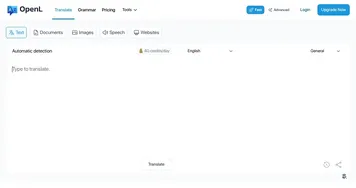
  2. OpenL OpenL An AI-powered translation software that supports more than 100 languages
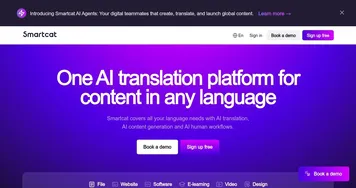
  3. Smartcat Smartcat An AI-driven platform that provides multilingual translation and content generation solutions
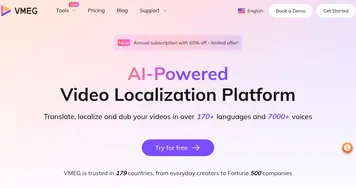
  4. VMEG VMEG An AI-powered video localization platform designed to help users translate, dub, and create videos
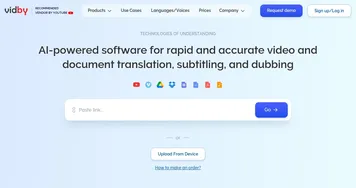
  5. vidby vidby AI-powered software for video translation and dubbing into 70 languages
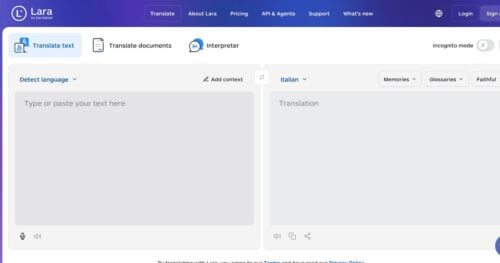
  6. Lara Lara Translates text and documents across 200 languages with contextual accuracy
Last update: November 23, 2025
Share
Promote Immersive Translate
light badge
Copy Embed Code
light badge
Copy Embed Code
light badge
Copy Embed Code
About Us | Contact Us | Suggest an AI Tool | Privacy Policy | Terms of Service

Copyright © 2026 Best AI Tools
415 Mission Street, 37th Floor, San Francisco, CA 94105