AI tool that intelligently plans your day, schedules meetings, and creates to-do lists
Motion is a digital platform integrating various productivity tools like calendars, task managers, and project management features. As such, it is made to streamline scheduling and task management, particularly for busy professionals and teams.
And with the help of AI, Motion can automate the process of organizing daily activities and meetings — aiming to enhance efficiency and reduce the stress of managing a cluttered schedule.
Motion’s AI tech takes into account personal preferences and priorities, ensuring that the schedule it creates aligns with the user’s goals and work habits. The AI also adapts over time, learning from the user’s behavior to provide increasingly tailored scheduling suggestions.
For teams, Motion offers collaborative tools that facilitate project management and team scheduling. This aspect of the platform allows for seamless integration of individual schedules with team projects, ensuring that everyone is on the same page and deadlines are met efficiently. The team functionality is particularly useful for managing complex projects that require coordination among multiple members.
On the other hand, individual users benefit from Motion’s task management features, which go beyond simple to-do lists. For instance, the platform allows for detailed task categorization, setting priorities, and integrating these tasks into the daily schedule. This ensures that important tasks are not overlooked and that time is allocated effectively for both short-term and long-term objectives.
Finally, Motion prides itself on its user-friendly interface, which is designed to be intuitive and easy to navigate. Try it out and see whether it works for you, too.
FAQs
💬
What exactly is Motion, and who’s it built for?
Motion is an all-in-one AI superapp that handles your calendar, tasks, projects, meetings, docs, and even notes in a single spot. It uses smart AI to auto-schedule everything based on deadlines, priorities, and your energy levels, so you waste less time juggling apps. It shines for busy solopreneurs, freelancers, small teams up to 20 folks, and even bigger outfits like tech companies managing 1,000 users. Think business analysts drowning in deadlines or marketing managers chasing promotions, it frees them up for the big stuff.
How does the AI scheduling actually work in daily life?
You dump in tasks via email, voice like Siri, or quick notes, and the AI crunches your calendar, deadlines, and habits to slot them into time blocks that fit. It reshuffles on the fly if meetings pop up or priorities shift, and it even guards your focus time by suggesting the best slots. Users say it feels like a personal assistant who gets you, cutting decision fatigue and boosting output by up to 137 percent in some cases, though it might take a week to tweak preferences for that sweet spot.
Can I use Motion just for personal stuff, or is it too team-focused now?
Absolutely, it works great solo, but recent updates lean heavier into team features like shared projects and AI handoffs. For personal use, the core calendar and task magic still rocks, helping with everything from client gigs to meal prep. Some solo users on Reddit gripe that the AI employees feel overkill for one person, but if you’re juggling a side hustle, it keeps things from spilling over into chaos.
What kind of integrations does Motion play nice with?
It hooks up seamlessly with Google Calendar, Outlook, iCloud for syncing events without double-books, plus Zoom, Teams, Meet for one-click joins, and Gmail or Outlook to turn emails into tasks. Zapier opens doors to hundreds more like Slack or HubSpot, and there’s a robust API for custom ties. Testers love how it pulls in your whole workflow, but niche tools might need a workaround, so check your stack first.
How accurate is the AI meeting notetaker, and what does it capture?
Trained on over 10,000 hours of meetings, it grabs full transcripts, highlights action items, assigns them automatically, and even sends follow-up emails or summaries if you miss one. It’s about 80 percent more spot-on than human notes in spotting key points, with playback by minute and links to tasks or docs. Blog reviewers call it a game-changer for remote teams, though noisy calls or accents can trip it up a bit.
Is there a learning curve, and how do I get up to speed?
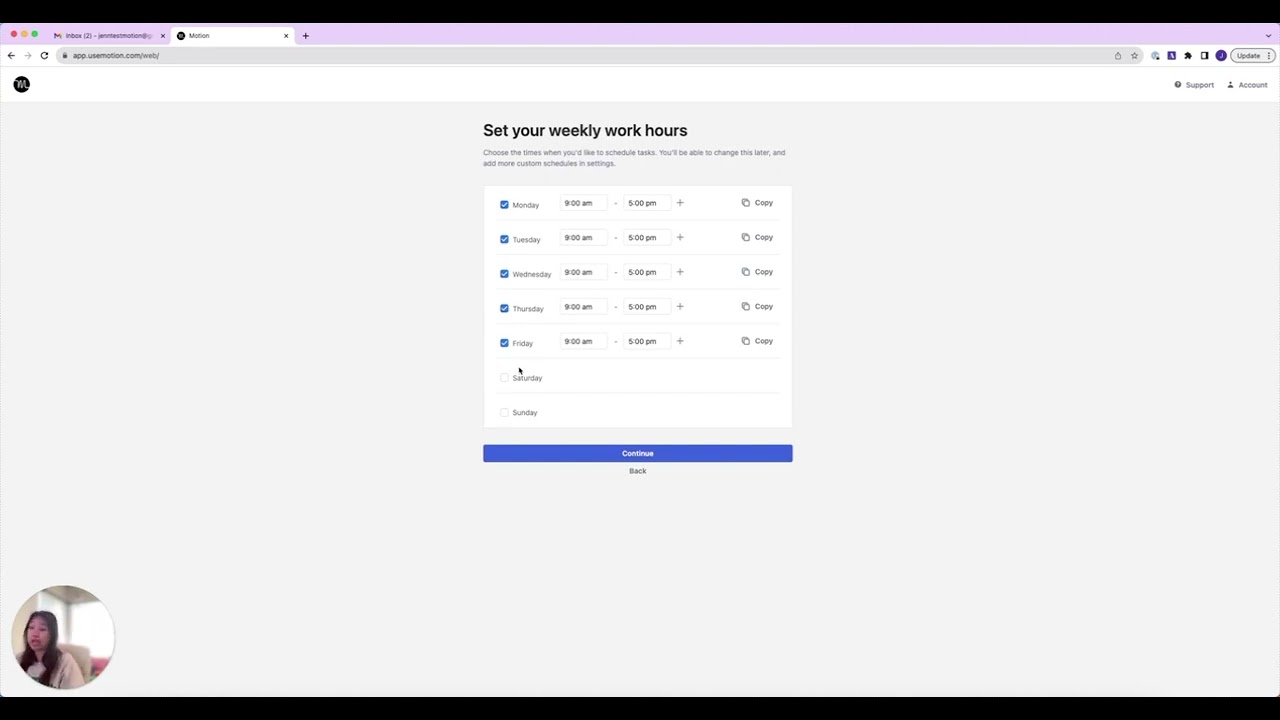
Yeah, there’s a bit of a hump at first, especially tweaking AI preferences or setting up projects, it can feel fiddly if you’re switching from simpler apps like Todoist. But the in-app tutorials and help center make it quicker than most, and most users say they’re productive in a day or two. X feedback from founders praises the voice commands for easing in, and if you hit snags, support’s responsive via chat or email.
How does Motion handle project creation and team collaboration?
Describe a project in plain words or drop in a doc, and the AI spins up tasks, deadlines, assignees, and stages with over 90 percent accuracy, then updates in real-time as things move. Teams get dashboards for bottlenecks, capacity alerts, and in-app chats to cut email noise. It’s killer for small crews systematizing workflows, users report 30 percent faster project wrap-ups, but recurring tasks in projects need manual tweaks right now.
What are the AI employees, and do they really save time?
These are custom AI agents you build in minutes for stuff like drafting emails, recapping meetings, or even social listening across Reddit and YouTube. They learn your style from your data and hand off to humans seamlessly, like a virtual team member. Early adopters on X rave about the daily recaps saving an hour, but Reddit threads note they’re beta-level, so expect some babysitting for complex jobs until they mature.
Does Motion work well on mobile, or is it desktop-only?
The mobile app covers basics like task adds, calendar views, and quick reschedules, but it’s not as polished as desktop for deep project edits or AI tweaks, some glitches pop up there. It syncs everything live across devices, so you can voice-add tasks on the go via Siri. Reviewers say it’s solid for checking in during commutes, but power users stick to laptop for the full punch.
How secure is my data in Motion, especially with AI involved?
It’s SOC 2 Type 2 compliant, with full encryption in transit and at rest, and you control what the AI sees or learns from your inputs. No data sells or shares without consent, and it’s built for enterprise trust with role-based access for teams. Users in regulated fields like finance feel safe, though always review privacy settings during setup to lock it down tight.