logo-darklogo-darklogo-darklogo-dark
  • Home
  • Browse
    • Assistant
    • Coding
    • Image
    • Productivity
    • Video
    • Voice
    • Writing
    • All Categories
    • AI Use Cases
  • My Favorites
  • Suggest a Tool
✕
Home › Image Generation & Editing ›

Phot.AI

Published by Dusan Belic on June 21, 2024

Phot.AI

Phot.AI
Phot.AI Homepage
Categories Image Generation & Editing
An online platform that uses AI to enhance photo editing and visual content creation

Phot.AI

Phot.AI is an online platform that harnesses artificial intelligence to streamline and enhance photo editing and visual content creation. It offers a range of tools such as AI-driven background removal, object replacement, and image upscaling — making it an all-in-one solution for amateur and professional users.

In fact, the company claims its tools are so easy to use that anyone can produce high-quality visuals with minimal effort.

In that sense, Phot.AI is able to automate complex editing tasks, like enhancing image quality, removing unwanted objects, and even restoring old photographs. These capabilities are particularly beneficial for users who need quick and professional results without having to learn advanced photo editing software.

Phot.AI is made to cater to a variety of creative needs, from marketing and e-commerce to personal projects. Whether you are looking to create professional product photos, generate AI art, or simply change your personal photos – Phot.AI has your back.

Ultimately, the platform’s cloud-based nature ensures that users can access and edit their photos with the help of AI from anywhere. Pretty cool.

Phot.AI Homepage
Categories Image Generation & Editing

Video Overview ▶️

What are the key features? ⭐

  • Photo editing: Phot.AI uses advanced AI to enhance image quality, remove unwanted objects, and adjust lighting for professional-grade photos.
  • Generative art & avatars: Create unique AI-generated art and personalized avatars with simple prompts.
  • Background & object replacement: Easily swap, remove, or blur backgrounds and objects in photos to create stunning visuals.
  • Photo restoration & colorization: Restore old photos by removing scratches and adding color to black-and-white images.
  • Cloud-based platform: Phot.AI lets you edit photos online without any software installation and is accessible from any device.

Who is it for? 🤔

Phot.AI is designed for different kinds of users, including e-commerce businesses, marketing teams, social media influencers, photographers, and individuals looking to enhance personal photos. Its AI-powered tools cater to professional and casual users needing an efficient and high-quality photo editing solution without requiring extensive technical skills.

Examples of what you can use it for 💭

  • Quickly create professional product images for online stores with background removal and enhancement tools
  • Design compelling marketing visuals using AI-generated art and enhanced photos to attract attention
  • Produce high-quality social media posts by editing photos and generating unique art and avatars
  • Restore and colorize old family photos, preserving cherished memories with enhanced quality
  • Streamline the editing process for photographers by removing objects, adjusting lighting, and improving overall image quality

Pros & Cons ⚖️

  • Makes photo editing accessible to a wide audience
  • Helps you preserve and improve old photos
  • Online stores can make their product listings look better
  • Obviously not for true Photoshop experts
FAQs 💬

What is Phot.ai mainly used for?
Phot.ai specializes in AI-driven photo editing and visual creation, helping users enhance images, remove or replace backgrounds/objects, generate art from text, upscale low-res photos, and create product visuals or ads quickly.
Does Phot.ai require any design or editing experience?
No, the platform targets beginners and pros alike with a simple interface and one-tap AI tools, so you can achieve professional results without prior skills.
Can Phot.ai remove or change backgrounds in photos?
Yes, it features precise AI background remover and replacer tools that handle complex scenes automatically, often delivering clean cutouts or new backgrounds in seconds.
Does Phot.ai support generating images from text prompts?
Absolutely, its AI image generator and art tools turn text descriptions into visuals in various styles like realistic, anime, or abstract.
Is Phot.ai good for fixing old or damaged photos?
It includes restoration features that repair faded colors, scratches, blurs, and even colorize black-and-white images effectively.
Can Phot.ai upscale low-resolution images?
Yes, the AI upscaler and enhancer sharpen details, reduce blur, and increase resolution while aiming to preserve natural quality.
Does Phot.ai allow removing unwanted objects from images?
It provides an object remover tool (often brush-based) that erases people, text, watermarks, or distractions seamlessly in most cases.
Is Phot.ai suitable for e-commerce or product photography?
Definitely, many tools focus on creating marketplace-ready images, including product photoshoots, banners, and optimized visuals that help boost sales listings.
Does Phot.ai work on mobile devices?
It operates as a web-based platform that functions on browsers across devices, and there are mobile app versions available for on-the-go editing.
Can businesses integrate Phot.ai into their own apps or workflows?
Yes, it offers an API for developers to add features like background removal or image enhancement into custom applications or automated processes.

Related tools ↙️

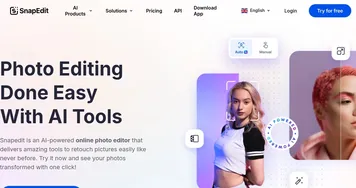
  1. SnapEdit SnapEdit Automated AI photo editor, background remover, and enhancer
  2. Stable Artisan Stable Artisan An image-generating AI tool, powered by Stable Diffusion 3, that is available as a Discord bot
  3. Skybox AI Skybox AI One-click 360° AI image generator from Blockade Labs
  4. Lovart Lovart Transforms text prompts into designs across images, videos, and 3D
  5. FaceSwapper.ai FaceSwapper.ai A free tool that lets you swap faces from photos and vidoes
  6. Erase bg Erase bg AI tool that easily removes backgrounds from images
Last update: December 30, 2025
Share
Promote Phot.AI
light badge
Copy Embed Code
light badge
Copy Embed Code
light badge
Copy Embed Code
About Us | Contact Us | Suggest an AI Tool | Privacy Policy | Terms of Service

Copyright © 2026 Best AI Tools
415 Mission Street, 37th Floor, San Francisco, CA 94105