Questgen
Generates diverse quizzes and assessments instantly from text, documents, URLs, videos, or images
Questgen is an advanced AI-powered tool made to automate the creation of different kinds of quizzes and assessments with a simple click, cutting down the time and effort typically required for this task. It supports generating multiple-choice questions (MCQs), true/false questions, fill-in-the-blanks, higher-order questions based on Bloom’s Taxonomy, match-the-following questions, and more from any text.
The tool can intake text in any language and from various formats like website URLs, PDFs, and Word documents.
All this makes Questgen appealing to a range of users, including teachers, schools, HR teams, textbook publishers, and more — providing them with a streamlined way to create educational content, ensure compliance with policies through quizzes, or generate assessments at scale. The tool can produce up to 150 quizzes from 100,000 words in a single action.
Beyond question generation, Questgen offers other cool features, such as a study mode to allow students to practice for exams with AI-generated quizzes, and the ability to generate quizzes from images or text to storybook illustrations.
In addition, it provides a similar question generator to expand question banks and an AI-powered video to quiz generator — enabling the creation of quizzes from audio or video content.
Finally, once you create a quiz, you can export them in multiple formats such as PDF, JSON, QTI, Moodle XML, and more.
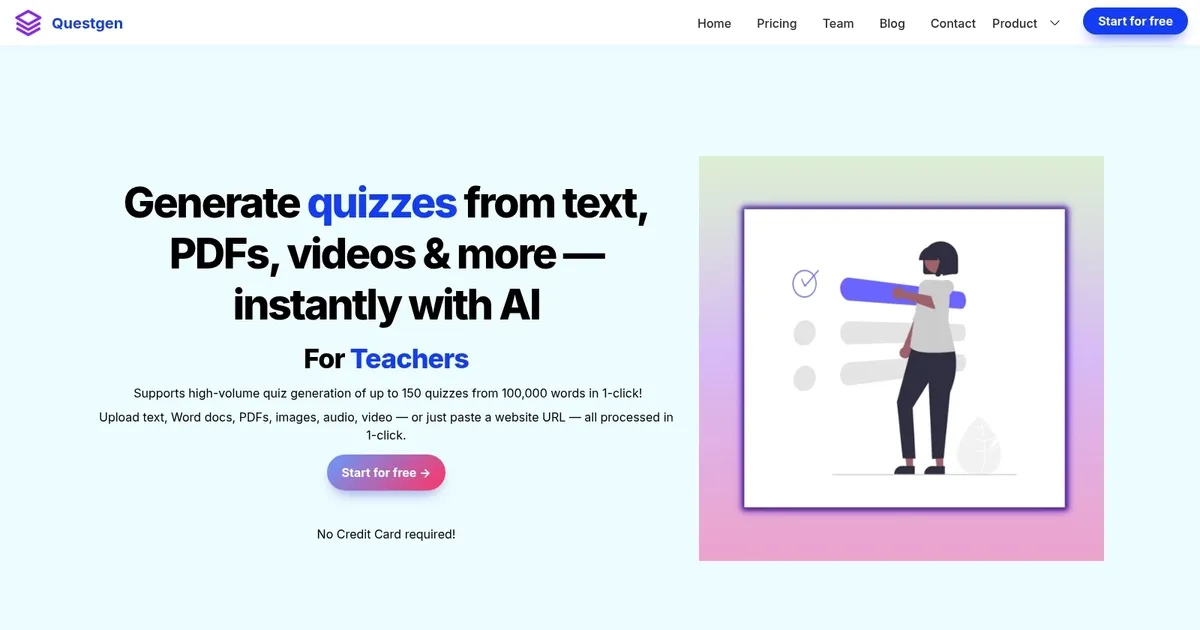
Homepage Screenshot 📸
What are the key features? ✨
- Multi-Type Question Generation: Creates MCQs, True/False, Fill-in-the-blanks, Higher-Order, Match-the-Following, and Bloom's Taxonomy questions in one process.
- Diverse Input Support: Accepts plain text, URLs, PDFs, DOCX, images, audio, and video files for quiz creation.
- High-Volume Processing: Generates up to 150 quizzes from large inputs like 100,000 words quickly.
- Editable Outputs and Exports: Allows editing of questions before exporting to PDF, Moodle XML, QTI, CSV, GIFT, AIKEN, Respondus, and more.
- Study Mode and Extras: Includes practice mode with scoring plus similar-question generator and news-to-quiz features.
Who is it for? 🤔
Examples of what you can use it for 💡
- Teacher: Quickly turns textbook chapters or lecture notes into mixed quizzes for class review or homework.
- HR Specialist: Generates policy understanding assessments from training manuals or compliance PDFs for employee onboarding.
- Student: Converts study articles, video lectures, or textbook images into practice quizzes with instant feedback in study mode.
- EdTech Developer: Builds question banks from web content or news for adaptive learning modules or apps.
- Publisher: Creates varied assessments from manuscripts or current events for educational materials and workbooks.
Pros & Cons ⚖️
- Fast high-volume generation
- Many question types
- Flexible input sources
- Wide export compatibility
- Occasional question tweaks needed
- Interface feels dated
FAQs 💬
Ready to try Questgen?
Generates diverse quizzes and assessments instantly from text, documents, URLs, videos, or images
Visit QuestgenQuestgen alternatives 🔗