logo-darklogo-darklogo-darklogo-dark
  • Home
  • Browse
    • Assistant
    • Coding
    • Image
    • Productivity
    • Video
    • Voice
    • Writing
    • All Categories
    • AI Use Cases
  • My Favorites
  • Suggest a Tool
✕
Home › Learning & Education ›

Quizgecko

Published by Dusan Belic on July 10, 2023

Quizgecko

Quizgecko
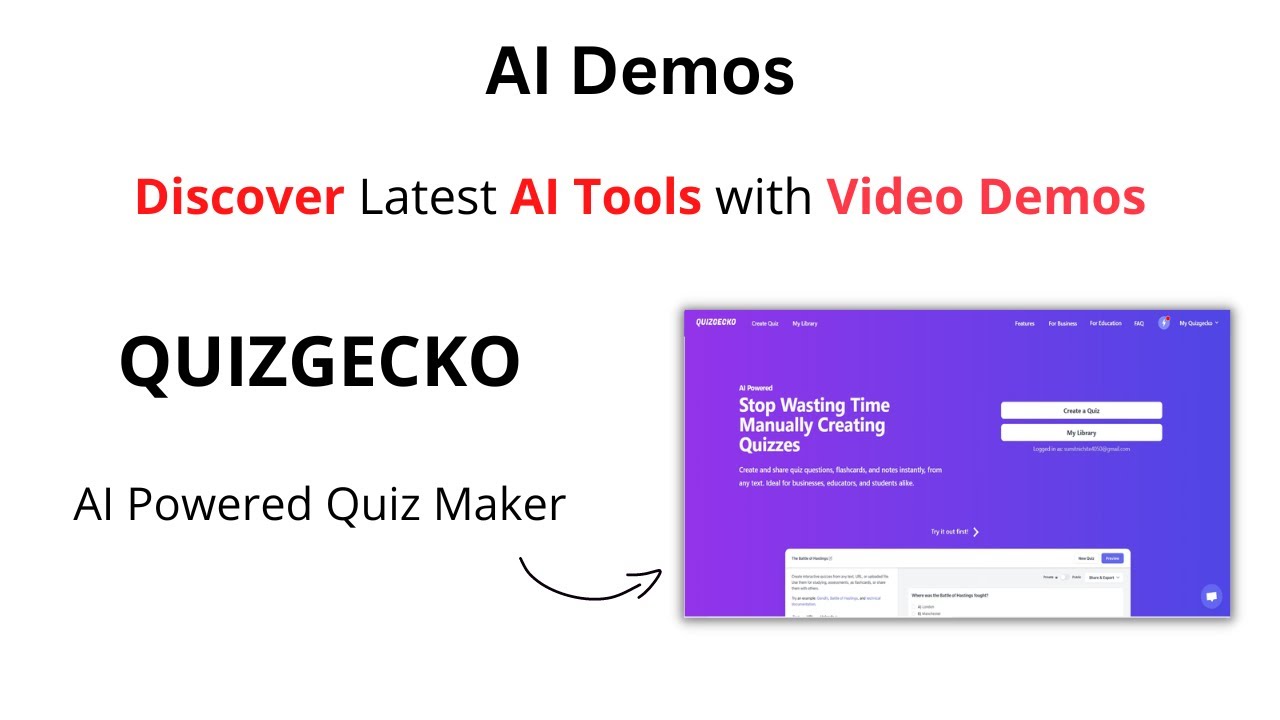
Quizgecko Homepage
Categories Learning & Education
An AI tool that lets you quickly create online quizzes

Quizgecko

Quizgecko is an online service that uses AI to generate quizzes. It works in any language and can handle all kinds of documents to do its magic — cause it really is magic.

It is up to you to upload those documents (or just one) and Quizgecko will take it from there, generating questions for online quizzes, tests and exams.

The tool works by first analyzing and extracting the key facts from any text. Then, it uses the same AI that powers ChatGPT to generate different types of questions and answers.

So, whether you have a piece of educational content, a web page, a YouTube video, or even a PDF or Word file – Quizgecko will be able to transform it into a quiz or assessment.

From there, you can customize the generated quiz by selecting the question types you prefer, setting the difficulty level, and specifying how many questions you want to include.

Yes, it’s actually that easy, and unsurprisingly, different user groups love Quizgecko. Do you need to quickly generate a quiz?

Quizgecko Homepage
Categories Learning & Education

Video Overview ▶️

What are the key features? ⭐

  • Easily make quizzes: Let AI do the hard work to help you create quizzes, exams, and assessments from your existing content. It can transform all kinds of content into a quiz, complete with answers and explanations. Upload files like PDFs, DOCs, and PPTs to create assessments and exams.
  • Publish with ease: Publish and share quizzes and tests with your team or students easily, boosting engagement and learning in no time. You can also assign quizzes to learners with a due date and time limit. Plus, there is the option to embed/add quizzes to your own website, LMS or blog. This can come in very handy for lead generation.
  • Measure performance: Reports and stats to understand how individuals and groups performed. Quizgecko's auto-grading intelligently evaluates and grades short answer questions, going the extra mile by offering valuable suggestions on how to improve and attain higher scores. Also included is AI-powered feedback, helping learners understand their mistakes and improve their performance.
  • Smart reports: See how employees or students are performing with the included smart analytics reports. This is very handy for teachers with multiple students.
  • For different users: Quizgecko is made for different kinds of users. Businesses could use it to easily create assessments to boost knowledge and evaluate skills, educators - to elevate their teaching with the power of AI, and students to learn smarter with all the usual tools plus AI.

Who is it for? 🤔

Quizgecko is made for diverse user groups. Companies use it to quickly create assessments to boost knowledge and evaluate skills. Whether it's for delivering training, developing courses, or certification - Quizgecko can handle it all. Then, there are (obviously) educators who can elevate their teaching with AI-powered quizzes, assessments, and exam generation. The tool saves them time on content creation, grading, and enhancing student engagement. Finally, we'll (naturally) mention students who use Quizgecko to learn smarter with AI-generated quizzes, flashcards, and notes tailored to their unique learning needs. The tool can save their time, boost retention, and help them ace their exams with ease.

Examples of what you can use it for 💭

  • Create different quizzes with ease
  • Educate your workforce (for companies)
  • Learn smarter with the help of AI (for students)
  • Instantly grade students with Quizgecko's auto-grading feature

Pros & Cons ⚖️

  • It's amazing how quickly it can create quizzes
  • It can create a quiz from different files, as well as web pages and YouTube videos
  • Not just for educators
  • Integration with Office apps would be nice
FAQs 💬

What types of content can I use to generate quizzes and courses with Quizgecko?
You can upload PDFs, Word documents, text files, paste web links, or add YouTube videos, and the AI turns them into interactive quizzes, flashcards, notes, and podcasts.
Does Quizgecko support different question formats?
Yes, it generates multiple choice, true/false, short answer, fill-in-the-blank, and matching questions to suit various testing needs.
Can I customize the materials Quizgecko creates?
Absolutely, you can edit questions, change difficulty levels, reorganize modules, add or remove activities, and tailor the content to fit your goals.
Is Quizgecko suitable for exam preparation?
It works well for high-stakes exams like MCAT, USMLE, NCLEX, and bar exams since it creates targeted practice from your study materials.
How does Quizgecko help teachers or educators?
Teachers save time by turning lesson content into ready-to-use quizzes, courses, and assessments that engage students with interactive elements.
Does the platform provide any progress tracking?
Yes, detailed analytics show quiz scores, completion rates, engagement, and learning progress so users can focus on weak areas.
Can I share the courses or quizzes I create?
You can share via direct links, embed on websites, export to LMS platforms, or invite students to join classrooms.
Is there a mobile option for using Quizgecko?
The mobile app lets you access tools, take photos of notes or books, and generate quizzes anywhere.
What makes Quizgecko different from basic quiz makers?
It builds full structured courses with multiple activity types including podcasts, spaced repetition hints, and personalized feedback, not just standalone quizzes.
Who typically uses Quizgecko besides students?
Tutors, corporate trainers, and businesses use it for onboarding, professional development, compliance training, and knowledge checks.

Related tools ↙️

  1. GPT Subtitler GPT Subtitler Translates subtitles and transcribes audio using AI models
  2. BeFreed BeFreed Transforms books and content into bite-sized, personalized learning formats
  3. Wordly Wordly An AI-powered translation platform designed to make meetings and events more inclusive
  4. Synthesis Tutor Synthesis Tutor Show your child they can learn anything with the educational AI tool that actually works
  5. Symbolab Symbolab Solves math problems with step-by-step explanations
  6. Magic School AI Magic School AI An online platform for educators, offering a wide array of tools to enhance teaching efficiency
Last update: January 5, 2026
Share
Promote Quizgecko
light badge
Copy Embed Code
light badge
Copy Embed Code
light badge
Copy Embed Code
About Us | Contact Us | Suggest an AI Tool | Privacy Policy | Terms of Service

Copyright © 2026 Best AI Tools
415 Mission Street, 37th Floor, San Francisco, CA 94105