logo-darklogo-darklogo-darklogo-dark
  • Home
  • Browse
    • Assistant
    • Coding
    • Image
    • Productivity
    • Video
    • Voice
    • Writing
    • All Categories
    • AI Use Cases
  • My Favorites
  • Suggest a Tool
✕
Home › Image Generation & Editing ›

Slazzer

Published by Dusan Belic on July 10, 2023

Slazzer

Slazzer
Slazzer Homepage
Categories Image Generation & Editing
Remove the background from any image and replace it automatically

Slazzer

Slazzer is an AI-powered background removal service, specialized in automatically detecting and eliminating the background from images with high precision, leaving a smooth and clear cutout of the subject.

This service is designed to handle complex edges and details such as hair or fur efficiently, making it suitable for various use cases, including personal projects, e-commerce, photography, news & media, advertising, car dealerships, and more. Additionally, Slazzer offers a range of products and integrations, such as an unlimited background remover desktop app for Windows and Linux, an On-Prem REST API for processing an unlimited number of images from one’s own server, and integration tools for various platforms to streamline users’ workflows.

Key features of Slazzer include its ability to process millions of background removals every month with a claim of maintaining 100% GDPR compliance and ensuring user data privacy. The service also provides an easy-to-use online interface where users can upload images to have their backgrounds removed automatically within seconds.

For more extensive needs, Slazzer offers a desktop application that supports dragging and dropping thousands of images for batch processing, as well as API documentation for developers looking to integrate Slazzer’s capabilities into their projects directly.

The platform supports various applications, offering high-quality cutouts of people, products, cars, animals, graphics, real estate, and more, making it a versatile tool for various professional and casual needs.

Slazzer Homepage
Categories Image Generation & Editing

Video Overview ▶️

What are the key features? ⭐

  • Background removal: Automatically removes backgrounds from images using advanced AI.
  • Bulk Processing: Slazzer can handle multiple images simultaneously, making it efficient for large projects.
  • Desktop Applications: Available for Windows, Mac, and Linux to allow users to process images offline.
  • Integrated: The tool is compatible with popular design tools and eCommerce platforms to streamline workflows.
  • High accuracy: It is capable of handling complex edges like hair and fur, while still providing precise results.

Who is it for? 🤔

Slazzer is targeted at businesses and individuals in e-commerce, marketing, photography, graphic design, and real estate. It is ideal for those needing to process and enhance large volumes of images quickly. The platform is beneficial for both professionals and hobbyists looking to improve their visual content with minimal effort.

Examples of what you can use it for 💭

  • Enhances product images in online stores by removing backgrounds
  • Create professional-looking promotional materials by replacing backgrounds
  • Photographers can use it to quickly edit and enhance photos by removing unwanted backgrounds
  • Assists designers get to create clean and polished visuals for various projects
  • Real estate firms can improve property images by removing and replacing backgrounds for a clearer presentation

Pros & Cons ⚖️

  • Makes it easy to remove and change backgrounds
  • Batch support means you can do that with multiple images at once
  • Great for real estate firms
  • There are AI tools packing more features
FAQs 💬

What does Slazzer actually do?
Slazzer uses AI to automatically remove image backgrounds in seconds, delivering clean cutouts with transparent results, and it also includes extra tools like AI upscale, enhance, relight, shadow generation, sky replacement, and old photo restoration.
How accurate is the background removal on tricky details like hair or fur?
It handles complex edges such as hair, fur, and fine details quite well, often impressing users in 2025 tests for precision where many competitors struggle, though very intricate or low-contrast shots might still need minor touch-ups.
Is there a free way to try Slazzer?
Yes, basic background removal works automatically for free right on the website, making it easy to test quality before considering any upgrades for higher volume or advanced features.
Does Slazzer support batch processing for lots of images?
Absolutely, the desktop app (available for Windows, Mac, and Linux) lets you drag and drop thousands of photos for bulk background removal, which suits e-commerce sellers, photographers, and designers who process high volumes.
Can I use Slazzer on mobile devices?
Yes, there's a dedicated mobile app for both Android and iOS that brings core editing features like background removal, upscale, and more, so you can edit on the go without needing a computer.
What kinds of integrations does Slazzer offer?
It provides plugins for popular design tools like Photoshop, e-commerce platforms such as WooCommerce, and a straightforward API that developers use to add background removal directly into apps or workflows.
How fast is the processing time?
Most single images process in just a few seconds thanks to the AI, and batch jobs stay efficient even with hundreds or thousands of files through the desktop version.
Is Slazzer suitable for professional product photography?
Definitely, many e-commerce users and marketers rely on it for clean product cutouts, realistic shadow generation, and quick enhancements that help listings look polished without manual editing.
Does Slazzer work well compared to tools like Remove.bg or Photoroom?
In recent side-by-side tests, Slazzer often stands out for edge accuracy on detailed subjects and strong batch handling, though each tool has its strengths depending on whether you prioritize speed, all-in-one editing, or simplicity.
What file formats can I upload to Slazzer?
It supports common formats like JPG, PNG, and JPEG, letting you upload directly from your device, paste from clipboard, or drag and drop for instant processing.

Related tools ↙️

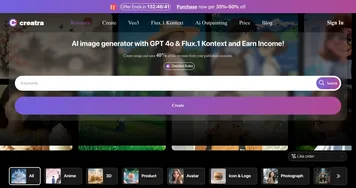
  1. Creatra Art Creatra Art Generate stunning images with AI to earn income effortlessly.
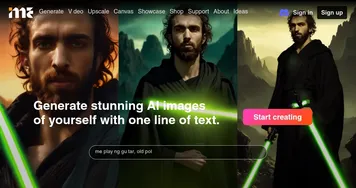
  2. ImagineMe ImagineMe Generate stunning AI images of yourself with one line of text
  3. FunFun Art FunFun Art An AI-powered platform that enables users to effortlessly generate images and videos
  4. The Influencer AI The Influencer AI Generates consistent AI influencers for photos, videos, and product integrations
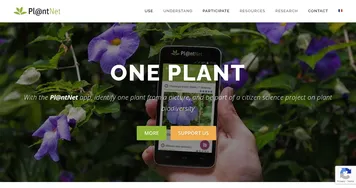
  5. PlantNet PlantNet Identifies plants from photos, contributing to biodiversity research
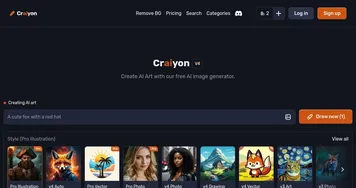
  6. Craiyon Craiyon An AI model that can draw images from any text prompt
Last update: January 5, 2026
Share
Promote Slazzer
light badge
Copy Embed Code
light badge
Copy Embed Code
light badge
Copy Embed Code
About Us | Contact Us | Suggest an AI Tool | Privacy Policy | Terms of Service

Copyright © 2026 Best AI Tools
415 Mission Street, 37th Floor, San Francisco, CA 94105