logo-darklogo-darklogo-darklogo-dark
  • Tool Categories
    • ๐ŸŽจArt & Creative Design505
    • ๐ŸขBusiness Management644
    • ๐Ÿ’ปCoding & Development515
    • ๐Ÿ‘ฎDetection83
    • ๐Ÿง General Use727
    • ๐ŸฅHealth & Wellness55
    • ๐Ÿ“ทImage & Photo Analysis100
    • ๐Ÿ–ผ๏ธImage Generation & Editing618
    • ๐Ÿ“Interior & Architectural Design37
    • ๐ŸŽ“Learning & Education483
    • โš–๏ธLegal & Finance90
    • ๐ŸŽญLifestyle & Entertainment236
    • ๐Ÿ“ขMarketing & Advertising627
    • ๐ŸŽงMusic & Audio138
    • ๐Ÿ‘”Office & Workplace1,014
    • ๐Ÿ”ฌResearch & Data Analysis372
    • ๐Ÿ‘ฅSocial Media245
    • ๐ŸŽฅVideo Generation & Editing426
    • ๐Ÿ‘ง๐ŸปVirtual Companion135
    • ๐ŸŽคVoice Generation & Editing381
    • โœ๏ธWriting & Editing808
    • All Categories
    • AI Use Cases
  • News
  • Events
    • Academic Conferences
    • Developer Conferences
    • Expos / Trade Shows
    • Industry Summits
    • Workshops / Training
    • All Events
    • Past Events
  • Saved Tools
  • Suggest a Tool
โœ•
Home › Image & Photo Analysis › Image Recognition› PlantNet
PlantNet

PlantNet

Identifies plants from photos, contributing to biodiversity research

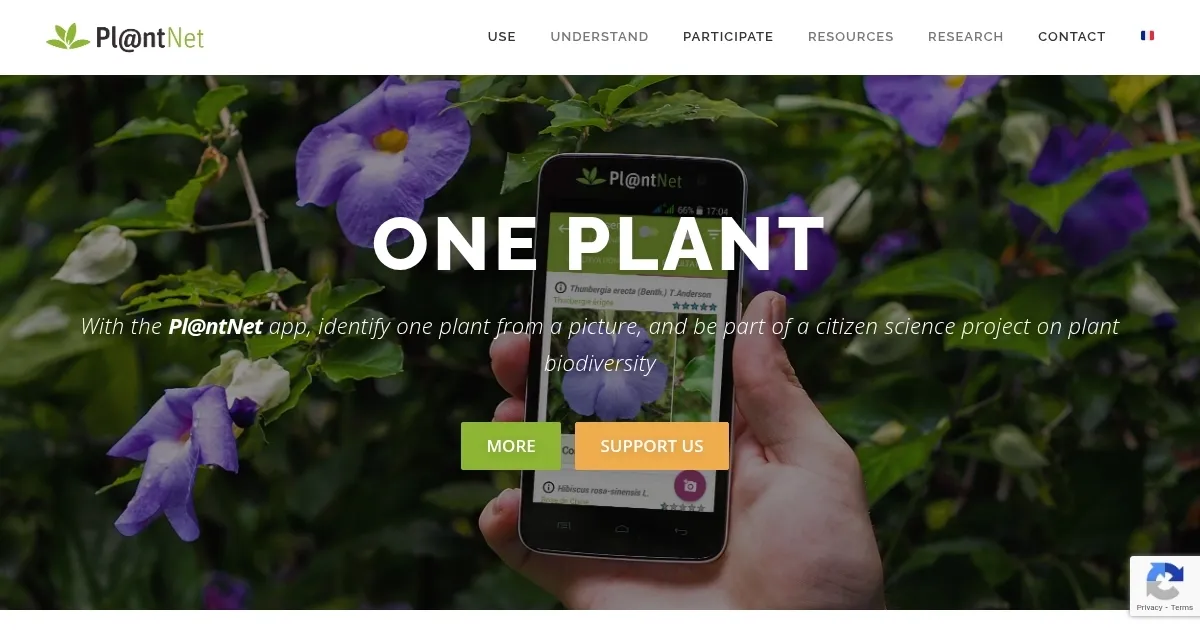
PlantNet, or Pl@ntNet, is a citizen science platform using AI to identify plants from user-submitted photos, contributing to a global biodiversity database. Launched in 2009 by French research institutes like CIRAD, INRIA, and Tela Botanica, it supports over 27,000 species and has been downloaded over 20 million times across 180 countries. Available on iOS, Android, and the web –ย it’s free and supports 44 languages.

The core functionality is image-based plant identification. Users photograph a plant part — leaf, flower, fruit, or bark — and the AI, powered by machine learning and deep learning, matches it against a database of over a billion images. Results include a confidence score and similar species for comparison. The 2025 update added offline identification and an enhanced genus/family explorer. Users can select regional floras, like Tropical Andes or World Flora, for more accurate results. The app retrains its AI monthly using community-validated observations.

Pl@ntNet’s community features allow users to share, review, and re-identify observations, with experienced users’ votes carrying more weight. Integration with the Global Biodiversity Information Facility (GBIF) ensures data contributes to scientific research. The app also offers mapping of observations and links to species factsheets. A 2018 study used Pl@ntNet data for ecological research, and in 2020, it won an Inria innovation award.

Compared to PictureThis, which offers premium features like detailed guides, or iNaturalist, which includes animals, Pl@ntNet is fully free but less polished. It struggles with blurry or low-information images, and some users report misidentifications for rare species. The web version is less intuitive than the mobile app.

The app’s strengths include its accessibility, scientific credibility, and offline mode. Weaknesses include occasional inaccuracies and a basic interface. For best results, use clear photos, select the appropriate plant part, and enable location sharing to contribute to biodiversity mapping.

Visit PlantNet ↗
Categories
๐Ÿ“ท Image Analysis
๐Ÿ‘๏ธ Image Recognition ๐Ÿ—ฃ๏ธ Image Describing
๐ŸŽ“ Education
๐Ÿ“– Knowledge Base โ“ Answer
๐Ÿ”ฌ Research
๐Ÿ”ฌ Research

Homepage Screenshot 📸

PlantNet screenshot

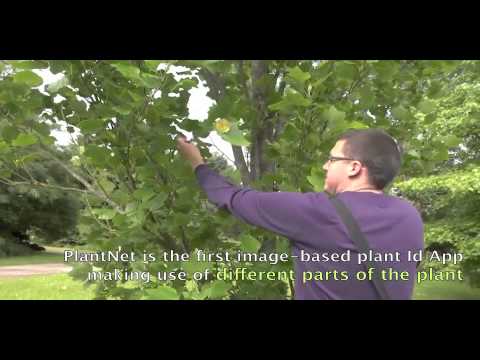
Video Overview 🎬

PlantNet - Video Overview

What are the key features? ✨

  • Image Recognition: Identifies plants from photos using AI trained on over a billion images.
  • Multi-Flora Search: Searches across all floras for plants when region is unknown.
  • Offline Mode: Allows plant identification without internet using the 2025 model.
  • Community Validation: Users review and confirm observations to improve AI accuracy.
  • GBIF Integration: Contributes user data to a global biodiversity database.

Who is it for? 🤔

Pl@ntNet is made for nature enthusiasts, amateur botanists, hikers, gardeners, and educators curious about plants or wanting to contribute to biodiversity research. Its free access and simple interface suit casual users, while its scientific backing and community features appeal to those interested in citizen science, regardless of expertise level.

Examples of what you can use it for 💡

  • Hiker: Identifies wild plants on trails to learn about local flora.
  • Gardener: Checks if a backyard plant is native or invasive before removal.
  • Teacher: Uses the app to teach students about plant species in biology class.
  • Researcher: Contributes photos to map biodiversity in a specific region.
  • Traveler: Identifies exotic plants while exploring new countries.

Pros & Cons ⚖️

  • Free to use with no premium tiers.
  • Supports 44 languages for global access.
  • Offline mode for remote use.
  • Contributes to scientific research.
  • Less polished interface.
  • Occasional misidentifications.

FAQs 💬

What is Pl@ntNet?
Pl@ntNet is a free app and web tool that uses AI to identify plants from photos and supports biodiversity research.
Is Pl@ntNet free to use?
Yes, Pl@ntNet is completely free with no premium tiers, unlike some competitors.
What devices support Pl@ntNet?
Itโ€™s available on iOS, Android, and as a web version at identify.plantnet.org.
Does Pl@ntNet work offline?
The 2025 update includes an offline mode for plant identification without internet.
How accurate is Pl@ntNet?
Accuracy depends on photo quality and species rarity, with community validation improving results.
Can I contribute to science with Pl@ntNet?
Yes, sharing observations with GPS data contributes to the GBIF biodiversity database.
What types of plants can Pl@ntNet identify?
It identifies flowers, trees, herbs, ferns, cacti, and more, covering over 27,000 species.
Does Pl@ntNet support multiple languages?
Yes, itโ€™s available in 44 languages, including English, Spanish, and Arabic.
How do I improve identification accuracy?
Use clear photos, focus on key plant parts (leaf, flower, fruit), and select the correct flora.
Can I use Pl@ntNet for non-native plants?
Yes, the multi-flora search or World Flora option helps identify plants from any region.

Ready to try PlantNet?

Identifies plants from photos, contributing to biodiversity research

Visit PlantNet ↗

PlantNet alternatives 🔗

  1. Hugging Face Hugging Face Hosts and collaborates on machine learning models, datasets, and apps
  2. Vecteezy AI Vecteezy AI A reverse image search engine that generates related and fully licensable similar images
  3. DeepAI DeepAI Generates images, videos, text, and music from simple text prompts
  4. Google Lens Homework Google Lens Homework A mobile app that uses AI to help students by providing visual explanations of concepts
  5. PictureThis PictureThis Identifies plants from photos, offering care tips and species info
  6. What Font Is What Font Is Identify a font from any image
Share
PlantNet screenshot enlarged
Promote PlantNet
light badge
Copy Embed Code
dark badge
Copy Embed Code
neutral badge
Copy Embed Code
Best AI Tools

Discover the best AI tools for any use case

Explore
  • Tool Categories
  • AI Use Cases
  • AI Events
  • AI News
  • Saved Tools
Company
  • About Us
  • Contact Us
  • Media & Partnerships
  • Suggest a Tool
Legal
  • Privacy Policy
  • Terms of Service
Copyright © 2026 Best AI Tools 415 Mission Street, 37th Floor, San Francisco, CA 94105