logo-darklogo-darklogo-darklogo-dark
  • Home
  • Browse
    • Assistant
    • Coding
    • Image
    • Productivity
    • Video
    • Voice
    • Writing
    • All Categories
    • AI Use Cases
  • My Favorites
  • Suggest a Tool
✕
Home › Voice Generation & Editing ›

SpeechGen

Published by Dusan Belic on July 10, 2023

SpeechGen

SpeechGen
SpeechGen Homepage
Categories Voice Generation & Editing
Insert any text to generate speech and download audio MP3 or WAV for any purpose

SpeechGen

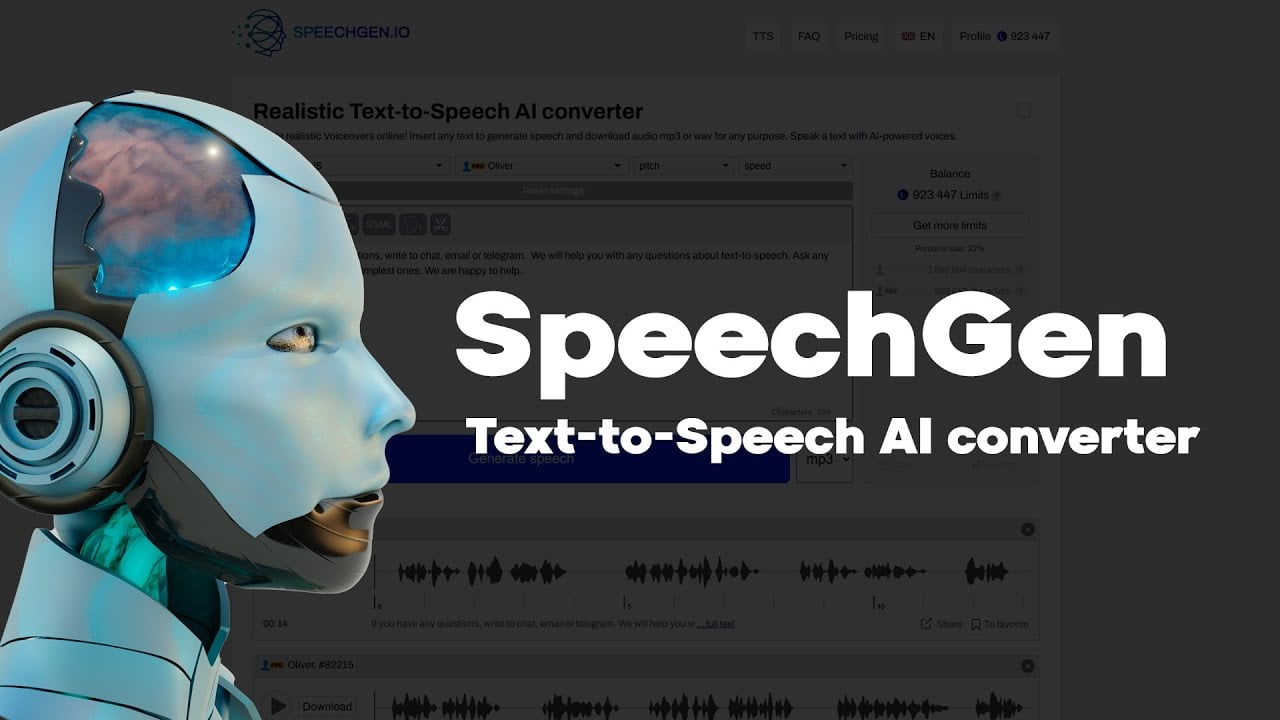
SpeechGen is a state-of-the-art AI-powered Text-to-Speech (TTS) converter that enables users to turn written text into highly realistic speech. It supports a wide array of languages and dialects, including various forms of English (US, UK, Australia, Canada, etc.), along with other languages such as Arabic, Chinese, Spanish, French, and many more — totaling more than 76 languages.

In addition, users can select from a vast list of voices — including different male and female timbres — to match the desired tone and context of their speech output. In that sense, SpeechGen is designed for a broad range of applications, from creating voiceovers for videos, ads, and social media content to generating speech for e-learning materials, podcasts, and public announcements.

Beyond simple text-to-speech conversion, the tool offers custom voice settings allowing users to adjust speech speed, pitch, intonation, and add pauses to achieve the desired effect. It also supports Speech Synthesis Markup Language (SSML) for more advanced voice control, including emphasis and phoneme adjustments.

The generated voiceovers can be used for commercial purposes, making it a valuable tool for content creators, marketers, educators, software developers, and others needing high-quality speech synthesis.

Finally, we should mention that SpeechGen provides an intuitive interface, making it accessible for both beginners and professionals to generate realistic voiceovers quickly and efficiently.

SpeechGen Homepage
Categories Voice Generation & Editing

Video Overview ▶️

What are the key features? ⭐

  • Realistic AI voices: Converts text to speech using advanced AI to create natural-sounding human voices, including various accents and languages.
  • Multi-voice editor: Allows the use of multiple voices in a single project, which could be perfect for creating dialogues or complex audio projects.
  • Custom voices: Users can adjust speed, pitch, stress, and other parameters to fine-tune the generated speech.
  • Batch processing: Supports the conversion of large texts, up to 2,000,000 characters, in one go.
  • Commercial use: The generated audio can be used for commercial purposes, including social media, advertising, and educational content.

Who is it for? 🤔

SpeechGen is designed for content creators, marketers, educators, and businesses needing high-quality text-to-speech conversion. It caters to those looking to enhance their videos, advertisements, educational materials, and public announcements with realistic AI-generated voices. The platform is also useful for podcasters and individuals aiming to improve accessibility and engagement through audio content.

Examples of what you can use it for 💭

  • Create voiceovers for YouTube, TikTok, and other social media platforms
  • Enhance learning materials by converting text to speech for instructional videos and language learning
  • Generate realistic voiceovers for video ads, promotional content, and creative marketing campaigns
  • Generate announcements in public places like airports, bus stations, and stadiums
  • Convert text content into podcasts, broadening the reach of written material by making it accessible in audio format

Pros & Cons ⚖️

  • Makes it easy to create voiceovers
  • Great for TikTokers, YouTubers, and others looking to add voice to their clips
  • You can create custom voices
  • There are some limitations in voice variety

FAQs 💬

What is SpeechGen mainly used for?
SpeechGen converts text into realistic AI voiceovers for videos, podcasts, e-learning, presentations, social media content, audiobooks, and more.
How many languages does SpeechGen support?
It supports over 150 languages and various accents, covering a wide global range from English (US/UK) to Arabic, Chinese, Hindi, Japanese, and many others.
How many AI voices are available?
There are over 1000 natural-sounding voices, including male, female, child, and elderly options across different styles and qualities.
Can I create dialogues with multiple voices?
Yes, the multi-voice editor allows you to use several different AI voices in one text, perfect for conversations, interviews, or storytelling.
Does SpeechGen support long text files?
It handles up to 2,000,000 characters in a single conversion (depending on your limits), making it suitable for books, articles, or large scripts.
What file formats can I download?
Audio generates in MP3, WAV, and OGG formats, compatible with most video and audio editing tools.
Can I adjust how the voice sounds?
Yes, you can fine-tune speed, pitch, intonation, emphasis, pauses, and more, with full SSML support for advanced control.
Is there support for subtitles or documents?
The tool converts SRT subtitles to timed voiceovers, plus PDFs and DOCx files directly into audio.
Who typically uses SpeechGen?
Video creators, educators, marketers, podcasters, students, developers, and animators use it for quick, affordable voice content.
Does it work well for commercial projects?
Yes, generated audio supports commercial use, including YouTube, TikTok, ads, e-books, and presentations.

Related tools ↙️

  1. Outcast Outcast Transforms audio/video into clips, notes, and posts using AI
  2. Wave Wave Records, transcribes, and summarizes audio for efficient note-taking
  3. AiVOOV AiVOOV Converts text to natural-sounding speech with AI voices in multiple languages
  4. Millis AI Millis AI Builds advanced voice agents with ultra-low latency for natural conversations
  5. Vogent Vogent Builds intelligent voice AI agents for automating phone calls and conversations
  6. Abridge Abridge A cutting-edge tool that turns doctor-patient talks into clear, organized notes in real-time
Last update: January 13, 2026
Share
Promote SpeechGen
light badge
Copy Embed Code
light badge
Copy Embed Code
light badge
Copy Embed Code
About Us | Contact Us | Suggest an AI Tool | Privacy Policy | Terms of Service

Copyright © 2026 Best AI Tools
415 Mission Street, 37th Floor, San Francisco, CA 94105