logo-darklogo-darklogo-darklogo-dark
  • Tool Categories
    • 🎨Art & Creative Design505
    • 🏢Business Management644
    • 💻Coding & Development515
    • 👮Detection83
    • 🧠General Use727
    • 🏥Health & Wellness55
    • 📷Image & Photo Analysis100
    • 🖼️Image Generation & Editing618
    • 📐Interior & Architectural Design37
    • 🎓Learning & Education483
    • ⚖️Legal & Finance90
    • 🎭Lifestyle & Entertainment236
    • 📢Marketing & Advertising627
    • 🎧Music & Audio138
    • 👔Office & Workplace1,014
    • 🔬Research & Data Analysis372
    • 👥Social Media245
    • 🎥Video Generation & Editing426
    • 👧🏻Virtual Companion135
    • 🎤Voice Generation & Editing381
    • ✍️Writing & Editing808
    • All Categories
    • AI Use Cases
  • News
  • Events
    • Academic Conferences
    • Developer Conferences
    • Expos / Trade Shows
    • Industry Summits
    • Workshops / Training
    • All Events
    • Past Events
  • Saved Tools
  • Suggest a Tool
✕
Home › Office & Workplace › Note Taking› Craft
Craft

Craft

Transforms notes into polished docs with AI and tasks

Craft is an AI-powered platform designed to enhance the way individuals and teams ideate, organize, and collaborate on their work. It caters to a range of needs, from personal project planning and habit tracking to professional document sharing and team collaboration.

The tool comes with many templates for different purposes, such as goal setting, travel planning, engineering projects, recipes, and employee handbooks — all of which are meant to streamline the process of turning an idea into action.

Craft is easy to use and comes with built-in support for collaboration. It integrates daily notes for stand-up meetings, collaborative documents for shared projects, wikis for knowledge consolidation, and the ability to link with other tools to create a unified workspace.

The tool provides visual aids like images and videos, a built-in AI assistant for summary and idea generation, interactive comments and reactions, syntax-highlighted code blocks, and structured documents for organizing related ideas.

All these features combined are meant to simplify collaboration across different time zones and geographical boundaries, making it an indispensable tool for professionals looking to streamline their workflow and foster a culture of efficient project management and teamwork.

Visit Craft ↗
Categories
👔 Work
🗒️ Note Taking 📄 Document Generation 📝 Note Generation ⚡ Work Productivity 💼 Workplace Assistant ✅ Task Management
🧠 General
✅ Productivity
✍️ Writing
🤖 Writing Assistant
🎓 Education
🗂️ Knowledge Management

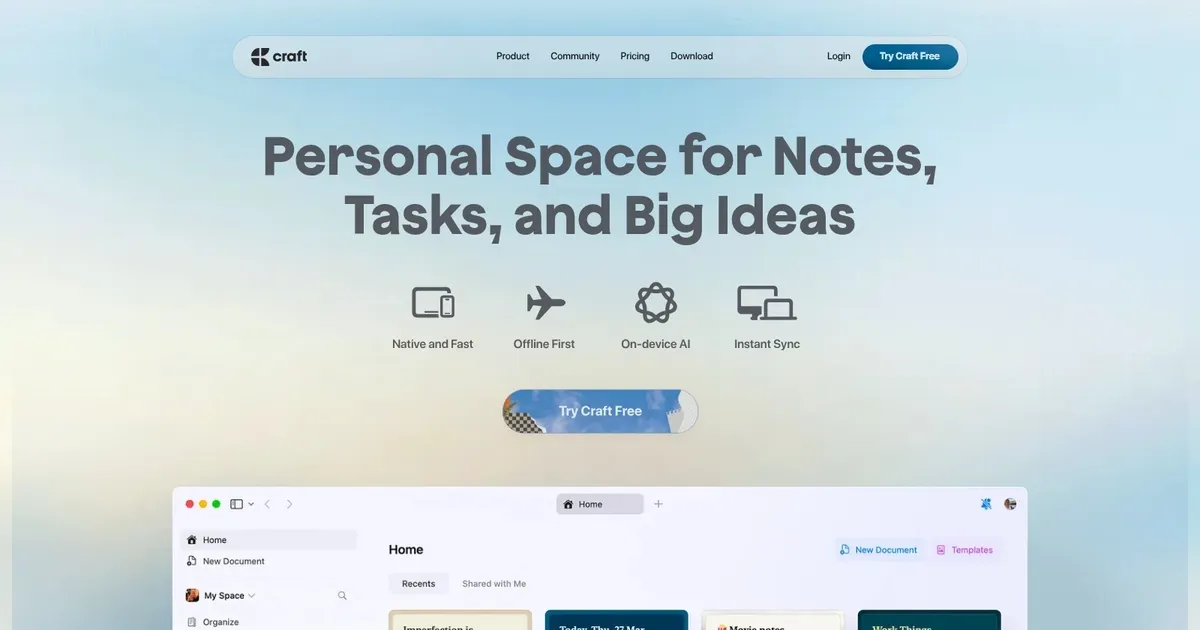
Homepage Screenshot 📸

Craft screenshot

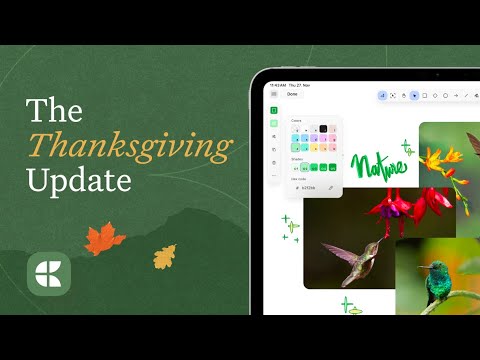
Video Overview 🎬

Craft - Video Overview

What are the key features? ✨

  • Docs: Creates polished, shareable documents from notes with rich formatting and media embeds.
  • Tasks: Embeds to-do lists and reminders directly into documents for actionable organization.
  • AI Assistant: Generates outlines, refines text, and analyzes images or PDFs using OCR.
  • Backlinks: Automatically connects related notes, building a web of interconnected ideas.
  • Calendar: Syncs tasks and events with daily notes for a unified planning view.

Who is it for? 🤔

Craft.do suits writers, creators, product managers, educators, and students who crave a beautiful, intuitive space to capture ideas, manage tasks, and collaborate without the clutter of heavier tools. If youre tired of switching between notes apps, planners, and docs, and want something that feels personal yet powerful across Apple devices, this tool empowers you to turn fleeting thoughts into structured brilliance, whether solo brainstorming or team sharing.

Examples of what you can use it for 💡

  • Writer: Drafts articles with AI outlines and backlinks to research notes for seamless flow.
  • Product Manager: Builds project roadmaps in collections, embedding tasks and calendar views.
  • Educator: Organizes lesson plans with templates, sharing interactive docs to students.
  • Student: Captures lecture notes on mobile, refining with AI for study summaries.
  • Creator: Brainstorms on whiteboards, publishing polished portfolios as web pages.

Pros & Cons ⚖️

  • Clean, intuitive UI
  • Strong AI features
  • Seamless syncing
  • Visual organization
  • Android beta lags
  • Limited databases

FAQs 💬

What makes Craft.do different from other note apps?
Craft emphasizes beautiful design and unified workflows, blending notes, tasks, and docs with AI assistance for a more joyful experience than clunky alternatives.
Does Craft.do have a free version?
Yes, the free plan includes up to 1500 blocks and core features, ideal for testing before upgrading.
Is Craft.do available on Android?
A beta version launched in late 2025 offers core functionality, with full improvements planned for 2026.
How does the AI in Craft work?
The Assistant generates content, summarizes notes, and handles OCR on images/PDFs, drawing from your docs for relevant outputs.
Can I collaborate in real-time with Craft?
Yes, shared spaces allow teams to edit docs together, with publishing for external links and analytics.
What about exporting from Craft?
Export as PDF, text, or to apps like Day One; web publishing creates trackable pages.
Does Craft support offline use?
Full offline editing on desktop and iOS, with web opt-in mode; syncs on reconnect.
How is pricing structured?
Free tier for basics, pro unlocks unlimited use and advanced features at a competitive monthly rate.
Can I integrate Craft with other tools?
New API and MCP support connections to workflows; calendar syncs with external events.
Is there a learning curve for Craft?
Intuitive for most, with tutorials; power features like collections may take a quick practice session.

Ready to try Craft?

Transforms notes into polished docs with AI and tasks

Visit Craft ↗

Craft alternatives 🔗

  1. Slack AI Slack AI Search smarter, summarize conversations instantly, and be at your most productive
  2. FigJam AI FigJam AI Instantly visualize ideas, suggest best practices, and automate tedious tasks
  3. AWS HealthScribe AWS HealthScribe Automatically create clinical notes from patient-clinician conversations using generative AI
  4. ClickUp Brain ClickUp Brain Automates workflows with contextual AI for tasks, meetings, and content creation
  5. Miro AI Miro AI Visual collaboration platform that lets you build the next big thing with a prompt and a chat
  6. Zoom AI Companion Zoom AI Companion Get high-quality results when drafting emails and chat messages, summarizing meetings and chat threads
Share
Craft screenshot enlarged
Promote Craft
light badge
Copy Embed Code
dark badge
Copy Embed Code
neutral badge
Copy Embed Code
Best AI Tools

Discover the best AI tools for any use case

Explore
  • Tool Categories
  • AI Use Cases
  • AI Events
  • AI News
  • Saved Tools
Company
  • About Us
  • Contact Us
  • Media & Partnerships
  • Suggest a Tool
Legal
  • Privacy Policy
  • Terms of Service
Copyright © 2026 Best AI Tools 415 Mission Street, 37th Floor, San Francisco, CA 94105