logo-darklogo-darklogo-darklogo-dark
  • Home
  • Browse
    • Assistant
    • Coding
    • Image
    • Productivity
    • Video
    • Voice
    • Writing
    • All Categories
    • AI Use Cases
  • My Favorites
  • Suggest a Tool
✕
Home › Productivity ›

Teal Resume Builder

Published by Dusan Belic on July 10, 2023

Teal Resume Builder

Teal
Teal Resume Builder Homepage
Categories Productivity
Create multiple versions of your resume, each catered to a specific job

Teal Resume Builder

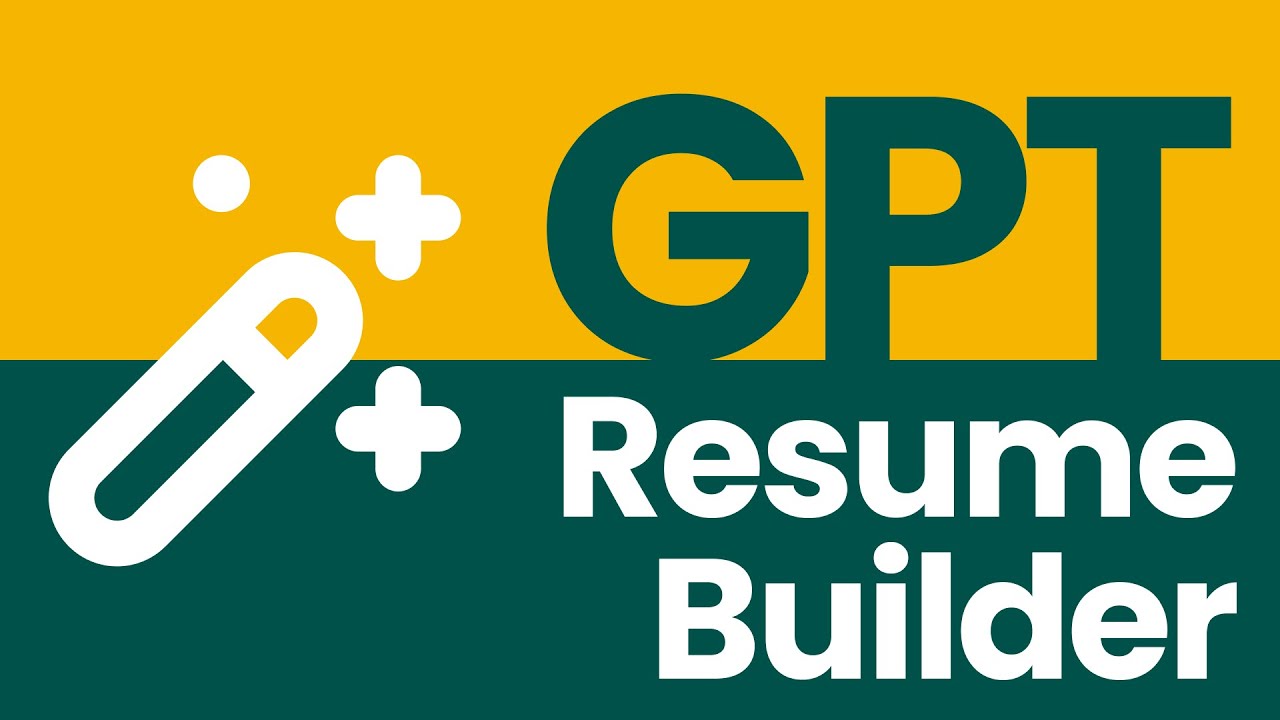
Teal’s AI Resume Builder helps job seekers create resumes that stand out with the power of AI.

The tool lets users provide their information either by uploading their existing resume or providing it with their LinkedIn profile, after which it will create a new resume and provide suggestions on how to improve it.

It also includes resume templates that comply with ATS (Applicant Tracking System) standards, which apps use to scan through resumes. By having an ATS-compliant resume, you get to clear the first hurdle.

Plus, you’ll also get tips on how to improve your resume for different positions you’re applying to.

And you’ll get to generate cover letters with ease. That’s what AI is all about.

As of October 2023, Teal’s AI Resume Builder has been used by more than 100,000 job seekers, many of whom went to interviews. So, if you are looking to change careers or want to get a better-paid position, this is the tool for you.

Teal Resume Builder Homepage
Categories Productivity

Video Overview ▶️

What are the key features? ⭐

  • Quickly create resumes: Add your information once by either uploading an existing resume or importing your LinkedIn profile and then follow the tool's advice to revamp it to work better.
  • Free resume templates: Check out the provided ATS-compliant professional resume templates, all of which have countless settings so you can add your personal style.
  • Customize and enhance with AI: Make your job search more impactful with AI-generated resume summaries, achievements, and cover letters. Speed up your resume creation process.
  • Check your resume's effectiveness: Get real-time feedback and expert tips with the resume checker. Just follow the step-by-step guidance to improve your resume quality.
  • Match your resume to job descriptions: Strengthen your resume with your keywords from job descriptions and format recommendations. Attach your desired position and the tool will highlight the job posting keywords so you can customize the perfect resume.
  • Cover letters in seconds: Use AI to merge your resume and a job description to quickly create cover letters for each job application.

Who is it for? 🤔

Teal's AI Resume Builder is (obviously) made for job seekers, allowing them to create ATS-compliant resumes with ease. It includes many free templates and will offer advice and tips as you create your resume. Also, it will help you with your cover letter or more of them - if you're applying to a few different jobs at once (cause most people do). This is where the power of AI comes in handy, as it can quickly generate multiple cover letters at once. All you have to do is provide the AI Resume Builder with basic details and it will take care of the rest. Love it.

Examples of what you can use it for 💭

  • Create a perfect resume that will land you the job you want
  • Get a detailed analysis of your resume
  • Let AI guide you on how to improve your resume
  • Generate multiple cover letters with ease

Pros & Cons ⚖️

  • Allows anyone to create a perfect resume
  • Makes cover letter writing a snap
  • Helps you land a new (better-paid) job
  • Cover letters could lack human personality (so you better double-check before sending them)

FAQs 💬

What is Teal Resume Builder?
Teal Resume Builder is a free AI-powered tool that helps users create and optimize resumes tailored to specific job descriptions. It focuses on ATS compatibility, keyword matching, and quick content generation, making it easier for job seekers to stand out in competitive markets. I think it's particularly handy for anyone overwhelmed by the application process.
Is Teal Resume Builder really free?
Yes, the core features like unlimited resume creation, basic AI analysis, and PDF/DOC exports are completely free with no restrictions. The premium Teal+ plan adds extras like unlimited advanced analysis and more templates for about $13 a week, but you don't need it to get started. Probably worth sticking to free unless you're applying to tons of jobs.
How does Teal Resume Builder ensure ATS compatibility?
It scans resumes against 15+ factors, including format and keywords from job descriptions, to give an ATS score and real-time fixes. Users report it helps avoid common pitfalls like graphics that break parsers, and recent reviews confirm it boosts pass rates in systems like Workday. Might not be perfect for every ATS, but it's solid based on what I've seen.
Can I import my existing resume or LinkedIn profile into Teal?
Absolutely, you can upload PDFs or directly import from LinkedIn to pull in your work history fast. This saves time on re-entering details, and the AI then suggests tweaks. It's a game-changer for folks switching careers who already have solid profiles elsewhere.
What kind of AI features does it offer for writing resumes?
The AI generates summaries, bullet points with metrics, and cover letters while weaving in job-specific keywords and action verbs. It also spots skill gaps and quantifies achievements. From user feedback, it cuts writing time by half, though you might need to edit for your voice.
How good is the job matching in Teal Resume Builder?
Upload a job description, and it instantly scores your resume match, pulling top skills and suggesting edits. It integrates with Teal's job tracker for side-by-side comparisons. Reviews say it helps land more interviews by making applications feel custom, but aim for 80%+ scores for best results.
What templates are available, and can I customize them?
Over 100 ATS-ready templates come free, with options to tweak fonts, layouts, colors, and sections via drag-and-drop. Premium unlocks even more designs. They're praised for being clean and professional, avoiding flashy elements that trip up recruiters.
Does Teal Resume Builder integrate with other job search tools?
Yes, it works seamlessly with Teal's job tracker, Chrome extension for saving postings, and cover letter generator. You can also link it to LinkedIn for ongoing updates. This all-in-one setup is why many call it a full job search hub, not just a builder.
What do users say about its effectiveness in getting interviews?
With 3.2 million users, it has strong ratings like 4.9/5 on Chrome Web Store. People share stories of applying to fewer jobs but getting 2-3x more callbacks thanks to tailored content. Some Reddit threads note it's hit-or-miss without premium, but overall, it speeds up the process.
Is there a learning curve for using Teal Resume Builder?
It's pretty intuitive, with guided steps from import to export, but first-timers might spend 10-15 minutes exploring. Tutorials and AI prompts help, and most reviews say it's easier than Google Docs for tailoring. If you're tech-savvy, you'll pick it up quick; otherwise, start with a simple template.

Related tools ↙️

  1. Domains GPT Domains GPT Generates brandable domain names with AI instantly
  2. Xmind AI Xmind AI An online tool that enhances mind mapping and team collaboration
  3. Flow Flow An AI-powered tool that transcribes speech into text with speed and accuracy
  4. OctoEverywhere Gadget OctoEverywhere Gadget Your AI failure detection assistant that takes action when printing failures are detected
  5. Moby by Triple Whale Moby by Triple Whale An AI tool that aims to revolutionize data management for e-commerce businesses
  6. Eightfold AI Eightfold AI A talent intelligence platform designed to transform the hiring and management processes across industries
Last update: November 25, 2025
Share
Promote Teal Resume Builder
light badge
Copy Embed Code
light badge
Copy Embed Code
light badge
Copy Embed Code
About Us | Contact Us | Suggest an AI Tool | Privacy Policy | Terms of Service

Copyright © 2026 Best AI Tools
415 Mission Street, 37th Floor, San Francisco, CA 94105