
logo-darklogo-darklogo-darklogo-dark
  • Home
  • Browse
    • Assistant
    • Coding
    • Image
    • Productivity
    • Video
    • Voice
    • Writing
    • All Categories
    • AI Use Cases
  • My Favorites
  • Suggest a Tool
✕
Home › Productivity›
Published by Dusan Belic on August 30, 2023

TinyWow by Box20

TinyWow
TinyWow Homepage
Categories Productivity
A collection of PDF, video, image, and other AI-powered online tools to make your life easier

TinyWow

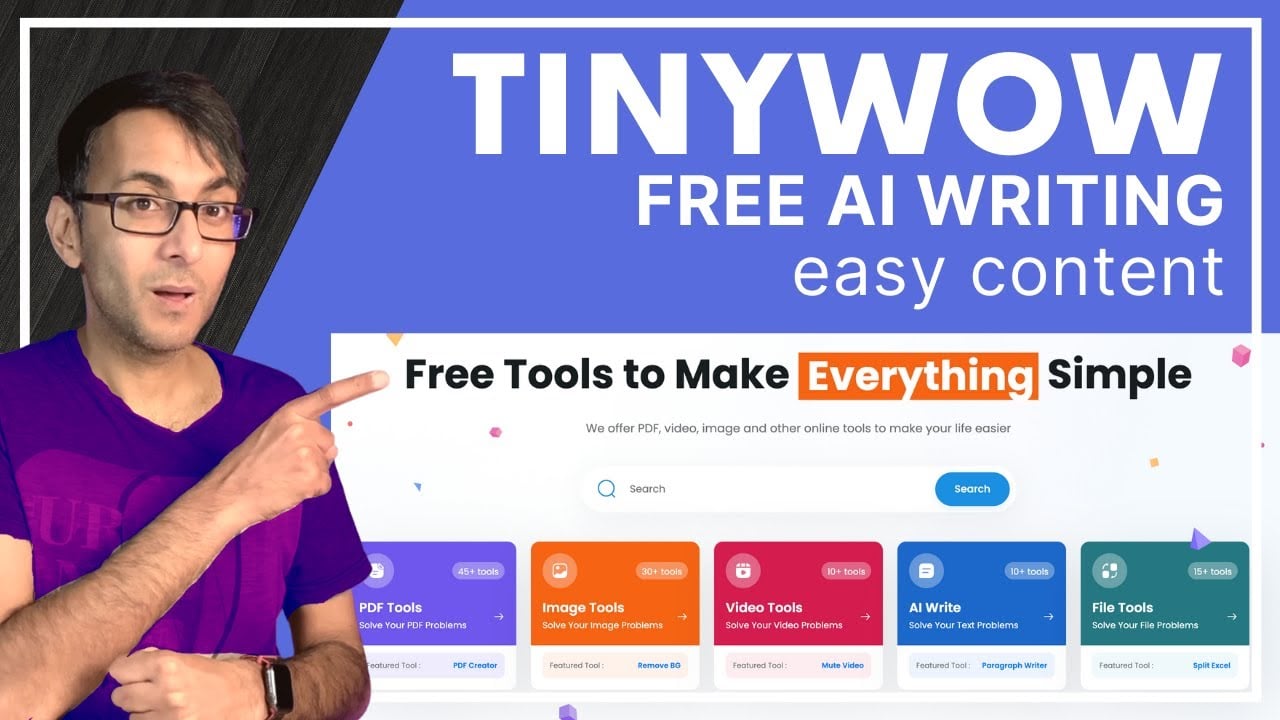
TinyWow is an online platform made to simplify various tasks related to documents, images, videos, and other files. The tool is known for its user-friendly interface and diverse toolset, which includes features for creating, editing, converting, and merging PDF files — as well as tools for editing and optimizing images, such as background removal, image generation, and compression.

In addition, TinyWow provides video tools that enable users to compress video files, convert videos into GIFs, trim videos, and convert video formats, like MP4 to MP3.

As if that’s not enough, TinyWow also includes AI-powered writing tools, such as an essay writer, content improver, paragraph writer, and sentence rewriter- designed to assist users with text-related tasks and content creation needs.

Furthermore, TinyWow offers file-related utilities like splitting CSV and Excel files, and conversions between various file formats, including Excel to PDF and XML to Excel. This wide range of tools makes TinyWow a versatile choice for students, content creators, and business owners alike, helping them to streamline daily tasks and boost productivity.

Finally, we should mention that TinyWow is web-based, making it accessible from all major browsers and compatible with both desktop and mobile devices — allowing users to access it virtually anywhere.

TinyWow Homepage
Categories Productivity

Video Overview ▶️

What are the key features? ⭐

  • PDF tools: You can create, edit, merge, and even convert PDFs to other formats like images. This is particularly useful if you need to manage a lot of documents and want to do it all in one place.
  • Image tools: The platform enables you to remove the background from an image, compress images to reduce their file size, or even generate new images.
  • Video tools: With TinyWow, you can edit and convert video files. This includes compressing video files to make them smaller, converting videos into GIFs, trimming videos to a specific length, and changing video formats.
  • AI writing tools: These tools can help you write essays, improve the content of your writing, generate paragraphs, and even rewrite sentences - making life easier for students, writers, or anyone needing assistance with creating or polishing written content.
  • File conversion tools: TinyWow allows you to convert files between different formats and split or merge files. For example, you can split CSV and Excel files, or convert files from Excel to PDF and vice versa.

Who is it for? 🤔

TinyWow's targeted market includes students, professionals, as well as casual users who require easy-to-use digital tools for managing documents, images, videos, and writing tasks. Its wide range of tools caters to the needs of students for academic work, professionals for business-related document and file management, and everyone else needing quick and simple solutions for everyday digital tasks without the complexity of specialized software.

Examples of what you can use it for 💭

  • Managing school or work documents, including editing, merging, and converting them
  • Editing images quickly for a presentation, a social media post, or anything else
  • Video editing for social media, personal projects, or something new
  • Content creation and writing assistance for different kinds of writing
  • File conversion for easier sharing and collaboration

Pros & Cons ⚖️

  • Combines multiple tools into a single site
  • Great for students and professionals alike
  • You can do cool things with TinyWow's video editing tools
  • There are definitely better tools for writing

FAQs 💬

What is TinyWow?
TinyWow is an AI-powered online platform that offers over 200 free tools for handling PDFs, images, videos, audio files, and text content. It helps users with quick conversions, edits, and creations without needing to install software, making it ideal for everyday tasks in work or school. I think it's especially handy for beginners who want something simple and fast.
Is TinyWow free to use?
Yes, the core tools are completely free with no signup required for basic access. You can process files right away, though heavy use might hit some limits on speed or ads. It probably suits most casual users just fine without extra costs.
Do I need an account to use TinyWow?
No, you don't need to create an account to start using most tools. Just upload your file and go, which keeps things quick and private. If you want to save history or access premium speeds, then signing up is an option, but it's not essential.
How does TinyWow ensure file privacy and security?
Uploaded files get deleted from their servers after one hour, and everything uses secure HTTPS uploads. They don't sell your data or files, though they do use basic analytics for site improvements. From what I've seen in reviews, it feels safe for non-sensitive stuff, but always double-check for confidential docs.
What kinds of tools does TinyWow offer?
It covers PDF editing like merging or compressing, image tweaks such as background removal or upscaling, video conversions to GIFs, AI writing for essays or summaries, and file format changes. There's even OCR to pull text from images. The variety is impressive, covers a lot of ground without overwhelming you.
Is TinyWow safe for processing sensitive documents?
It seems reliable for general use since files auto-delete quickly and no personal info is required upfront. Users on forums like Reddit often call it trustworthy for quick jobs, but for highly sensitive items, you might want offline alternatives just to be extra careful. No major breaches reported in recent checks.
Can TinyWow handle large files or high-volume tasks?
Basic free tools work well for small to medium files, but larger ones or lots of processing might slow down due to queues. Premium helps with priority, yet for everyday needs, it handles most without a hitch. I suppose it depends on your workload, but it's not built for enterprise-scale.
How accurate are TinyWow's AI writing tools?
The AI generates decent drafts for blogs, essays, or ideas, but it can sound a bit generic or miss nuances sometimes. Reviews say it's great for starters or quick outlines, though you should edit for polish. Probably not the deepest thinker out there, but solid for brainstorming.
Does TinyWow work on mobile devices?
Yes, the site is responsive and runs smoothly in any browser on phones or tablets. No app needed, which keeps it accessible. That said, tiny screens might make uploads a tad fiddly for big files, but overall, it's user-friendly on the go.
What are some common limitations of TinyWow?
Free version has ads and potential wait times during peaks, plus AI outputs aren't always super advanced. File size caps exist too, around 100MB per upload. It's fantastic for free basics, yet pros might need more robust options for complex edits.
Visit TinyWow

Related tools ↙️

  1. Pineify Pineify Generates error-free Pine Script indicators and strategies without coding
  2. Fina Money Fina Money Builds customizable AI-driven systems to track and optimize personal finances effortlessly
  3. ResuFit ResuFit Generates AI-tailored resumes, cover letters, and interview prep for job applications
  4. Oliv Oliv Automates sales workflows with AI agents for deal tracking and coaching
  5. Upwork Uma Upwork Uma Streamlines freelance hiring with AI-powered skill assessments and job creation
  6. Justt Justt Automates chargeback disputes using AI to customize evidence and boost recovery rates.
Last update: November 26, 2025
Share
Promote TinyWow
light badge
Copy Embed Code
dark badge
Copy Embed Code
neutral badge
Copy Embed Code
About Us | Contact Us | Suggest an AI Tool | Privacy Policy | Terms of Service

Copyright © 2026 Best AI Tools
415 Mission Street, 37th Floor, San Francisco, CA 94105