twee
A set of AI-powered tools for English teachers
Twee is an AI-powered tool created for English teachers that focuses on simplifying lesson planning. It does that by generating a variety of educational content, including questions for YouTube videos, dialogues, stories, letters, or articles, and assessments — such as multiple-choice and true/false questions.
All this is done to reduce lesson planning time and enhance the quality of teaching materials. The tool is customizable to different educational needs and supports interactive teaching methods, making it possible to engage students with AI-assisted content effectively.
However, as that’s the case with most AI tools, there are some things you should know. Twee’s functionality is dependent on AI accuracy, which can sometimes miss (the so-called AI hallucinations). It’s specifically tailored for English teaching, which may not directly support other subject areas. The reliance on AI-generated content might also limit the diversity of teaching materials if not supplemented with teacher-generated content.
Twee is available in free and paid plans, with the latter providing unlimited text tool runs and specified runs for media tools. In contrast, the former (free plan) offers limited runs for text and media tools.
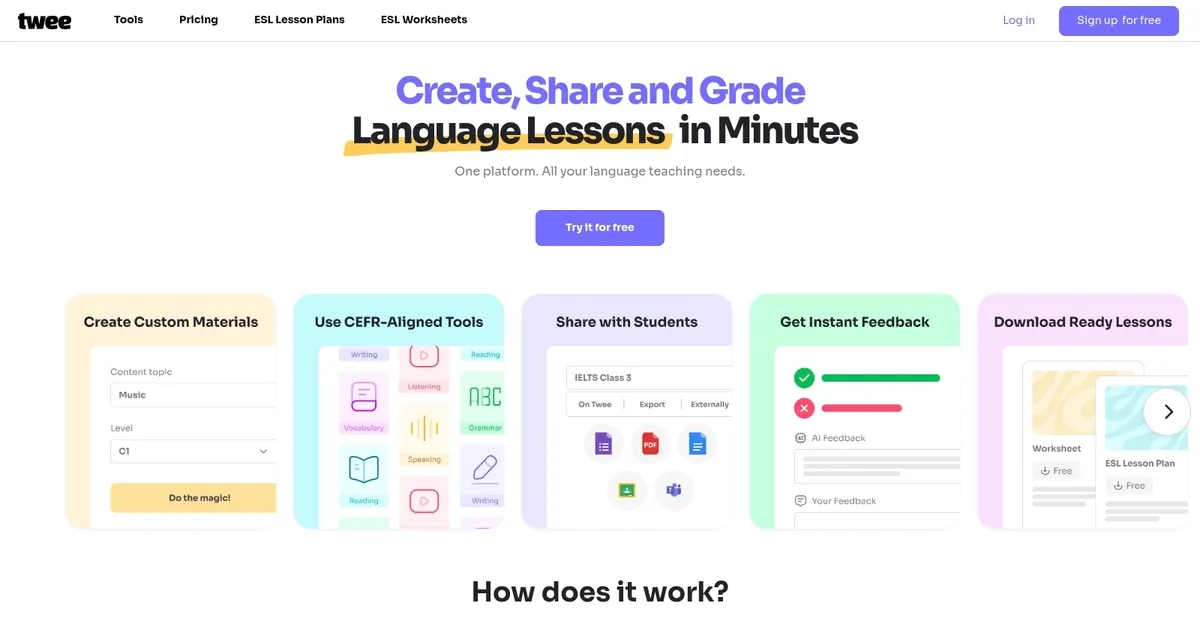
Homepage Screenshot 📸
Video Overview 🎬
What are the key features? ✨
- CEFR-Aligned Generation: Instantly creates level-appropriate texts, questions, and exercises matched to A1-C2 standards for accurate difficulty targeting.
- Media Integration Tools: Pulls transcripts and crafts listening/speaking activities from YouTube videos or audio sources automatically.
- Automatic Grading: AI evaluates student responses across question types, including open-ended answers, with instant feedback and insights.
- Export and Sharing Options: Downloads materials as PDF/Word or generates interactive links for online student completion and tracking.
- Class Management Dashboard: Organizes assignments, tracks progress, and handles student accounts in a unified platform.
Who is it for? 🤔
Examples of what you can use it for 💡
- ESL Teacher: Generates a complete B1-level lesson on travel with reading text, vocabulary exercises, discussion questions, and auto-graded writing prompts from a single topic input.
- Online Language Tutor: Creates interactive listening tasks by uploading a YouTube video link, producing transcript, comprehension questions, and speaking follow-ups for remote students.
- School Language Department: Produces customized CEFR-aligned worksheets for multiple classes, exports them as PDFs, and shares progress-tracked assignments across teachers.
- Business English Instructor: Builds role-play dialogues and email writing prompts tailored to professional vocabulary lists, with instant AI feedback on student submissions.
- Homeschool Parent: Quickly assembles fun, level-appropriate activities including word-image matching and fill-in-the-gaps for a child's self-paced language learning.
Pros & Cons ⚖️
- Saves hours on prep
- Strong CEFR accuracy
- Auto-grades responses
- Media tools shine
- Free tier limited
- Occasional generic output
FAQs 💬
twee alternatives 🔗