logo-darklogo-darklogo-darklogo-dark
  • Home
  • Browse
    • Assistant
    • Coding
    • Image
    • Productivity
    • Video
    • Voice
    • Writing
    • All Categories
    • AI Use Cases
  • My Favorites
  • Suggest a Tool
✕
Home › Video Generation & Editing ›

Vizard

Published by Dusan Belic on August 30, 2023

Vizard

Vizard
Vizard Homepage
Categories Video Generation & Editing
Turn long videos into shorter, social-ready clips with AI

Vizard

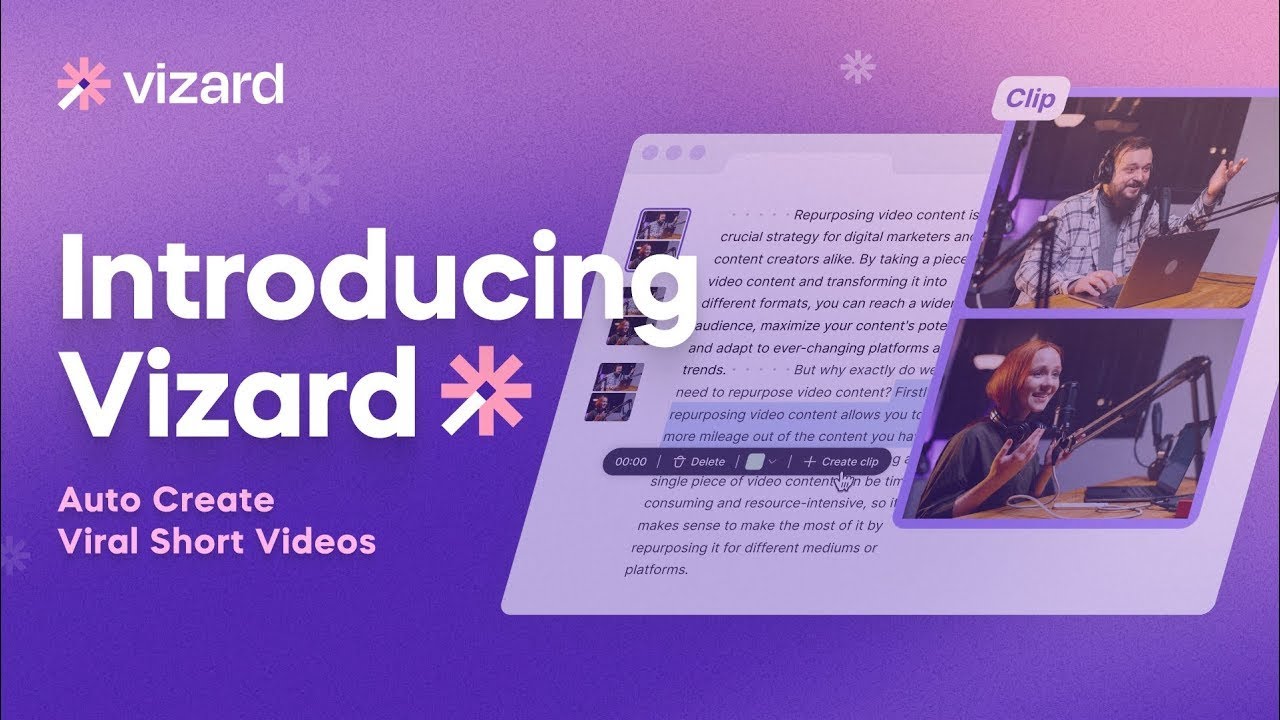
Vizard.ai is an AI-powered video editing tool designed to simplify the process of creating social-ready videos from longer footage. By leveraging advanced AI features, it automatically identifies the most engaging parts of a video and generates short clips suitable for various social media platforms.

Vizard.ai offers various editing capabilities, such as AI clipping, video transcription, subtitle generation, and video resizing, enabling users to repurpose their content efficiently and effectively. As such, it caters to a wide range of users — including marketers, creators, podcasters, coaches, educators, consultants, and agencies — allowing them to scale video production, enhance their social media presence, and engage their audiences more effectively without requiring extensive video editing experience.

Vizard.ai’s features include automatic transcription, speaker identification, and the generation of fully designed video clips ready to be shared on platforms like TikTok, YouTube Shorts, and Instagram. Additionally, it offers an intuitive video editor that supports text-based edits, caption translation, timeline editing, and the creation of brand templates.

Vizard.ai prides itself on significantly reducing the time and financial costs associated with video editing, evidenced by user testimonials highlighting increases in content views and engagement. Therefore, it represents an accessible, efficient, and versatile solution for anyone looking to maximize their video content’s impact across social media channels.

Vizard Homepage
Categories Video Generation & Editing

Video Overview ▶️

What are the key features? ⭐

  • AI clipping: Automatically identifies and clips the most interesting parts of long videos, transforming them into multiple short clips.
  • Transcription & editing: Transcribes videos and allows editing by modifying the text transcript.
  • Subtitle generation: The tool can automatically generate subtitles and translate them into over 100 languages.
  • Custom templates: You can use pre-designed or custom templates to ensure consistent branding across all videos.
  • Multi-platform support: Easily resize videos to fit different social media platforms with one click.

Who is it for? 🤔

Vizard is designed for content creators, marketers, educators, and businesses looking to maximize the impact of their video content. It caters to those who need to produce clips for social media quickly and efficiently, from individuals and small businesses to large enterprises and marketing agencies. In other words, the platform helps streamline video editing and content repurposing processes for all kinds of users.

Examples of what you can use it for 💭

  • Generate many engaging clips from webinars or promotional videos for platforms like TikTok, Instagram, and YouTube
  • Quickly turn long-form content like podcasts and interviews into digestible clips
  • Create short educational clips from longer lectures or training sessions
  • Clip and share highlights from meetings and conferences
  • Use templated designs to create cohesive promotional content

Pros & Cons ⚖️

  • Easily create viral short videos
  • Repurpose your webinars and longer videos
  • Get help conquering platforms like TikTok, Reels, and YouTube Shorts
  • Not suitable for all videos

FAQs 💬

What is Vizard?
Vizard is an AI-powered video editing tool that turns long-form videos like podcasts or webinars into multiple short, engaging clips ready for social media platforms such as TikTok, Instagram Reels, and YouTube Shorts. It automates highlight detection, captioning, and reframing to save users time while keeping content professional. I think it's especially handy for creators who want to repurpose footage without starting from scratch.
How does Vizard work?
You upload a video or paste a YouTube URL, and the AI transcribes it, identifies key moments based on speech and visuals, then generates clips with captions and adjustments for vertical formats. From there, you can tweak via a text-based editor or export directly. The process usually takes just minutes, though complex videos might need a quick manual pass.
What types of videos work best with Vizard?
It shines with talking-head content, interviews, podcasts, webinars, and tutorials where clear speech drives the narrative, as the AI relies on transcription for highlights. Action-heavy or music-focused videos might not clip as accurately, but you can always edit manually. Probably best for content creators aiming at educational or conversational shorts.
Is there a free version of Vizard?
Yes, the starter plan lets you upload up to 60 minutes of video monthly with basic features like AI clipping and exports, though clips include a watermark. It's a solid way to test without commitment, and upgrades unlock higher quality and no limits. Just note, heavy users will quickly outgrow it.
What languages does Vizard support for transcription and captions?
Vizard handles transcription and caption translation in over 100 languages, including English, Spanish, French, and more, using ISO 639-1 codes for accuracy. The AI auto-detects most spoken languages, but setting it manually helps for dialects. This makes it great for global audiences, though rare languages might need tweaks.
Can I collaborate with a team on Vizard?
Absolutely, the Team Workspace lets you invite members, share projects in real-time, and manage edits or previews collaboratively. It's ideal for agencies or marketing teams, with link sharing for external feedback too. One caveat: full collaboration is in higher plans, so solo users might not need it right away.
Does Vizard integrate with social media platforms?
You can publish clips directly to TikTok, Instagram, and YouTube Shorts, or download for others, with auto-formatting for aspect ratios like 9:16. It doesn't have deep API ties yet, but the direct export streamlines posting. Users often praise how it cuts down on reformatting headaches.
What file formats and sizes can I upload to Vizard?
It accepts common formats like MP4, MOV, and links from YouTube, Google Drive, Vimeo, or StreamYard, with a max upload of 8-10 GB depending on the plan. Videos need at least 3 minutes or 300 words transcribed for clipping, so short clips won't qualify. Always check your connection, as it's cloud-based.
Are there any copyright concerns with Vizard?
No, Vizard doesn't add copyrighted elements; it only edits your uploaded content, so issues depend on your original footage. Just ensure you own rights to the video and any music used, as fair use applies per platform rules. The tool itself is safe for repurposing your own work.
How accurate is Vizard's AI for detecting highlights?
The AI spots engaging moments via semantic cues, text on screen, and topic shifts, often nailing 80-90% for speech-heavy videos based on user feedback. It might miss nuances in fast-paced or noisy audio, requiring manual selection, but that's rarer now with updates. Overall, it boosts efficiency without perfection every time.

Related tools ↙️

  1. CapCut Creative Suite CapCut Creative Suite Online creative suite for everyone to create stunning images and videos
  2. Pika Pika An AI-powered design platform that can translate your ideas into engaging videos
  3. Pencil Pencil Creates AI-generated ads to boost performance for marketers
  4. CopyCopter CopyCopter Converts long text into engaging short videos in minutes
  5. xpression camera xpression camera A virtual camera app that allows users to transform into anyone or anything with a face
  6. AI Face Swap AI Face Swap An online tool designed for easy and fun face-swapping experiences
Last update: December 2, 2025
Share
Promote Vizard
light badge
Copy Embed Code
light badge
Copy Embed Code
light badge
Copy Embed Code
About Us | Contact Us | Suggest an AI Tool | Privacy Policy | Terms of Service

Copyright © 2026 Best AI Tools
415 Mission Street, 37th Floor, San Francisco, CA 94105