Skip to content
logo-darklogo-darklogo-darklogo-dark
  • Tool Categories
    • 🎨Art & Creative Design505
    • 🏢Business Management644
    • 💻Coding & Development514
    • 👮Detection83
    • 🧠General Use728
    • 🏥Health & Wellness55
    • 📷Image & Photo Analysis100
    • 🖼️Image Generation & Editing618
    • 📐Interior & Architectural Design37
    • 🎓Learning & Education483
    • ⚖️Legal & Finance90
    • 🎭Lifestyle & Entertainment236
    • 📢Marketing & Advertising627
    • 🎧Music & Audio138
    • 👔Office & Workplace1,014
    • 🔬Research & Data Analysis373
    • 👥Social Media245
    • 🎥Video Generation & Editing426
    • 👧🏻Virtual Companion135
    • 🎤Voice Generation & Editing381
    • ✍️Writing & Editing808
    • All Categories
    • AI Use Cases
  • News
  • Events
    • Academic Conferences
    • Developer Conferences
    • Expos / Trade Shows
    • Industry Summits
    • Workshops / Training
    • All Events
    • Past Events
  • Saved Tools
  • Suggest a Tool
    ✕
    Home › Writing & Editing › Copywriting› CopyCopter
    CopyCopter

    CopyCopter

    Converts long text into engaging short videos in minutes

    CopyCopter is an AI-powered text-to-video tool that converts long-form content like blogs or newsletters into short, social media-ready videos. It automates script generation, voiceovers, and visual pairing, targeting platforms like TikTok and YouTube.

    The tool accepts text input or a URL, generating a video script using AI algorithms. Users choose from 45 voiceovers (29 male, 16 female) powered by ElevenLabs, supporting 29 languages. Visuals come from stock footage or AI-generated images via Luma Labs Dream Machine. The built-in video editor allows script adjustments, visual swaps, and audio customization. Auto-posting to TikTok and YouTube streamlines sharing, and a free trial offers 20 credits for testing.

    CopyCopter excels in speed, producing videos in minutes, and its interface requires no prior editing skills. The voice cloning feature lets users replicate their voice for personalized narration. It supports diverse content types, from educational videos to product reviews. Pricing includes a free trial and paid plans starting lower than the industry average of $16/month, making it competitive with tools like Invideo or Synthesia.

    Limitations include a credit-based system, which restricts heavy editing, and limited export options, lacking 4K or custom formats. Some users report visuals occasionally misaligning with prompts, requiring manual tweaks. Competitors like Invideo offer premium stock integrations, which CopyCopter lacks.

    The tool’s strength is its ease and versatility for creators needing quick, professional videos. Recent updates add features like multi-layer timelines for precise editing. Trustpilot reviews praise responsive support but note a learning curve for new users.

    Try the free trial to explore its features. Focus on simple projects first to master the editor, and monitor credit usage to avoid surprises.

    Visit CopyCopter ↗
    Categories
    ✍️ Writing
    ✒️ Copywriting 🤖 Writing Assistant 🅰️ Text Generation ✍️ Blog Generation ✉️ Email Writing
    📢 Advertising
    🚀 Marketing 📢 Ad Generation 📨 Email Marketing

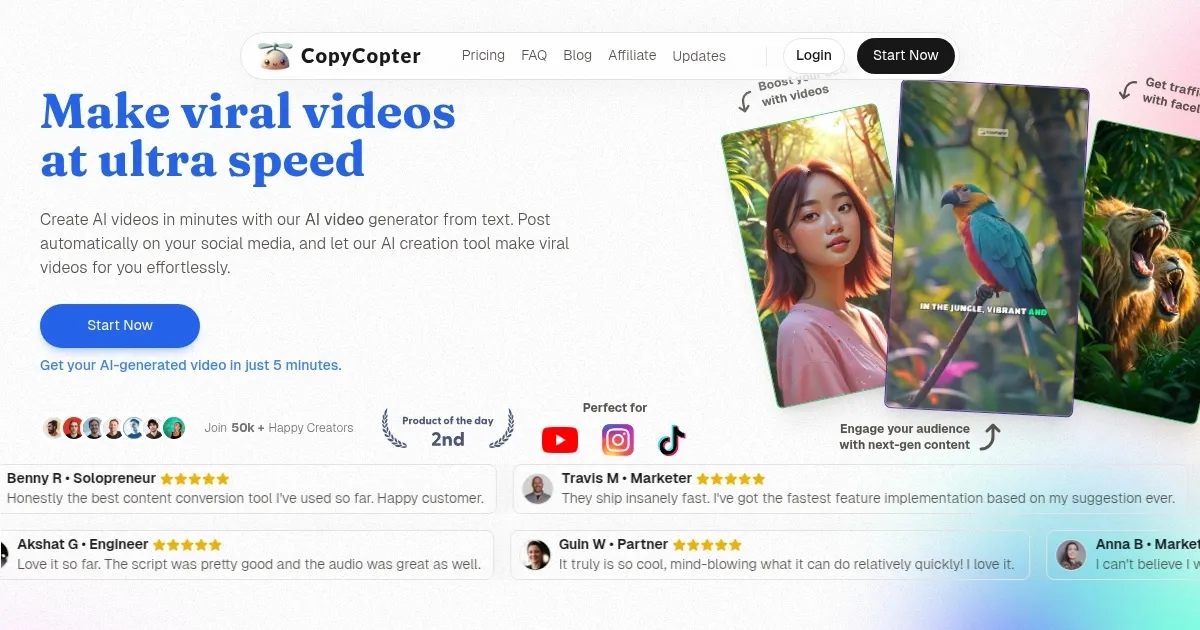
    Homepage Screenshot 📸

    CopyCopter screenshot

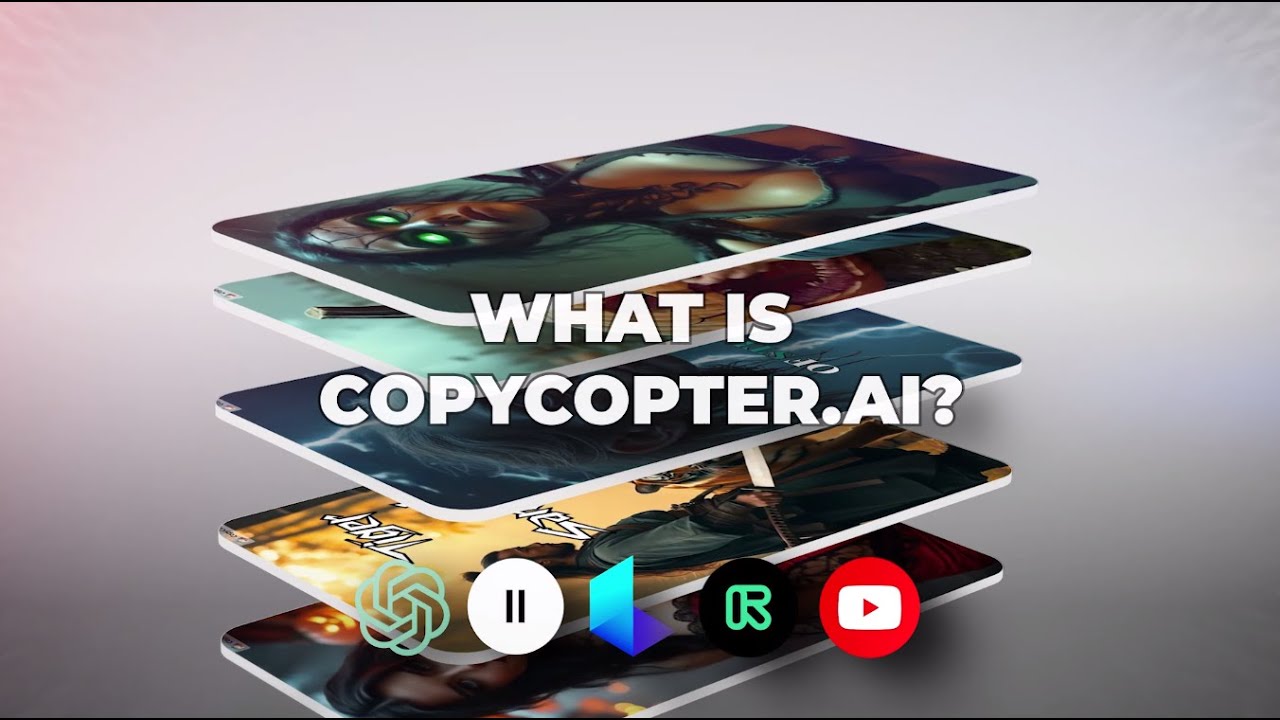
    Video Overview 🎬

    CopyCopter - Video Overview

    What are the key features? ✨

    • AI Script Generation: Automatically creates video scripts from text or URLs.
    • Voice Cloning: Replicates user’s voice for personalized narration.
    • Luma Labs Integration: Generates dynamic AI visuals for engaging videos.
    • Auto-Posting: Publishes videos directly to TikTok and YouTube.
    • Multi-Language Support: Offers 45 voices across 29 languages for global reach.

    Who is it for? 🤔

    CopyCopter benefits content creators, social media influencers, marketers, and educators who need quick, professional videos without advanced editing skills. Its automation and customization suit small businesses, YouTubers, and TikTok creators aiming to repurpose blogs or ideas into engaging, shareable content for diverse audiences.

    Examples of what you can use it for 💡

    • Social Media Influencer: Crafts viral TikTok videos from blog content.
    • Marketer: Produces promotional videos for brand campaigns.
    • Educator: Creates engaging tutorials from lesson plans.
    • Small Business Owner: Converts newsletters into YouTube Shorts.
    • Content Creator: Generates faceless videos for niche storytelling.

    Pros & Cons ⚖️

    • Supports 29 languages.
    • Useful for multiple niches.
    • Free trial with 20 credits.
    • Credit system limits heavy edits.
    • No 4K export options.

    FAQs 💬

    What types of content can CopyCopter process?
    It handles blogs, newsletters, URLs, or custom text for video creation.
    Is there a free trial available?
    Yes, CopyCopter offers a free trial with 20 credits to test features.
    Can I use my own voice in videos?
    Voice cloning lets you replicate your voice for personalized narration.
    Which platforms support auto-posting?
    Videos can auto-post to TikTok and YouTube directly from the tool.
    Does it support non-English languages?
    It supports 29 languages for both text and voiceovers.
    Can I edit videos after generation?
    The built-in editor allows script, visual, and audio customization.
    What visuals are available?
    Choose stock footage or AI-generated images via Luma Labs integration.
    Is CopyCopter beginner-friendly?
    Its intuitive interface requires no prior video editing experience.
    How fast is video creation?
    Videos are generated in minutes, often under five.
    Are there limits on video exports?
    Export options are limited, with no 4K or custom format support.

    Ready to try CopyCopter?

    Converts long text into engaging short videos in minutes

    Visit CopyCopter ↗

    CopyCopter alternatives 🔗

    1. Pictory Pictory An AI text to professional video creation tool
    2. Kapwing Kapwing Transforms text or images into edited videos with AI-driven features
    3. VideoGen VideoGen An AI-powered video generator that helps users create professional-quality videos quickly
    4. Lumen5 Lumen5 Transforms text into engaging videos automatically
    5. CoCoClip.AI CoCoClip.AI An all-in-one AI-powered video editor for streamlining the creation of social media content
    6. 1min.AI 1min.AI Create high-quality videos quickly and efficiently with the help of AI
    Share
    CopyCopter screenshot enlarged
    Best AI Tools

    Discover the best AI tools for any use case

    Explore
    • Tool Categories
    • AI Use Cases
    • AI Events
    • AI News
    • Saved Tools
    Company
    • About Us
    • Contact Us
    • Media & Partnerships
    • Suggest a Tool
    Legal
    • Privacy Policy
    • Terms of Service
    Copyright © 2026 Best AI Tools 415 Mission Street, 37th Floor, San Francisco, CA 94105