Vocal Remover

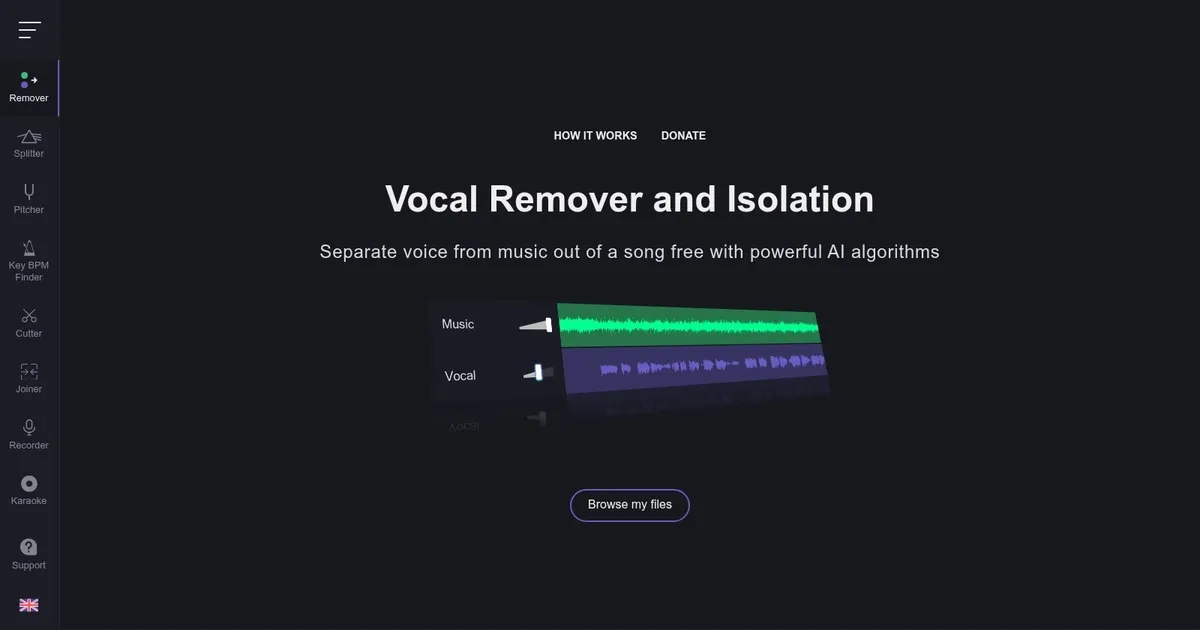

Vocal Remover is a free, browser-based tool that utilizes AI to separate songs into vocal and instrumental tracks, making it ideal for karaoke or remixing purposes. You upload an audio file, wait about 10 seconds, and receive two tracks: an instrumental for karaoke and an a cappella track with isolated vocals. It’s simple, fast, and costs nothing, which sets it apart from competitors like Lalal.ai and Moises, which often require paid plans for full features. The interface is clean, requiring no account or software download, just a browser and a file in formats like MP3 or WAV.
The AI analyzes audio frequencies to separate vocals from instruments, delivering solid results for the most clear, high-quality tracks. Pop, rock, and hip-hop songs are cleanly separated, with minimal vocal bleed in the instrumental. Users on platforms like X praise its speed, often under 10 seconds, and its ease for creating backing tracks. However, low-quality files or tracks with excessive reverb can produce artifacts, resulting in faint vocals in the instrumental or muddled a cappellas.
Compared to Lalal.ai, Vocal Remover lacks advanced settings like stem separation strength, which paid tools offer for more precise control. Moises also provides extras like pitch adjustment, but again, at a cost. Vocal Remover’s strength lies in its accessibility and anyone with an internet connection can use it – without any strings attached. It’s a boon for hobbyists or casual users who don’t need pro-level polish.
The tool supports common audio formats, including MP3, WAV, and FLAC, and downloads are quick and straightforward. Reddit feedback highlights its popularity among karaoke enthusiasts and amateur producers who create covers or mashups. One limitation is the lack of batch processing, so you’re required to upload one file at a time, which can slow down larger projects.
For most users, the results are impressive for a free tool, especially with clean, studio-recorded tracks. Complex or live recordings, though, might not split as cleanly, and there’s no way to tweak the AI’s output. This can frustrate users who want more control, but for quick, no-fuss tasks, it’s hard to beat.
Start with high-quality audio files to get the best results. If you’re creating a karaoke track or experimenting with vocals, try Vocal Remover first – it’s free and fast. For complex projects or if you need finer control, consider checking out Lalal.ai or Moises, but expect to pay for premium features.
What are the key features? ⭐
- Vocal Separation: Splits songs into vocal and instrumental tracks using AI.
- Fast Processing: Completes audio separation in about 10 seconds.
- Browser-Based: Works entirely online without software downloads.
- Free Access: Offers full functionality at no cost.
- File Support: Handles MP3, WAV, and FLAC formats.
Who is it for? 🤔
Examples of what you can use it for 💭
- Karaoke Host: Creates instrumental tracks for karaoke events.
- Amateur Producer: Isolates vocals for remixes or mashups.
- Cover Artist: Uses instrumentals to record new vocal covers.
- Content Creator: Extracts acapella tracks for video or podcast intros.
- Music Student: Studies vocal or instrumental parts separately.
Pros & Cons ⚖️
- Free to use, no hidden fees.
- Fast, 10-second processing.
- Simple, intuitive interface.
- Supports multiple audio formats.
- No batch processing option.
- Limited control over AI output.