logo-darklogo-darklogo-darklogo-dark
  • Home
  • Browse
    • Assistant
    • Coding
    • Image
    • Productivity
    • Video
    • Voice
    • Writing
    • All Categories
    • AI Use Cases
  • My Favorites
  • Suggest a Tool
✕
Home › Music & Audio / Voice Generation & Editing ›

VoiceTrans

Published by Dusan Belic on July 12, 2024

VoiceTrans by FineShare


VoiceTrans
VoiceTrans Homepage
Categories Music & AudioVoice Generation & Editing
A fancy tool that empowers users to transform their voices in real time

VoiceTrans

Developed by FineShare, VoiceTrans is a fancy tool that empowers users to transform their voices in real time. Whether you want to mimic someone you know, celebrities, or simply add a touch of humor to your conversations – VoiceTrans has you covered.

With VoiceTrans, you can seamlessly switch your voice to sound like different characters or even famous personalities. The AI voice changer retains accents, intonations, and emotions, allowing you to create a unique and personalized voice.

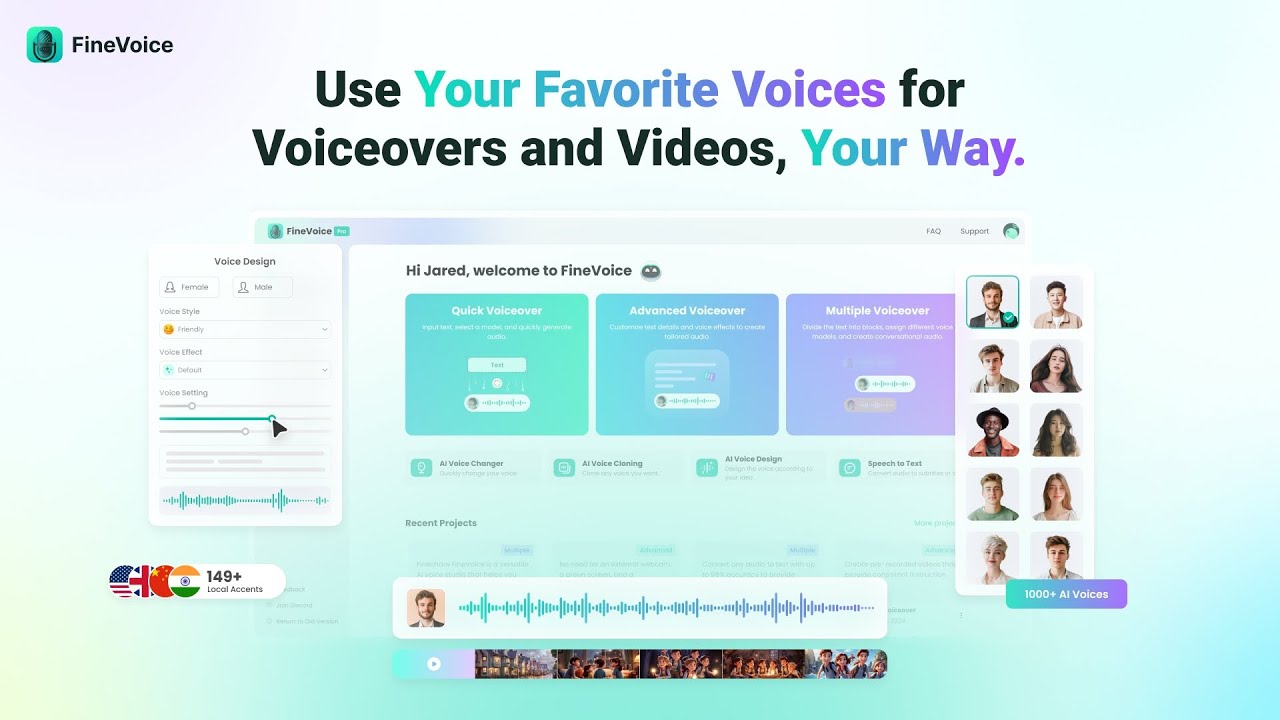
The tool also boasts a collection of over 1,000 AI voice models. From original voices to celebrity impressions, you’ll find a diverse range of options. For instance, you can sound like a robot, demon, chipmunk, or a celebrity. Then, you can use the newly created audio to surprise your friends or to create an ad.

Beyond voices, the tool lets you create custom sound effects and use them in other apps and games. VoiceTrans boasts a rich sound library where all sound memes and soundboards are gathered together.

You can also import MP3 or WAV files and build your own soundboard according to your preferences, easily editing and adding sounds at any time.

In summary, VoiceTrans combines entertainment, creativity, and expressiveness, making it a cool addition to any content creator’s toolkit. Check it out.

VoiceTrans Homepage
Categories Music & AudioVoice Generation & Editing

Video Overview ▶️

What are the key features? ⭐

  • Real-time voice changer: Transforms your voice in real-time to sound like various characters or celebrities, maintaining accents, intonations, and emotions.
  • Low CPU/GPU usage: VoiceTrans' efficient performance ensures minimal impact on games or applications, making it ideal for gaming and streaming.
  • Sound library: It offers tens of thousands of voice clips, sound memes, and sound effects for a more dynamic and entertaining experience.
  • Soundboard: You can import and edit MP3 or WAV files to create a personalized soundboard.
  • Multi-platform support: VoiceTrans is available on desktop, mobile, and online - allowing users to change and share their voice across various devices and applications.

Who is it for? 🤔

VoiceTrans targets gamers, streamers, content creators, and educators who want to add a unique and entertaining touch to their interactions. It is also ideal for anyone looking to enhance virtual communication, whether in personal chats, online meetings, or teaching sessions, by using real-time voice transformation and sound effects.

Examples of what you can use it for 💭

  • Enhance your gaming experience by mimicking favorite characters or using humorous sound effects during gameplay
  • Add fun to your live streams with unique voice effects and sound memes
  • Bring a lively atmosphere to virtual meetings and calls by using voice effects
  • Use customized voice messages and sound effects in chat apps like WhatsApp, Facebook Messenger, and Slack
  • Create an engaging and fun learning environment by using real-time voice changers and sound effects during online classes

Pros & Cons ⚖️

  • Add fun to multi-player gaming
  • Make online lessons with different voices
  • Sound like a celebrity on video calls
  • Sounding like a celebrity can have legal repercussions
FAQs 💬

What is FineShare VoiceTrans?
FineShare VoiceTrans is a real-time AI voice changer and soundboard tool designed to transform your voice into characters, celebrities, or fun effects during gaming, streaming, or chats. It offers over 1000 AI voice models and thousands of free sound effects to make online interactions more expressive and immersive. I think it's especially handy for anyone looking to add personality without complicating their setup.
Does FineShare VoiceTrans work in real-time for live calls?
Yes, it provides zero-delay real-time voice modulation, so your changed voice comes through instantly in apps like Discord or Zoom. This keeps conversations natural, even with effects like robot or echo mixed in. Users often note it handles accents and emotions well, based on the tool's own demos.
What platforms does FineShare VoiceTrans support?
It runs on Windows desktops for full features, iOS mobile for on-the-go soundboards, and an online version for quick voice clips. Integrations include games like Roblox and League of Legends, plus chat apps such as WhatsApp and Slack. That broad compatibility makes it versatile, though mobile is more limited to voice messages.
How many voice models come with FineShare VoiceTrans?
There are over 1000 AI voice models, covering categories like anime characters, celebrities, and humorous packs, with options for male-to-female switches. You can also clone your own voice for custom use. It's a huge library that keeps growing through community uploads, which probably keeps things fresh.
Can I create custom sound effects in FineShare VoiceTrans?
Absolutely, you import MP3 or WAV files to build personalized soundboards, then assign key bindings for quick playback in games or streams. The tool also lets you combine 28+ effects for unique voices. This feature stands out for creators who want to tailor audio without extra software.
Is FineShare VoiceTrans easy to set up for beginners?
Setup is straightforward, just a few clicks to select voices via the Voicebox interface and bind keys for effects. It runs lightweight with low CPU use, so it won't bog down your system. Reviews suggest even non-techy folks get it running fast for gaming sessions.
What kinds of sound effects are available in the soundboard?
The soundboard includes tens of thousands of free resources like memes, SFX, game sounds, and voice packs, all user-shareable in a growing community library. You can play them one-tap in chats or streams. It's great for adding humor, though you might need to browse to find niche ones.
Does FineShare VoiceTrans integrate with streaming software?
It works seamlessly with OBS for live streams, letting you layer voice changes and effects without lag. Streamers praise its stability in reviews, saying it boosts engagement without performance hits. Just route your audio through it like any virtual mic.
Can I use FineShare VoiceTrans offline?
The desktop version supports offline real-time changing once models are downloaded, but some AI cloning features need internet. Mobile and online modes require connection for full access. This hybrid setup suits most users, especially for quick offline gaming tweaks.
Is FineShare VoiceTrans safe and free of ads?
Yes, it's ad-free, virus-scanned, and doesn't impact game performance, as confirmed by the developers and user feedback. It emphasizes privacy in voice handling. That clean experience probably makes it more trustworthy than some competitors.

Related tools ↙️

  1. Remusic Remusic An AI-powered platform designed to revolutionize music creation and learning
  2. Musicfy Musicfy Create an AI clone of your voice or explore other voices and use them for your songs
  3. Beey AI Beey AI Converts audio/video to text with high accuracy and creates subtitles in multiple languages
  4. AnthemScore AnthemScore Converts audio files into sheet music using AI-driven transcription
  5. Lyrics Into Song AI Lyrics Into Song AI Harnessing the power of artificial intelligence to convert your lyrics into songs
  6. WhisperTranscribe WhisperTranscribe Converts audio and video into accurate text transcripts in minutes
Last update: December 8, 2025
Share
Promote VoiceTrans
light badge
Copy Embed Code
light badge
Copy Embed Code
light badge
Copy Embed Code
About Us | Contact Us | Suggest an AI Tool | Privacy Policy | Terms of Service

Copyright © 2026 Best AI Tools
415 Mission Street, 37th Floor, San Francisco, CA 94105