logo-darklogo-darklogo-darklogo-dark
  • Home
  • Browse
    • Assistant
    • Coding
    • Image
    • Productivity
    • Video
    • Voice
    • Writing
    • All Categories
    • AI Use Cases
  • My Favorites
  • Suggest a Tool
✕
Home › Image Generation & Editing ›

AI Image Enlarger

Published by Dusan Belic on July 10, 2023

AI Image Enlarger by ImgLarger

AI
AI Image Enlarger Homepage
Categories Image Generation & Editing
AI image enlarger and enhancer

AI Image Enlarger

AI Image Enlarger (ImgLarger) is an AI-powered tool made for enhancing images, offering a range of tools designed to improve the quality of photos without losing their original essence. The primary function of this website is to enlarge images while maintaining their quality, which is a common challenge in digital imaging.

In addition, the site offers other AI-powered tools, including image upscalers, enhancers, cartoonizers, and more. These tools are designed to cater to different needs, such as sharpening details, reducing noise, and even converting images into cartoon or anime styles. This versatility makes it useful for a wide range of users, from amateur photographers to professional graphic designers.

Using ImgLarger is easy – all you have to do is upload your image(s) to the website and select the desired enhancement tool. The AI algorithms will take it from there — processing the images and enhancing them as per the selected parameters. This process is done online, without the need for any software downloads, making ImgLarger accessible from any device with an internet connection.

ImgLarger runs on a subscription model, providing users with a certain number of free credits each month, which can be used to process images. Once you’re done using them — or if you want more features — you’ll have to pay.

Overall, ImgLarger offers an easy-to-use solution for image enhancement needs. It leverages AI to offer high-quality image enlargements and enhancements, making it a valuable resource for anyone looking to improve their digital images.

Beyond the web, ImgLarger also offers apps for iOS, Android, and macOS.

AI Image Enlarger Homepage
Categories Image Generation & Editing

Video Overview ▶️

What are the key features? ⭐

  • Image enlargement: This means you can increase the size of your photos without losing quality.
  • Other enhancement tools: ImgLarger also offers a variety of other tools, such as image upscaling, sharpening, noise reduction, and style conversion tools like cartoonizers.
  • Easy to use: You don't need to be a tech expert or a professional photographer to use ImgLarger. Simply upload your photo to the website, choose the enhancement tool you want to use, and let the site do the rest.
  • Accessibility Across Devices: ImgLarger is not limited to just the website - it also offers apps for iOS, Android, and macOS.
  • Paid version gets you more: The website operates on a subscription model, offering users a certain number of free credits every month.

Who is it for? 🤔

ImgLarger is made for a diverse audience that includes amateur and professional photographers, graphic designers, and individuals involved in digital marketing and e-commerce. It caters to anyone needing to enhance image quality, whether for personal use - such as improving family photos - or for professional purposes - like creating high-resolution images for product listings or marketing materials. In addition, its user-friendly interface makes it accessible to casual users who may not have tech skills but still wish to improve the quality of their images.

Examples of what you can use it for 💭

  • Enhance personal photos with the help of AI
  • Improve the resolution and quality of product (and other) photos
  • Use it to create visually appealing websites and online content
  • Experiment with different styles and effects

Pros & Cons ⚖️

  • It packs several image-enhancing tools under one roof
  • Lets everyone improve their photos and look better
  • Good for both personal and business users
  • There are more encompassing AI image editing tools out there
FAQs 💬

What does AI Image Enlarger actually do to images?
AI Image Enlarger uses AI to upscale, enhance, sharpen, and edit photos, increasing resolution while trying to preserve or intelligently add details, reduce blur, and improve overall quality.
Is AI Image Enlarger completely free to use?
It offers a free tier with access to core AI tools and a monthly credit allowance for processing images, though advanced features, higher resolutions, and unlimited use require a paid upgrade.
What kinds of images work best with AI Image Enlarger?
Low-resolution photos, old scanned pictures, product shots, portraits, and AI-generated art respond well, especially when users want clearer web versions or moderate enlargements.
Does AI Image Enlarger support batch processing?
Yes, it includes batch upscaling and resizing so you can handle multiple images at once, which helps a lot for workflows involving lots of files.
How high can images be upscaled?
The AI supports enlargement up to 800% in some cases, with outputs reaching high resolutions like 8K depending on the input and plan used.
Will upscaled images look natural or artificial?
Results vary by image type, but AI Image Enlarger aims for natural enhancements—sometimes it adds pleasing detail, though very aggressive upscales might smooth skin or textures noticeably.
What file formats does AI Image Enlarger accept and output?
It handles common formats like JPG, PNG, and WebP for uploads, with outputs typically in JPG or PNG and no watermarks added.
Is my data safe when using AI Image Enlarger?
The platform states that uploaded files are processed securely and automatically deleted after 24 hours.
Can beginners use AI Image Enlarger easily?
Absolutely, the interface stays simple—just upload, choose a tool or scale, and process—so no advanced skills are required.
How does AI Image Enlarger compare to desktop tools like Topaz?
It provides convenient online access and good results for many users, though dedicated desktop software might deliver slightly superior control and fidelity for professional print needs.

Related tools ↙️

  1. IconAI IconAI Generates custom icons from text descriptions using AI
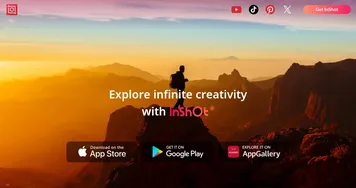
  2. InShot InShot Edit videos and photos with AI-powered tools for stunning social media content
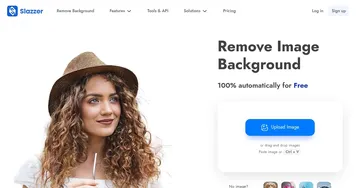
  3. Slazzer Slazzer Remove the background from any image and replace it automatically
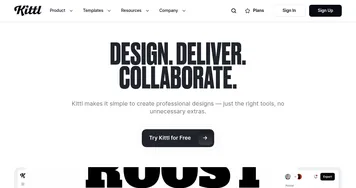
  4. Kittl Kittl A collection of AI-powered design tools & mockups for marketing purposes
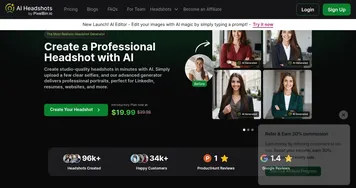
  5. AI Headshots AI Headshots Transforms selfies into professional headshots using AI technology
  6. ProfilePicture.ai ProfilePicture.ai Generate profile pictures (pfps) with different styles
Last update: December 29, 2025
Share
Promote AI Image Enlarger
light badge
Copy Embed Code
light badge
Copy Embed Code
light badge
Copy Embed Code
About Us | Contact Us | Suggest an AI Tool | Privacy Policy | Terms of Service

Copyright © 2026 Best AI Tools
415 Mission Street, 37th Floor, San Francisco, CA 94105