logo-darklogo-darklogo-darklogo-dark
  • Home
  • Browse
    • Assistant
    • Coding
    • Image
    • Productivity
    • Video
    • Voice
    • Writing
    • All Categories
    • AI Use Cases
  • My Favorites
  • Suggest a Tool
✕
Home › Image Generation & Editing ›

AIEASE

Published by Dusan Belic on November 21, 2024

AIEASE

AIEASE
AIEASE Homepage
Categories Image Generation & Editing
An AI-powered platform offering a suite of free photo editing tools

AIEASE

AIEASE is an AI-powered platform offering a suite of free photo editing tools designed to simplify and enhance the editing process. By leveraging advanced artificial intelligence, it enables users to perform complex edits with little effort — making professional-quality photo enhancement accessible to everyone.

The platform boasts a diverse range of tools, including an AI headshot generator, passport photo maker, image enlarger, photo enhancer, photo restoration, and background remover. These features are meant to cater to various needs, from creating professional business headshots to restoring old photographs. In fact, each tool is designed to automate intricate editing tasks, allowing users to achieve desired results quickly and efficiently.

All AIEASE work from the web, requiring no additional software downloads or manual edits. The platform is entirely free for both commercial and personal use, eliminating financial barriers and enabling users to explore and utilize its full range of capabilities without any cost.

Now when something’s free, we expect they will get our data. It seems that is not the case with AIEASE, as it claims to uphold high standards of data privacy and security. You will have to see some ads, though.

AIEASE Homepage
Categories Image Generation & Editing

Video Overview ▶️

What are the key features? ⭐

  • Photo editing tools: Provides a range of AI photo editing tools, including headshot generation, passport photo creation, image enlargement, photo enhancement, restoration, and background removal.
  • Easy to use: Features an intuitive design that allows users of all skill levels to perform complex edits effortlessly, streamlining the photo editing process.
  • High-quality outputs: AIEASE uses advanced AI upscaling algorithms to ensure enhanced images maintain high resolution and clarity - supporting upscaling options up to 4K HD quality.
  • Free access: Offers all features at no cost, making professional-grade photo editing accessible to both commercial and personal users without any financial barriers.
  • Data privacy & security: AIEASE commits to maintaining user data privacy and security, ensuring that images are and not stored after editing sessions.

Who is it for? 🤔

AIEASE caters to a diverse audience, including businesses, individuals, content creators, e-commerce sellers, and photographers looking for efficient and high-quality photo editing solutions. Its free access and user-friendly interface make it an attractive option for users of all skill levels aiming to enhance their digital content without incurring additional costs.

Examples of what you can use it for 💭

  • Create professional visuals for product showcases, real estate listings, and marketing materials
  • Enhance personal photos, restore old images, and create high-quality headshots for resumes or social media profiles
  • Produce visually appealing images for social media platforms
  • Enhance product images by removing backgrounds, improving clarity, and ensuring images meet platform standards
  • Refine images by enhancing quality, restoring old photos, and removing unwanted elements

Pros & Cons ⚖️

  • Free to use of AI photo editing tools
  • Intuitive interface for all skill levels
  • Automates complex photo editing tasks
  • Automated edits might restrict creative control
FAQs 💬

What is AIEASE?
AIEASE is a free online platform that uses AI to simplify photo and video editing tasks. It offers tools like background removal, image enhancement, headshot generation, and object removal, making professional results accessible without downloads or complex software. I think it's especially great for beginners who want quick edits for social media or e-commerce.
Is AIEASE completely free to use?
Yes, many core features like basic photo enhancement and object removal are 100% free with no watermarks on downloads, and you can use outputs for personal or commercial purposes. However, advanced options like unlimited credits or video tools require a Pro plan starting at $3.99/month during promotions. Probably the best part is the free tier lets you test everything without commitment.
What are the main features of AIEASE?
Key tools include AI headshot generator, background remover, photo enhancer (upscales and sharpens images), object remover, face swapper, passport photo maker, AI filters (like cartoon or oil painting), image extender, and new video features like text-to-video with models such as Veo 3.1 or Kling AI v2.1. It runs in your browser or via mobile app, and users on Reddit praise the variety for creative projects.
How does AIEASE's pricing work?
The free plan gives daily credits for basic edits. Pro Monthly is $9.99 for unlimited access, batch downloads, and ad-free use; Pro Yearly drops to $59.99 with extra speed. Credits expire after a year, and there's no refund policy, but you can cancel anytime. Recent Black Friday deals slashed it to $3.99/month, which feels like a steal based on Trustpilot feedback.
Is AIEASE easy for beginners?
Absolutely, its intuitive interface means no prior editing skills needed, just upload a photo and click a tool. Reviews on Product Hunt highlight the one-click simplicity for tasks like removing photobombers, though some advanced filters might take a quick try or two. I might say it's more approachable than Photoshop alternatives.
Can I use AIEASE for commercial purposes?
Yes, all generated images and videos are yours to use commercially, like for e-commerce product shots or marketing content. E-commerce users on Futurepedia note it saves hours on background swaps, and there's no restriction as long as you follow the free tier limits.
What do users say about AIEASE's output quality?
Most reviews rave about realistic results in enhancement and removal tools, with Trustpilot users calling object removal "quite good" and headshots "professional." Some mention minor issues like blurry free outputs or unrealistic faces in swaps, but Pro upgrades fix that. Overall, it's solid for quick edits, per 2025 Reddit threads.
Does AIEASE have a mobile app?
Yes, it's available on Google Play and Apple App Store as AIEASE - AI Photo Editor, with the same tools plus fun filters like holiday themes. App users appreciate the on-the-go retouching, though it needs internet, which can be a hassle offline.
How secure is my data on AIEASE?
The site uses SSL encryption and doesn't store uploads long-term, per their policy. ScamAdviser rates it legit with a high trust score, and no major breaches reported in recent reviews. Still, for sensitive photos, I think sticking to the free tier keeps things low-risk.
What are some alternatives to AIEASE?
If you need more advanced options, try Insmind for similar toolboxes or PicLumen for art generation; both have free tiers but steeper learning curves. For pros, Adobe Firefly offers deeper integration, though it's pricier. AIEASE wins on affordability, as noted in 2025 comparisons on AIxploria.

Related tools ↙️

  1. Akool Akool An AI-powered tool designed to enhance digital content creation for businesses
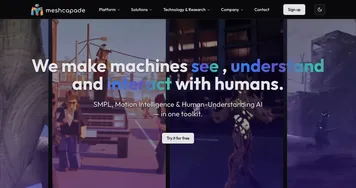
  2. Meshcapade Meshcapade An online tool that converts images, videos, and words into lifelike digital humans
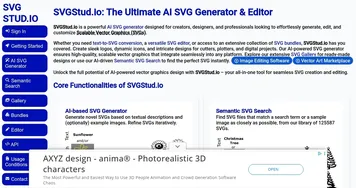
  3. SVGStud.io SVGStud.io Generates editable SVGs from text prompts using AI
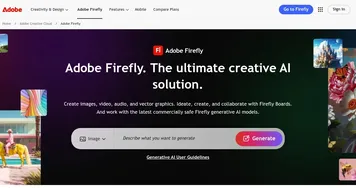
  4. Adobe Firefly Adobe Firefly Generates images, videos, audio, and vectors using AI.
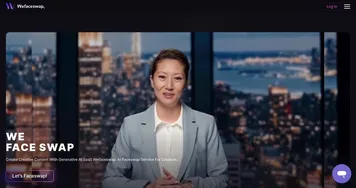
  5. Wefaceswap Wefaceswap An AI-powered tool that lets you swap faces in photos, videos, and GIFs
  6. LogoAI LogoAI Generate your new logo & create matching stationery
Last update: November 25, 2025
Share
Promote AIEASE
light badge
Copy Embed Code
light badge
Copy Embed Code
light badge
Copy Embed Code
About Us | Contact Us | Suggest an AI Tool | Privacy Policy | Terms of Service

Copyright © 2026 Best AI Tools
415 Mission Street, 37th Floor, San Francisco, CA 94105